Manual · Allen-Bradley
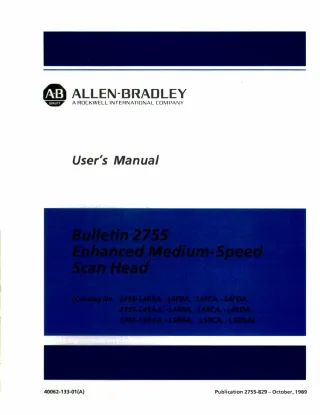
Bulletin 2755 Enhanced Medium-Speed Scan Head User's Manual
Manual44 pagesPDF 4.0 MB
User's manual for the Allen-Bradley Bulletin 2755 Enhanced Medium-Speed moving beam scan heads (2755-L4 and 2755-L5 series).
What this file really is
The old site listed this file as “36” for the Allen-Bradley 2755-DS. This is the user's manual for the Bulletin 2755 Enhanced Medium-Speed Scan Heads (2755-L4 and -L5), used with the 2755-DM1 or DM6 decoder; it does not mention the 2755-DS decoder.
Filed with · 1 model
Also filed with these models on the old site

Summary
What is in it
The user's manual for the Allen-Bradley Bulletin 2755 Enhanced Medium-Speed Scan Heads, moving beam bar code scan heads in front, side and raster scanning versions with four range selections, used with a 2755-DM1 or DM6 decoder. It describes lens combinations and reading distances, features such as the shutter, LEDs and package detect port, how to position symbols, installation with the swivel mounting base, flat mounting plate and package detect assembly, maintenance and window cleaning, troubleshooting and specifications.
Its parts
- Using This Manual
- Description
- How the System Operates
- Installing the Scan Head
- Maintenance and Troubleshooting
- Specifications
From the manual
Key facts from this manual
Each line names its page in the PDF.
User manual for the Allen-Bradley Bulletin 2755 Enhanced Medium-Speed Scan Head, models 2755-L4FAA to -L4FDA, 2755-L4RAA to -L4RDA and 2755-L5RAA to -L5RDA, a laser scan head used with a 2755-DM1 or -DM6 decoder. It explains choosing a range model, positioning bar code symbols, mounting and connecting the scan head, cleaning its window and troubleshooting. It also lists accessories and specifications.
- Device
- Moving-beam laser bar code scan head for a 2755-DM1 or -DM6 decoder p. 8
- Scan rate
- About 200 scans per second, bidirectional p. 8
- Versions
- Front scanning 2755-L4FxA, side scanning 2755-L4RxA, raster scanning 2755-L5RxA; x is range A to D p. 8
- Scan range
- 5 to 50 in from the scan window depending on model; 10% less on side-scanning models p. 10, 29
- Laser
- Focused helium-neon, 632.8 nm, 1.5 mW max. p. 29
- Power
- Powered by the decoder p. 29
- Dimensions
- 10.25 x 4.25 x 2.50 in p. 29
- Operating temperature
- 32 to 122 °F (0 to 50 °C) p. 29
- Enclosure
- NEMA 12/13 with the gasketed window cover in place p. 25
- Cables
- 2755-C1 (10 ft) or 2755-C2 (25 ft) for the 2755-DM1; 2755-CK10 (10 ft) or 2755-CK25 (25 ft) for the 2755-DM6 p. 13
- Package detector
- 2755-NP1 infrared photoelectric switch and reflector; 2755-NC7 port connector p. 13
- Swivel mount
- 2755-NM1 swivel mounting base, used with the 2755-NM2 T mounting plate p. 13
- Indicators
- PWR ON and VALID READ LEDs on the back p. 12
- Package detect port
- Pin 1 +12V, pin 2 common, pin 3 input; input pulled low to decode p. 24
What this manual walks you through
- Choosing a range model by minimum bar width p. 10
- Positioning symbols in ladder or picket fence orientation p. 15, 16
- Connecting the scan head, terminal and host to the decoder p. 19, 20
- Mounting the scan head and its space needs p. 20, 21
- Installing the swivel mounting base p. 21, 22
- Installing the package detect assembly p. 23, 24
- Removing the scan window p. 25
- Cleaning the glass window p. 26
- Cleaning the plastic window p. 27
- Troubleshooting power, laser and read problems p. 28
Good to know
- The scan head needs no user maintenance; do not open the enclosure. p. 7
- If an intense dot of light appears instead of a line, close the shutter and turn the decoder off. p. 16
- Do not clean the window with paper wipes or towels; their glass fibers scratch it. p. 26
- Do not use organic solvents on the plastic window. p. 27
- For decoding UPC or Code 128 with a 2755-DM1, the manual says to consult the factory. p. 9
Questions this manual answers
Which decoder works with the 2755-L scan head?
A 2755-DM1 or 2755-DM6 decoder. p. 8
How far can the 2755-L scan head read a bar code?
Up to 50 inches away, depending on the model and bar width; side-scanning models read 10% less. p. 8, 10
Which cable connects the scan head to a 2755-DM6 decoder?
The 2755-CK10 (10 ft) or 2755-CK25 (25 ft) cable. p. 13
What laser is in the 2755-L scan head?
A focused helium-neon laser at 632.8 nm, 1.5 mW max. p. 29
Why does no laser beam come out of the scan head?
The shutter may be closed, or no scan trigger is arriving from the package detector or host. p. 28
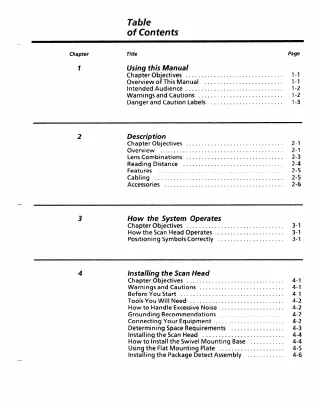
Contents
Chapters and sections
Each line opens the PDF at its page.
- Front Cover1
- Important User Information2
- 1 - Using This Manual5
- 2 - Description8
- 3 - How the System Operates14
- 4 - Installing the Scan Head18
- Chapter Objectives18
- Warnings and Cautions18
- Before You Start18
- Tools You Will Need19
- How to Handle Excessive Noise19
- Grounding Recommendations19
- Connecting Your Equipment19
- Determining the Space Requirements20
- Installing the Scan Head21
- How to Install the Swivel Mounting Base (Cat. No. 2755-NM1, 2755-NM2)21
- Using the Flat Mounting Plate (Cat. No. 2755-NM2)22
- Installing the Package Detect Assembly (Cat. No. 2755-NP1)23
- 5 - Maintenance and Troubleshooting25
6 more lines, from page 28 on
The whole text · 8 parts
Read the manual here as text
Its text as extracted from the PDF, unedited, in parts; each page opens the PDF at that page.
The file