Manual · Allen-Bradley
Hand-Held Undecoded Bar Code Scanner User Manual (Cat. No. 2755-HUG-4, 2755-HUG-9)
Manual42 pagesPDF 326 KB
User manual for the Allen-Bradley 2755-HUG-4 and 2755-HUG-9 undecoded laser scanners, used with 2755 enhanced bar code decoders.
Filed with · 1 model
Also filed with these models on the old site

Summary
What is in it
The user manual for the Allen-Bradley hand-held undecoded laser bar code scanners, standard range 2755-HUG-4 and extended range 2755-HUG-9. Because these scanners need a decoder, the manual lists compatible Allen-Bradley decoders, including the 2755-DS1x single-head enhanced decoder. It covers scanner features, LEDs and scanning ranges, connecting and operating the scanner, troubleshooting and cleaning, specifications, connector pinouts and EU compliance, plus bar code test symbols.
Its parts
- Preface
- Scanner Features
- Connecting and Operating Scanner
- Troubleshooting and Maintenance
From the manual
Key facts from this manual
Some pages are scans or cannot be read; this says only what the readable text supports. Each line names its page in the PDF.
This is the Allen-Bradley user manual (Publication 2755-6.1) for the Hand-Held Undecoded Bar Code Scanners 2755-HUG-4 (standard range) and 2755-HUG-9 (extended range). The site files it under the 2755-DS decoder, which the manual lists as a compatible decoder used with the 2755-NC16 gun adapter. It covers read ranges, accessories, connecting and operating the scanner, troubleshooting, specifications and the connector pinout.
- Device
- Hand-held undecoded laser scanner that needs a decoder: 2755-HUG-4 standard range, 2755-HUG-9 extended range p. 3, 5
- Compatible decoders
- Bulletin 2708-DH5 Attended Workstations, 2755-DH1 Multi-Purpose Bar Code WorkStation, 2755-DD1x and -DS1x Enhanced decoders p. 16
- Gun adapter
- 2755-NC16 Series B required for the 2755-DS1A and -DD1A Enhanced decoders p. 18, 25
- Power
- 4.8 to 14.0V DC; 110 mA at 5V DC typical p. 27
- Range, 2755-HUG-4
- 1.25 to 2.7 in on 5.0 mil symbols, up to 7 to 50 in on 55.0 mil p. 12
- Range, 2755-HUG-9
- 5.0 to 11 in on 7.5 mil symbols, up to 96 to 420 in on 100 mil reflective p. 12
- Size and weight
- 5.0 (L) x 2.8 (W) x 6.3 (H) in.; 8.5 oz (240 g) p. 27
- Environment
- Operating -22 to 122 F (-30 to 50 C); storage -40 to 140 F; 5% to 95% humidity noncondensing; 6 ft drop to concrete p. 28
- Scanner cables
- 2755-HUC-GA1-08 (8 ft), 2755-HUC-GA1-15 (15 ft), 2755-HUC-GA1-20 (20 ft) p. 15
- Stands and boot
- Adjustable stands 2755-HFN-K1 (5 to 18 in) and 2755-HFN-K2 (9 to 16 in); multi-mount stand 2755-HFN-K3; protective boot 2755-HFN-H1 p. 15
- LEDs
- Green: good read; red: laser scanning p. 10
- Trigger
- 2755-HUG-9: two position trigger, spotter beam at the first detent, scan line at the second p. 9
- Connector pins
- Pins 1 and 2 power, 3 ground, 4 enable, 5 start of scan, 6 trigger switch, 7 decode LED p. 29
- Laser class
- The manual states CDRH Class II laser product, IEC 825 Class 2 p. 28
What this manual walks you through
- Attaching and removing the scanner cable p. 17
- Connecting the scanner to a decoder, with the gun adapter where needed p. 18, 19
- Testing the scanner and scanning a label p. 20
- Using the spotter beam on the extended range scanner p. 21
- Holding the scanner for reliable reads p. 22
- Troubleshooting no beam, a dot instead of a line, and unread symbols p. 24, 25
- Cleaning the scan window p. 26
- Scanner connector pinout p. 29
- European Union directive compliance p. 30
Good to know
- Turn off power to the scanner and decoder before connecting or removing scanner cables. p. 18
- Owners of the older Series A gun adapter (used with 2755-G2 or -G3 scanners) need the Series B adapter. p. 18
- No beep is heard when the scanner is used with the unattended 2755-DS1x or -DD1x decoders. p. 21
- The scanner has no serviceable parts; do not open the housing. p. 26
- Do not clean the window with abrasive wipes, tissue, alcohol or acetone. p. 26
Questions this manual answers
Does the 2755-HUG scanner work with a 2755-DS1A decoder?
Yes, through the 2755-NC16 Series B gun adapter, which is required for the 2755-DS1A and -DD1A Enhanced decoders. p. 18
Why is there no beep when scanning into a 2755-DS decoder?
The unattended 2755-DS1x and -DD1x decoders give no audible response. p. 21
What voltage does the 2755-HUG-4 scanner need?
4.8 to 14.0V DC, drawing about 110 mA at 5V DC. p. 27
Why does the 2755-HUG-9 show a dot instead of a scan line?
Its trigger has two positions; the first gives only the spotter beam, so press it fully to scan. p. 24
How far can the 2755-HUG-9 read a bar code?
From 5.0 to 11 in on 7.5 mil symbols up to 96 to 420 in on 100 mil reflective symbols. p. 12
Contents
Chapters and sections
Each line opens the PDF at its page.
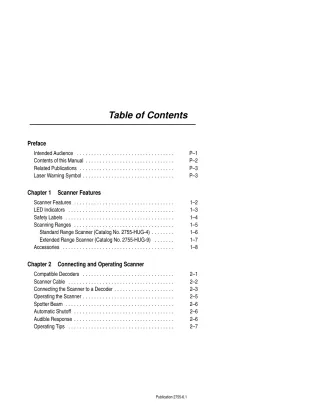
- Front Cover1
- Important User Information2
- Preface - Using this Manual5
- 1 - Scanner Features8
- 2 - Connecting and Operating Scanner16
- 3 - Troubleshooting and Maintenance23
- A - Specifications27
- B - Scanner Pinout Connections29
- C - European Union Directive Compliance CE30
- Glossary32
- Index39
2 more lines, from page 41 on
The whole text · 8 parts
Read the manual here as text
Its text as extracted from the PDF, unedited, in parts; each page opens the PDF at that page.
The file