Manual · Unitech
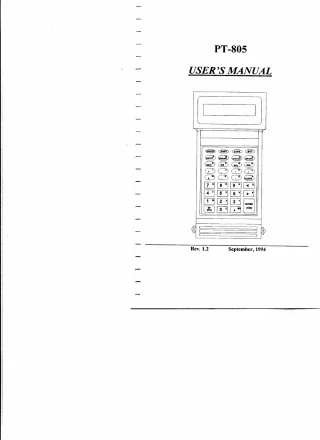
PT-805 User's Manual
Manual70 pagesPDF 2.2 MB
User's manual for the Unitech PT-805 portable data collection terminal: batteries, keypad, resident operating program and communications.
What this file really is
The old site listed this file as a manual for the Unitech PT815. The file is named as a PT815 manual, but the document is the user's manual for the Unitech PT-805 and does not mention the PT815.
Filed with · 1 model
Also filed with these models on the old site
Summary
What is in it
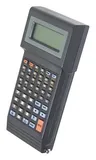
The user's manual for the Unitech PT-805, a rugged handheld bar code and keypad data collection terminal that can also act as a PC/AT or PS/2 keyboard wedge. It covers battery installation and care (NiCd pack or AA alkaline, with lithium backup), the keypad and connecting a wand or laser scanner, the Resident Operating Program with its input, status, transfer, setup and purge functions, interfacing and communications over RS-232, and the built-in keyboard wedge, with appendices on diagnostics, error messages, specifications and connector pins.
Its parts
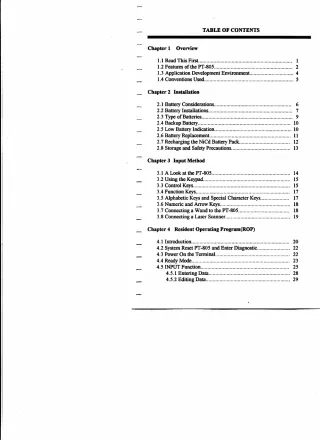
- Overview
- Installation
- Input Method
- Resident Operating Program(ROP)
- Interfacing And Communications
- Built-In Keyboard Wedge
From the manual
Key facts from this manual
Some pages are scans or cannot be read; this says only what the readable text supports. Each line names its page in the PDF.
The Unitech PT-805 User's Manual (Rev. 1.2, September 1994), a scanned manual filed here under the PT815; it names only the PT-805 throughout. It covers batteries and charging, the keypad, connecting scanners, the Resident Operating Program, RS-232 and keyboard wedge communication, diagnostics, error messages, specifications and connector pinouts.
- What it is
- PT-805 handheld data collection terminal that can also act as a PC/AT or PS/2 keyboard wedge p. 6
- Memory
- PT-805: 64 / 128 / 256K Byte CMOS SRAM; 64K Byte ROM for the ROP p. 69
- Display
- PT-805: 2 line x 16 character LCD p. 69
- Keypad
- PT-805: 35 key membrane keypad p. 69
- Main battery
- PT-805: 4.8V 700 mAH NiCd pack (four AA-size cells) or 4 AA-size alkaline batteries p. 13
- Backup battery
- PT-805: CR2032 3V 190 mAH lithium p. 69
- Charging
- PT-805: +9V DC adapter charges the NiCd pack in 14 to 16 hours p. 16, 69
- Battery run time
- PT-805 continuous use: 12-14 hours on 1500 mAH alkaline, 8-10 hours on 700 mAH NiCd p. 15
- Connectors
- PT-805: DB-9 squeeze type scanner port; DB-9 male RS-232/keyboard wedge port p. 69
- Scanners
- Wand, CCD or laser scanner, told apart automatically; the laser needs no external power p. 22, 23
- Wedge cables
- Keyboard Wedge Adapter plus PC/AT Adapter Cable P/N# 155102-0050 or PS/2 Adapter Cable P/N# 155102-0080 p. 61
- Symbologies
- UPC-A, UPC-E, EAN-13, EAN-8, Interleaved 2 of 5, Code 39, Full ASCII Code 39, Codabar, MSI, Code 128 p. 7
- Size and weight
- PT-805: 90 x 203 x 45 mm (3.54 x 7.99 x 1.77 in); 470 g (16.5 oz) with batteries p. 69
- Temperature
- PT-805: operating 0°C to 50°C (32°F to 122°F); storage -20°C to 70°C p. 69
What this manual walks you through
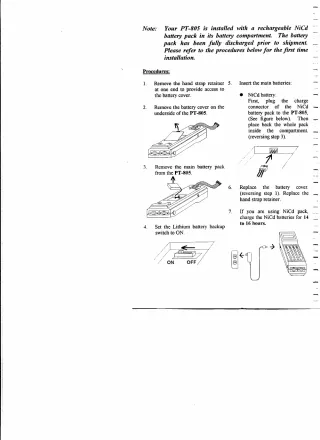
- First-time battery setup: switching on the lithium backup and charging the NiCd pack p. 11, 12
- Recharging the NiCd pack and charging temperature p. 16, 17
- Connecting a wand or laser scanner p. 22, 23
- Wiring RS-232 cables to a PC or a modem p. 55, 56, 57
- Data format and the ACK/NAK upload protocol p. 58, 59, 60
- Installing and uploading through the built-in keyboard wedge p. 61, 62, 63
- Running the built-in diagnostics (LCD, keypad, RS-232, memory) p. 64, 65
- Meaning of error messages p. 66, 67, 68
- Connector pin assignments p. 70
Good to know
- The diagnostic program destroys all data in the terminal; save data first. p. 64
- The AC-DC adapter only recharges the NiCd pack, not alkaline batteries. p. 16
- Charge NiCd batteries only between 32°F and 113°F (0°C to 45°C). p. 16
- Switching the lithium backup off for storage loses all data. p. 10
- After a wedge upload, leave the wedge adapter and cable connected or the keyboard will not work. p. 63
Questions this manual answers
What backup battery does the Unitech PT-805 use?
An internal CR2032 3V lithium battery that keeps RAM and the clock when the main battery is out or flat. p. 14
How long does the PT-805 NiCd battery take to charge?
14 to 16 hours with the power adapter plugged into the terminal. p. 16
What does REPLACE LITHIUM BATTERY mean on the PT-805?
The backup battery is flat or its switch is OFF. Set the switch to ON; if the message stays, upload your data and have the lithium battery replaced. p. 14
How do I fix a Buffer Overflow error on the PT-805?
Add XON/XOFF flow control in the host program or lower the baud rate. p. 67
What software uploads data from the PT-805 to a PC?
PTCOMM or PTCOMM Plus, which runs on a PC XT/AT and uploads data, downloads jobs and can dial a modem. p. 58
The whole text · 7 parts
Read the manual here as text
Its text as extracted from the PDF, unedited, in parts; each page opens the PDF at that page.
The file