Manual · Unitech
Using a portable barcode reader for inventory and circulation (Macintosh)
Manual28 pagesPDF 304 KB
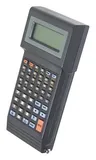
Winnebago Software guide to using the Unitech PT-815 and PW-800 portable barcode readers with Spectrum CIRC/CAT on a Macintosh.
What this file really is
The old site listed this file as “Reference Manual” for the Unitech PT815. This is not a Unitech reference manual: it is a Winnebago Software guide to using the PT-815 and PW-800 readers with Spectrum CIRC/CAT library software on a Macintosh.
Filed under · 1 model
Filed under these models in the old catalog
Summary
What is in it
A guide from Winnebago Software Company for using the PT-815 and PW-800 portable barcode readers with the Spectrum CIRC/CAT library software on a Macintosh. It explains the PT-815 keypad and menus, testing and resetting the unit, setting the time, format and communication settings, connecting to the computer, then performing inventory: preparing materials, entering barcodes, uploading data to the computer and purging it, with troubleshooting tips. Hardware topics are left to the Unitech manuals.
Its parts
- Using a portable barcode reader
- Performing inventory with the portable unit
- Troubleshooting on the portable unit
From the manual · read page by page
Key facts from this manual
Each line names its page in the PDF.
A Winnebago Software guide (1999, Macintosh edition) to using the Unitech PT-815 portable barcode reader for library inventory with Spectrum CIRC/CAT. It also mentions the PW-800, but its steps are written for the PT-815. It covers testing, setup, connecting scanners and the computer, entering and uploading barcodes, purging data and troubleshooting.
- What it is
- Portable barcode reader for collecting inventory and circulation data away from the computer p. 4
- Software
- Winnebago Spectrum CIRC/CAT v4.0 and later p. 4
- Computer link
- RS-232 port at the bottom of the unit; RS-232 cable with a USB adapter to the Macintosh p. 16
- Scanner port
- Barwand or scanner plugs into the scanner port at the bottom of the unit p. 16
- Scanners named
- Barwand, Universal CCD (with patch cable), laser gun (with patch cable) p. 16, 17, 18
- Comm settings (Mac)
- 9600 baud, 8 data bits, no parity, protocol off, CTS/RTS off, header off p. 15, 16
- Slower baud rate
- 2400 if communication gives trouble p. 14
- Capacity
- About 7000 scans; upload about every 1000 barcodes p. 22
- Auto Off
- Enable or disable; 1 to 30 minutes p. 11
- Main Menu
- 1 INPUT, 2 STAT, 3 SEND, 4 RECV, 5 SET, 6 PURGE p. 7
- Set Menu
- Time, Funkey, Format, Code, Comm, Beep p. 10
- System reset
- Hold EXIT and ENTER, then press ON; purges all system data p. 9
- PC program file
- Com815 handles communication with the PT-815 and PW-800 p. 19
What this manual walks you through
- Testing the unit in diagnostic mode p. 7, 9
- Setting the date, time and Auto Off p. 11
- Entering the format settings for inventory barcodes p. 12, 13, 14
- Entering the communication settings p. 14, 15, 16
- Connecting the unit to a Macintosh p. 16
- Connecting a barwand, Universal CCD or laser gun p. 16, 17, 18
- Checking for and entering inventory barcodes p. 21, 22
- Uploading barcodes to Simple Text and into Spectrum inventory p. 22, 23
- Purging inventory data from the ROP p. 23, 24
- Troubleshooting the unit p. 24, 25
Good to know
- The diagnostic program destroys all data in the unit and erases the Circulation program, so upload data first. p. 7
- Shut off the computer and the unit before connecting or disconnecting the cable. p. 16
- Tighten the cable screws; loose screws can drop characters from barcodes. p. 16
- When memory is full, data cannot be uploaded and the barcodes must be deleted. p. 22
- A laser scanner set up for the unit must be reconfigured afterward to work with the computer again. p. 18
Questions this manual answers
How do I reset a Unitech PT-815?
With the unit off, hold EXIT and ENTER and press ON, then press YES. The reset purges all system data. p. 9
What baud rate does the PT-815 use with Spectrum on a Mac?
9600 baud, 8 data bits, no parity. The guide suggests 2400 baud if communication gives trouble. p. 14, 15
How many barcodes can the PT-815 hold?
About 7000 scans or until memory is full. The guide recommends uploading after about every 1000 barcodes. p. 22
Why does the PT-815 screen flicker or stay blank?
A flickering message means low battery power; no message or blank blocks at power-on may also be low battery. p. 24
How do I fix a Memory Error during the PT-815 backup test?
Repeat the backup test three times to clear the error. p. 24
The whole text · 3 parts
Read the manual here as text
Its text as extracted from the PDF, unedited, in parts; each page opens the PDF at that page.
The file