Manual · Telxon
PTC-1800 Product Reference Guide
Manual108 pagesPDF 633 KB
Product reference guide for the PTC-1800 portable teletransaction computer: setup, data, telephone and VoiceAlert use, batteries.
Covers · 1 model
The models it covers
Summary
What is in it
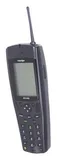
Product reference guide for the PTC-1800, a small, rugged portable teletransaction computer that collects, stores and transmits data and, depending on its programming, can make telephone calls and receive VoiceAlert messages. It covers regulations and safety, getting started, internal and external parts, features and power management, the data, telephone and VoiceAlert applications, battery pack and bridge battery care, maintenance, troubleshooting and rebooting.
Its parts
- Regulations
- Safety information
- Scope of the manual
- Overview of the PTC-1800
- Getting started
- Parts
- Features
- Operating the PTC-1800
- Data application
- Telephone application
- VoiceAlert application
- Maintaining the battery pack
- Maintaining the bridge battery
- Maintaining the PTC-1800
- Troubleshooting
From the manual
Key facts from this manual
Each line names its page in the PDF.
Product reference guide for the PTC-1800 portable teletransaction computer, printed under the Symbol name and dated November 2000. It describes the unit's parts, memory, display, radio and scanner, and walks through battery care, charging, cleaning, storage, troubleshooting and rebooting. Appendices list the specifications, accessories, display icons and status LED codes.
- Device
- Handheld teletransaction computer that collects, stores and transmits data; depending on programming it can also handle phone calls and VoiceAlert messages p. 19
- Operating system
- Microsoft Windows CE 2.12 on a 190 MHz Intel StrongArm processor p. 23
- Memory
- 256 KB ROM, 16 MB RAM, 8 MB internal drive named HARDDISK p. 23
- Display
- Monochrome transflective LCD, 1/8 VGA (160 x 240 pixels), electroluminescent backlight p. 95
- Battery
- Lithium-ion at 3.7 VDC: standard 1450 mAhr or extended-life 3200 mAhr p. 95
- Power adapters
- AC adapter 100 to 240 VAC in, 12 VDC at 1.2 A out; vehicle adapter 9 to 16 VDC in, 15 VDC at 2.7 A out p. 95, 96
- Radio
- Optional internal LAN radio: 900 MHz direct-sequence, 2.4 GHz direct-sequence or frequency-hopping 802.11, or 2.4 GHz direct-sequence TMA-compliant spread spectrum p. 95
- Ports
- IrDA infrared port (115.2 kbps maximum), 1 mm headset jack, charging contacts for the Model 1822 charger p. 95
- Scanner
- Internal SE-900 laser scanner p. 96
- Size and weight
- 7.7 x 2.6 x 1.2 in (19.6 x 6.6 x 3 cm); 12 to 13 oz with standard pack, 14 to 15 oz with extended-life pack p. 97
- Operating temperature
- 32 to 122 F (0 to 50 C); humidity 0 to 95% noncondensing p. 96
- Drop rating
- 4 ft (1.2 m) drop to concrete p. 96
- Charger
- Model 1822 charger recharges the internal battery pack and a spare pack p. 19
- Battery life
- About 500 recharges p. 76
What this manual walks you through
- Unpacking and first-time setup, including fitting the ferrite bead p. 21, 22
- Removing and installing the battery pack p. 73, 74
- Recharging the battery pack with the AC or vehicle adapter p. 74, 75, 76
- Storing spare battery packs p. 77
- Preparing the unit for storage or shipping p. 84, 85
- Cleaning the case and contacts p. 85
- Troubleshooting power, battery, radio and scanner problems p. 87, 88, 89, 90
- Rebooting and resetting a locked unit p. 93, 94
- Reading the display icons and status LED codes p. 101, 102
Good to know
- Never leave the unit without a battery pack: the bridge battery drains in 10 hours and RAM data is lost. p. 73
- Both a reboot and a reset erase all programs and data in RAM. p. 93, 94
- A ferrite bead must be fitted to the AC or vehicle adapter cord before use. p. 22
- Recharge the battery pack only between 32 and 113 F (0 to 45 C). p. 75
- Use only the AC adapter supplied with the unit; another adapter could cause damage or change EMC emissions. p. 24
Questions this manual answers
What battery does the PTC-1800 take?
A 3.7 VDC lithium-ion pack, either the standard 1450 mAhr or the extended-life 3200 mAhr version. p. 95
How long does the PTC-1800 battery take to charge?
With the AC or vehicle adapter, about 3.5 hours for a standard pack (5 hours the first time) and 5.5 hours for an extended-life pack. p. 76
How do I reset a frozen PTC-1800?
Try a warm reboot from the Main Menu first; if that fails, remove the battery pack and press the Reset button in the battery compartment with a nonconductive object. Both erase RAM. p. 93, 94
What operating system does the PTC-1800 run?
Microsoft Windows CE 2.12, on a 190 MHz Intel StrongArm processor with 16 MB of RAM. p. 23
What does a blinking green status light mean on the PTC-1800?
The battery pack is charging; solid green means it has reached 90% or more. p. 102
Contents
Chapters and sections
Each line opens the PDF at its page.
The whole text · 16 parts
Read the manual here as text
Its text as extracted from the PDF, unedited, in parts; each page opens the PDF at that page.
- Pages 1 to 101-10
- Pages 11 to 1611-16
- Pages 17 to 2017-20
- Pages 21 to 3221-32
- Features33-36
- Pages 37 to 4237-42
- Telephone application, pages 43 to 5143-51
- Telephone application, pages 52 to 6052-60
- Telephone application, pages 61 to 6861-68
- VoiceAlert application69-72
- Maintaining the battery pack73-78
- Maintaining the bridge battery79-82
- Maintaining the PTC-180083-86
- Troubleshooting87-92
- Pages 93 to 9893-98
- Pages 99 to 10899-108
The file