Manual · Telxon
PTC-1800 Quick Start Guide
Manual40 pagesPDF 273 KB
Quick start guide for the PTC-1800 portable teletransaction computer: setup, battery, parts, operation, applications and care.
Covers · 1 model
The models it covers
Summary
What is in it
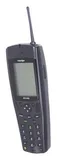
A quick start guide with enough information to set up and operate the PTC-1800 portable teletransaction computer, a wireless handheld with a spread spectrum radio and internal laser scanner. It covers regulations and safety, unpacking, installing and charging the lithium-ion battery pack, the parts and keypad, turning the unit on and off, display contrast, icons and LED codes, the data, telephone and VoiceAlert applications, bar code scanning and maintenance.
Its parts
- Regulations
- Safety information
- Scope of the guide
- Getting started
- Parts
- Operating the PTC
- Using the PTC's applications
- Maintaining the PTC-1800
From the manual
Key facts from this manual
Some pages are scans or cannot be read; this says only what the readable text supports. Each line names its page in the PDF.
Quick start guide for the PTC-1800 portable teletransaction computer, published by Symbol. It shows how to fit and charge the battery, names the parts and keys, explains the display icons and LED codes, and walks through scanning, phone calls, VoiceAlert messages, storage and battery care.
- Device
- Portable teletransaction computer with a laser scanner, voice-over-IP phone and VoiceAlert push-to-talk p. 15, 20, 30
- Display
- 1/8 VGA transflective monochrome LCD with status icons on the top line p. 20
- Keypad
- 24 keys: compass key, two soft keys, Phone, Data and Msg keys, Send, End, Hold, On/Off, and a scan key on each side p. 20, 21, 22
- Battery
- Standard or extended-life lithium-ion pack, plus a bridge battery that is not user accessible p. 10, 24
- Power adapters
- 12-VDC, 1.2-A AC adapter or 15-VDC, 2.7-A vehicle adapter p. 15, 24
- Charger
- Optional Model 1822 charger, through the cradle contacts p. 24
- Charge time
- PTC off: standard pack 3-5 hours, extended-life 5.5 hours to 100%; PTC on: 7 hours to 100% p. 37
- Battery life
- About 500 recharges p. 38
- Infrared port
- IrDA port supporting V1.0 and V1.1, for printers and other IrDA devices p. 24
- Radio
- Spread spectrum radio transceiver for unlicensed use p. 8
- Phone calls
- Voice-over-IP calls to other PTCs and H.323 devices on the wireless LAN, and off-link through an AirTalk Gateway p. 30
- Operating temperature
- 32 to 122 degrees F (0 to 50 degrees C) p. 35
- Storage temperature
- -4 degrees F (-20 degrees C) to 104 degrees F (40 degrees C) p. 35
- Guide part number
- 24831-000-002, November 2000 p. 1, 3
What this manual walks you through
- Unpacking, installing and removing the battery pack p. 15, 16
- Charging the battery pack p. 16, 17
- Parts of the unit and what each key does p. 19, 20, 21, 22, 23, 24
- Turning the unit on and off, backlight and display contrast p. 25, 26
- Reading the display icons and Status LED codes p. 26, 27
- Entering data and scanning bar-code labels p. 29, 30
- Placing, receiving, holding and ending phone calls p. 31, 32
- Sending and receiving VoiceAlert broadcast messages p. 33
- Storing and shipping the unit p. 35, 36
- Battery charging guidelines and battery care p. 37, 38
Good to know
- Do not leave the unit without a battery pack: the bridge battery drains in 10 hours and RAM data is lost. p. 16
- Suspend the unit before replacing its battery pack. p. 16
- Recharge the battery pack between 32 and 113 degrees F (0 to 45 degrees C). p. 37
- The unit cannot receive calls or messages while it is turned off. p. 25
- When storing a unit, recharge its battery pack every 60 days. p. 36
Questions this manual answers
What battery does the PTC-1800 use?
A standard or extended-life lithium-ion battery pack, rated for about 500 recharges. p. 24, 38
How long does it take to charge a PTC-1800 battery?
With the unit off, a standard pack takes 3 to 5 hours to full and an extended-life pack 5.5 hours. With the unit on, both take 7 hours. p. 37
What does a blinking amber LED on the PTC-1800 mean?
If the vibrator is also running, the unit is receiving a call. p. 27
What power adapter does the PTC-1800 need?
A 12-VDC, 1.2-A AC adapter, or a 15-VDC, 2.7-A vehicle adapter for a cigarette lighter socket. p. 24
How do I change the PTC-1800 screen contrast?
Press the Hold key, then the Left Arrow on the compass key to lower contrast or the Right Arrow to raise it. p. 26
The whole text · 7 parts
Read the manual here as text
Its text as extracted from the PDF, unedited, in parts; each page opens the PDF at that page.
The file