Manual · Symbol
PPT 2700 Series Product Reference Guide
Manual196 pagesPDF 2.0 MB
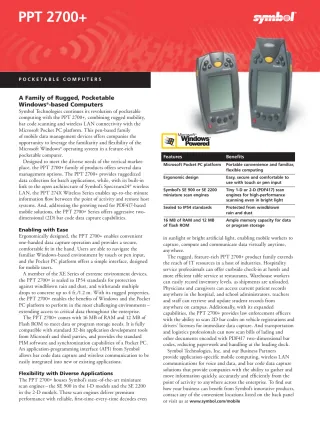
Product reference guide for the Symbol PPT 2700 Series Pocket PC terminals: batch, Spectrum24 wireless LAN and WAN models.
Covers · 5 models
The models it covers
 Symbol PPT-2700Portable batch data collection terminal Call for availability
 Symbol PPT-2733Cellular portable data collection terminal Call for availability Symbol PPT-2740802.11 (1 Mbps) wireless portable data collection terminal Call for availability
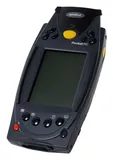 Symbol PPT-2742802.11 (2 Mbps) wireless portable data collection terminal Call for availability Symbol PPT-2746802.11b wireless portable data collection terminal Call for availability
Summary
What is in it
The product reference guide for the Symbol PPT 2700 Series terminals and their accessories, covering the batch PPT 2700, the PPT 274x Spectrum24 wireless LAN models and the PPT 273x WAN models. It explains batteries and charging, operation and scanning, warm and cold boots, ActiveSync, the built-in applications and Pocket Internet Explorer, network and e-mail connections, Spectrum24, CDPD and GSM setup, the SDK, Terminal Configuration Manager, and maintenance and troubleshooting.
Its parts
- About This Guide
- Getting Started
- Operating the PPT 2700
- Customizing Your PPT 2700
- Communications
- Applications
- Pocket Internet Explorer
- Connections
- Spectrum24 Network Configuration
- Wireless Wide Area Network Configuration
- Software Installation on Development PC
- Configuring the Terminal
- Maintenance and Troubleshooting
From the manual
Key facts from this manual
Each line names its page in the PDF.
The Product Reference Guide for the Symbol PPT 2700 Series Pocket PC terminals: the batch PPT 2700, the Spectrum24 PPT 274x and the WAN PPT 273x models (CDPD PPT 2733, GSM PPT 2734). It covers setup, charging, scanning, resetting, wireless LAN and WAN configuration, the SDK, loading images with TCM and IPL, maintenance, troubleshooting and the technical specifications.
- Device
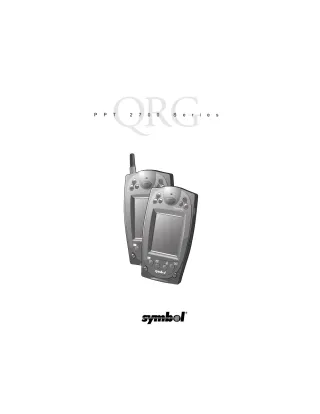
- PPT 2700 Series Pocket PC terminal: PPT 2700 batch, PPT 274x Spectrum24 LAN radio, PPT 273x WAN (GSM and CDPD) p. 11, 13
- Battery
- Lithium-ion; charge about 2 1/2 hours before first use, in the CRD 2700 cradle or with the Synchronization Cable p. 23
- Scanner
- Integrated 1D or 2D scanner with right, left or center trigger; the 2D model reads PDF417 p. 43
- Decode distance
- 3 in. to 10.5 in. (7.6 cm to 26.7 cm) p. 187
- Size
- 1-D: 7 x 3.625 x 1 in.; 2-D: 7.625 x 3.625 in., 1 in. deep at the grip, 1.5 in. at the scanner bay p. 187
- Operating temperature
- -20° C to 50° C (-4° F to 122° F) p. 187
- Weight
- 1-D: 10.3 oz batch, 11.8 oz wireless; 2-D: 13.8 oz batch, 15.3 oz wireless (with battery) p. 187
- Environment
- IP54 sealing, 1.2 m (4 ft) drops to concrete, 5% to 90% humidity non-condensing p. 187
- Spectrum24 radios
- PPT 2740/2742: 1 and 2 MB radio; PPT 2746: 11 MB radio p. 94, 103
- Cradles
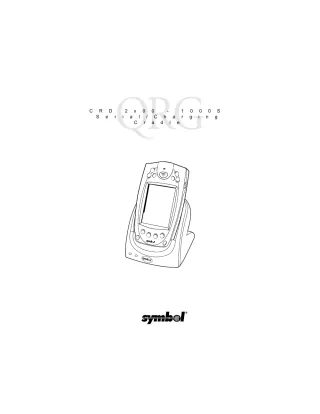
- CRD 2700-1000S cradle, CRD 2700-4000E 4-Slot Ethernet Cradle, CHX700-4000C 4-Slot Charging Cradle p. 13
- Ports
- Serial port on the bottom, IR port, speaker and microphone p. 21
- Backup battery
- Memory backup battery charges from the main battery and keeps data while it is removed p. 23
- Software kit
- Symbol Windows CE SDK with printer drivers, TCM scripts and sample code, used with eMbedded Visual C++ or eMbedded Visual Basic p. 140
- IPL download errors
- Invalid Image, Partition Not Defined, Wrong Partition, Image Too Big, Incorrect Byte Count, Unable to Verify Partition Data, transmission errors p. 156, 157
What this manual walks you through
- Installing the battery and charging it and spare batteries p. 22, 23, 24, 25, 26
- Attaching the handstrap and wrist strap p. 27
- Scanning 1D and PDF417 bar codes, including tall symbols p. 43, 44
- Performing a warm boot or a cold boot p. 44, 45, 46
- Monitoring and configuring Spectrum24 with NICTT on the PPT 2740/2742 p. 91, 92, 93, 94
- Setting the operating mode and ESSID on the PPT 2746 p. 103, 104
- Setting up a CDPD connection on the PPT 2733 with the Modem Manager Configuration Wizard p. 117, 118
- Installing the Symbol SDK on a development PC p. 140
- Reading IPL and TCM error messages p. 156, 157
- Care, cleaning and troubleshooting p. 161, 162, 163, 164
Good to know
- Do not remove the main battery during the first ten hours of use, or data may be lost. p. 23
- A cold boot erases all stored records and returns the date, time and settings to factory defaults. p. 45, 46
- On the PPT 2746, Pseudo IBSS mode is not recommended for normal use or for terminals on battery power. p. 104
- The modem does not work while the terminal is actively connected to the desktop computer. p. 164
- Never use a real pen, pencil or other sharp object on the screen. p. 161
Questions this manual answers
How do I warm boot a PPT 2700?
Hold down both the up and down scroll buttons, then press the App 4 button. Stored records are kept. p. 45
How do I cold boot a PPT 2700?
Remove the battery cover, hold the Function button and gently press the reset button with the stylus tip, then replace the cover and press Power. All stored records are erased. p. 45, 46
What does Image Too Big mean during an IPL download?
The image data is larger than the partition size given in the partition table, so IPL aborts the download. p. 156
What is the scanning range of the PPT 2700?
The decode distance is 3 in. to 10.5 in. (7.6 cm to 26.7 cm). p. 187
How long can the ESS ID be on a PPT 2746?
Up to 32 characters, and it must match the ESS ID of the access point. p. 104
Contents
Chapters and sections
Each line opens the PDF at its page.
- About This Guide11
- Chapter 1 Getting Started19
- Chapter 2 Operating the PPT 270033
- Chapter 3 Customizing Your PPT 270047
- Chapter 4 Communications53
- Chapter 5 Applications59
61 more lines, from page 59 on
- Introduction59
- Chapter 6 Pocket Internet Explorer77
- Chapter 7 Connections83
- Chapter 8 Spectrum24 Network Configuration91
- Chapter 9 Wireless Wide Area Network Configuration117
- Chapter 10 Software Installation on Development PC139
- Chapter 11 Configuring the Terminal141
- Chapter 12 Maintenance and Troubleshooting161
- Appendix A Character Recognizer165
- Appendix B Demo Program169
- Appendix C GSM Demo Program179
- Appendix D Technical Specifications187
- Index189
The whole text · 25 parts
Read the manual here as text
Its text as extracted from the PDF, unedited, in parts; each page opens the PDF at that page.
- Pages 1 to 41-4
- Contents5-10
- About This Guide11-18
- Chapter 1 Getting Started19-32
- Chapter 2 Operating the PPT 270033-46
- Chapter 3 Customizing Your PPT 270047-52
- Chapter 4 Communications53-58
- Chapter 5 Applications, pages 59 to 6759-67
- Chapter 5 Applications, pages 68 to 7668-76
- Chapter 6 Pocket Internet Explorer77-82
- Chapter 7 Connections83-90
- Chapter 8 Spectrum24 Network Configuration, pages 91 to 9991-99
- Chapter 8 Spectrum24 Network Configuration, pages 100 to 108100-108
- Chapter 8 Spectrum24 Network Configuration, pages 109 to 116109-116
- Chapter 9 Wireless Wide Area Network Configuration, pages 117 to 124117-124
- Chapter 9 Wireless Wide Area Network Configuration, pages 125 to 132125-132
- Chapter 9 Wireless Wide Area Network Configuration, pages 133 to 138133-138
- Pages 139 to 146139-146
- Pages 147 to 154147-154
- Pages 155 to 160155-160
- Chapter 12 Maintenance and Troubleshooting161-164
- Appendix A Character Recognizer165-168
- Appendix B Demo Program169-178
- Appendix C GSM Demo Program179-186
- Pages 187 to 196187-196
The file