Manual · Symbol
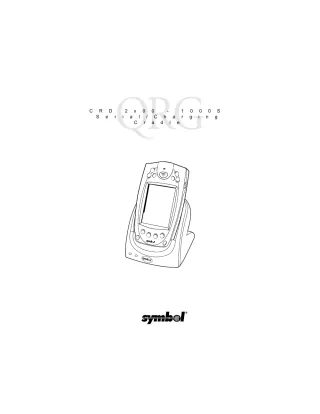
CRD2x00-1000S Single Slot Serial/Charging Cradle Quick Reference
Manual16 pagesPDF 603 KB
Quick reference for the Symbol CRD2x00-1000S single slot serial/charging cradle for PPT 2700 and PPT 2800 terminals.
Names · 1 model
The models it names
Filed with · 4 models
Also filed with these models on the old site
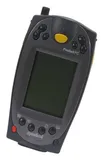 Symbol PPT-2733Cellular portable data collection terminal Call for availability
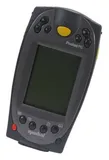 Symbol PPT-2740802.11 (1 Mbps) wireless portable data collection terminal Call for availability
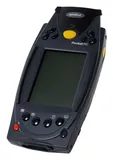 Symbol PPT-2742802.11 (2 Mbps) wireless portable data collection terminal Call for availability Symbol PPT-2746802.11b wireless portable data collection terminal Call for availability
Summary
What is in it
Quick reference guide for the Symbol single slot serial/charging cradle (CRD2x00-1000S) used with PPT 2700 and PPT 2800 terminals. It shows the cradle's parts and LED indicators, connecting power, inserting the terminal, connecting to a host PC or a serial device such as a printer, synchronizing with ActiveSync, charging the terminal battery and a spare battery, troubleshooting, and regulatory information.
Its parts
- Introduction
- About This Guide
- Parts
- Connecting to Power
- Inserting the Terminal
- Connecting to a Host PC or a Serial Device
- Synchronizing Data With a Host PC
- Terminal Battery Charging
- Spare Battery Charging
- Troubleshooting
- Regulatory Information
From the manual · read page by page
Key facts from this manual
Some pages are scans or cannot be read; this says only what the readable text supports. Each line names its page in the PDF.
A quick reference guide for the CRD2x00-1000S single slot serial/charging cradle, used with Symbol PPT 2700 and PPT 2800 terminals. It explains connecting power and a serial cable, synchronizing with a host PC through ActiveSync, charging the terminal and a spare battery, and troubleshooting.
- Device
- CRD2x00-1000S single slot serial/charging cradle for PPT 2700 and PPT 2800 terminals p. 3, 7
- Power
- Needs a 9VDC power supply and passes 9VDC to the inserted terminal p. 3
- Power supply
- Symbol p/n 50-14000-107, 9 VDC, minimum 2 Amperes p. 13
- Serial port
- RS-232 connector made to connect directly to a PC COM1 port; also drives serial devices such as a printer p. 7
- Charging
- Charges the terminal battery and one spare battery in a rear slot p. 3, 11
- Terminal charge time
- About 2 1/2 hours with the terminal off; longer when it is on p. 10
- LED indicators
- Terminal Status and Spare Battery LEDs: solid red charging, solid green full; flashing red spare battery defective p. 4
- Sync software
- ActiveSync over the serial link at 57,600 baud p. 8
- Related guides
- PPT2700 Product Reference Guide p/n 70-37806-xx; PPT2800 Product Reference Guide p/n 72-50931-xx p. 8
- Document number
- 70-37807-02, Revision D, December 2002 p. 16
What this manual walks you through
- Connecting the cradle to power p. 5
- Inserting the terminal p. 5, 6
- Connecting the cradle to a host PC or a serial device p. 6, 7
- Setting up a first ActiveSync partnership p. 8, 9
- Synchronizing data with ActiveSync p. 9
- Charging the terminal battery p. 10
- Charging a spare battery p. 11
- Troubleshooting LED, charging and communication problems p. 12, 13
Good to know
- The cradle needs a dedicated serial port on the host PC and cannot share one with an internal modem. p. 7
- Some serial devices may need an adapter so the RS-232 signals reach the right pins. p. 7
- Do not force a spare battery into its slot; that can damage the cradle battery contacts. p. 11
- Every terminal needs a unique name; never sync more than one terminal to the same user name. p. 9
- Charging takes much longer if the terminal is on, depending on its activity. p. 10
Questions this manual answers
What power supply does the PPT 2700 cradle CRD2x00-1000S need?
A Symbol power supply, p/n 50-14000-107, rated 9 VDC at a minimum of 2 Amperes. p. 13
What does a flashing red Spare Battery LED mean?
The spare battery is defective. Take it out, wait 5 seconds and reinsert it; if the LED flashes red again, replace the battery. p. 11
What baud rate does ActiveSync use through the cradle?
On the terminal, set the PC connection to synchronize automatically over the serial cable and select 57,600 baud. p. 8
How long does a PPT 2700 take to charge in the cradle?
About 2 1/2 hours if the terminal is off; it can take much longer if the terminal is on. p. 10
Can the cradle connect to a printer?
Yes. With the right software on the terminal, run a serial cable from the cradle serial port to the printer serial port. p. 7
Contents
Chapters and sections
Each line opens the PDF at its page.
The whole text · 2 parts
Read the manual here as text
Its text as extracted from the PDF, unedited, in parts; each page opens the PDF at that page.
The file