Manual · Symbol
PDT 1100 Terminal Product Reference Guide
Manual124 pagesPDF 1.7 MB
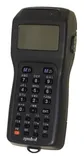
Product reference guide for the Symbol PDT 1100 hand-held laser scanning terminal, CRD 1100 cradle and CRG 1100 battery charger.
Covers · 1 model
The models it covers
Summary
What is in it
The product reference guide for the Symbol PDT 1100, a battery-powered hand-held laser bar code scanning terminal, with its CRD 1100 communications cradle and CRG 1100 4-slot battery charger. It covers getting started (batteries, initializing, beeper and LCD settings), operating the terminal and communicating through the cradle, infrared or direct cable, system configuration and memory, System Mode functions, battery charging, maintenance and troubleshooting, plus specifications, a sample application and error messages.
Its parts
- About This Guide
- Getting Started
- Operating the Terminal
- System Configuration
- System Mode
- Battery Charging and Terminal Maintenance
From the manual
Key facts from this manual
Each line names its page in the PDF.
This is the Symbol PDT 1100 Terminal Product Reference Guide (70-35864-03, Revision A, December 2002). It describes the PDT 1100 hand-held laser scanning terminal along with its CRD 1100 cradle and CRG 1100 4-slot battery charger. It helps the reader set up batteries, initialize memory, charge, troubleshoot and read the error messages and specifications.
- Device
- Lightweight, battery-powered hand-held laser bar code scanning terminal p. 17
- Interfaces
- Serial RS-232 and IrDA infrared p. 98
- Data rates
- Infrared up to 115.2 kbps; cable up to 38,400 bps at RS 232 level p. 97
- Power
- Two AAA alkaline batteries (up to 8,000 continuous scans) or optional rechargeable NiMH pack p. 98
- Display
- Dot matrix LCD p. 97
- Keypad
- 24 keys, including the power key and four M keys p. 97
- Scan engine
- SE 1200 Wide Angle, 36 ± 3 scans per second p. 98
- Decode range
- Up to 22 inches (56 cm) from the reading window p. 97
- Symbologies
- UPC/EAN, Code 39, Code 93, Interleaved 2 of 5, Discrete 2 of 5, USS128, Codabar, UCC/EAN 128, ISBT-128, Trioptic Code 39 p. 97
- Size and weight
- 135 x 59 x 30 mm (5.3 x 2.3 x 1.2 in); 5.7 oz (160 gm) p. 97
- Operating temperature
- 32 to 103 F (0 to 40 C) p. 98
- Cradle power
- CRD 1100: power supply p/n 50-14000-03 (100-240VAC in, 12V 1.5A out) with DC cable p/n 50-16002-013 p. 81
- NiMH charging
- CRD 1100: 70 mA, about 10 hours p. 105
- 4-slot charger
- CRG 1100, DC10 ~12V input, 2240mA at DC 12v p. 108
What this manual walks you through
- Installing AAA batteries or the NiMH battery pack p. 21, 22
- Initializing the terminal memory on first power-up p. 23, 24
- Powering the CRD 1100 cradle p. 81, 82
- Reading the cradle LEDs p. 80, 81
- Responding to low battery warnings p. 90, 91
- Troubleshooting the terminal, cradle and 4-slot charger p. 93, 94, 95
- Communication settings and the IR protocol p. 101, 102, 103, 104
- Pin assignments of the terminal port and the cradle RS-232C port p. 104, 105, 107
- System and System Mode error messages p. 113, 114, 115, 116
Good to know
- When changing batteries, fit new ones within 3 minutes to keep the stored data. p. 91
- Charge the terminal at least two hours on first power-up so the internal EDL backup cap can hold data. p. 23
- The NiMH pack generally needs replacing after about 200 charge cycles. p. 82
- Upload data often, since data held in RAM can be affected by soft errors. p. 90
- The manual recommends the NiMH pack for use at or below 0°C (32°F). p. 21
Questions this manual answers
What batteries does the PDT 1100 take?
Two AAA alkaline batteries, or an optional rechargeable NiMH battery pack. p. 21, 22
How long does the PDT 1100 NiMH pack take to charge in the CRD 1100?
What power supply does the CRD 1100 cradle use?
A 100-240VAC input, 12V 1.5A output power supply, p/n 50-14000-03, with DC inter-connect cable p/n 50-16002-013. p. 81
What does "System error! Contact your administrator" with a drive letter mean on a PDT 1100?
The memory test found an error in the system area of RAM or flash ROM; the message also appears on first power-up after purchase. Initialize the terminal, and contact support if it persists. p. 114
How far away can the PDT 1100 read a bar code?
Up to 22 inches (56 cm) from the reading window. p. 97
Contents
Chapters and sections
Each line opens the PDF at its page.
The whole text · 16 parts
Read the manual here as text
Its text as extracted from the PDF, unedited, in parts; each page opens the PDF at that page.
- Pages 1 to 61-6
- Contents7-10
- About This Guide11-16
- Chapter 1 Getting Started17-26
- Chapter 2 Operating the Terminal27-36
- Chapter 3 System Configuration37-44
- Chapter 4 System Mode, pages 45 to 5345-53
- Chapter 4 System Mode, pages 54 to 6254-62
- Chapter 4 System Mode, pages 63 to 7163-71
- Chapter 4 System Mode, pages 72 to 7872-78
- Chapter 5 Battery Charging and Terminal Maintenance, pages 79 to 8779-87
- Chapter 5 Battery Charging and Terminal Maintenance, pages 88 to 9688-96
- Appendix A Specifications97-108
- Pages 109 to 112109-112
- Appendix D Error Messages113-118
- Index119-124
The file