Manual · Symbol
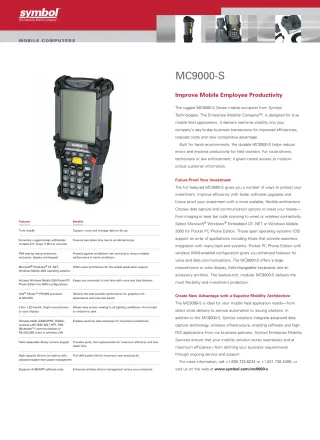
MC9000-K/S with Windows Mobile 2003 Software for Pocket PCs Product Reference Guide
Manual750 pagesPDF 10 MB
Product reference guide for the Symbol MC9000-K and MC9000-S mobile computers running Windows Mobile 2003 for Pocket PCs.
Names · 4 models
The models it names
 Symbol MC9000Wireless portable data collection terminal from$895.009 in stock Symbol MC9060Wireless portable data collection terminal from$995.0055 in stock
 Symbol MC9062Wireless portable data collection terminal from$895.004 in stock Symbol MC9063Wireless portable data collection terminal from$895.0045 in stock
Filed with · 4 models
Also filed with these models on the old site
 Symbol MC9002Wireless portable data collection terminal from$895.003 in stock Symbol MC9003Wireless portable data collection terminal from$895.003 in stock
 Symbol MC9050Wireless portable data collection terminal from$995.001 in stock Symbol MC9090Wireless portable data collection terminal from$995.002 in stock
Summary
What is in it
The full product reference guide for Symbol's MC9000-K and MC9000-S mobile computers with Windows Mobile 2003 software. It covers unpacking, batteries and charging, the keypads, scanning and imaging, the phone on the MC9062 and MC9063, settings, ActiveSync, serial and Ethernet communication, Spectrum24 wireless LAN setup, GSM/GPRS and CDMA wireless WAN, Bluetooth, AirBEAM Smart, accessories, maintenance and troubleshooting, with specifications and keypad maps in the appendices.
Its parts
- About This Guide
- Getting Started
- Operating
- Settings
- Communications
- Spectrum24 Configuration
- Wireless WAN - GSM/GPRS
- Wireless WAN - CDMA
- Bluetooth
- AirBEAM Smart
- Rapid Deployment Client
- Applications
- Accessories
- Software Installation on Development PC
- Configuring the Mobile Computer
From the manual
Key facts from this manual
Each line names its page in the PDF.
The Symbol product reference guide (72-51480-07, November 2004) for the MC9000-K and MC9000-S handheld mobile computers running Windows Mobile 2003 for Pocket PCs. It covers the MC9000-K, MC9000-S, MC9010-S, MC9060-K/S, MC9062-K/S and MC9063-K/S variations. It explains batteries and charging, keypads, resets, settings, ActiveSync, the Spectrum24, GSM/GPRS, CDMA and Bluetooth radios, accessories and the technical specifications.
- Device
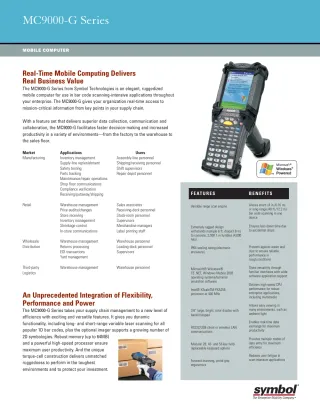
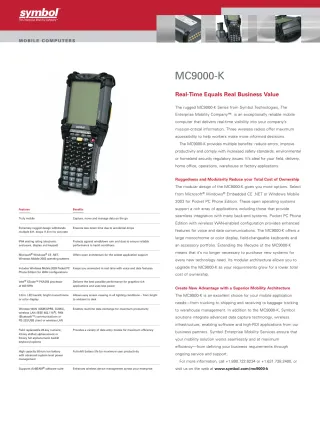
- Handheld mobile computer with bar code scanning, running Windows Mobile 2003 for Pocket PCs p. 27
- Processor
- Intel XScale PXA255 at 400 MHz p. 616
- Memory
- 64MB RAM / 64MB ROM or 128MB RAM / 64MB ROM p. 616
- Display
- 240 x 320 (QVGA) touch screen; color TFT-LCD (65K colors) or monochrome TFT-LCD (16 shades) p. 615, 616
- Interfaces
- RS-232 (1200 bps to 115.2 kbps); USB v1.1 client p. 616
- Operating temperature
- -4 to 122 F (-20 to +50 C); batteries charge at 32 to 104 F (0 to +40 C) p. 615
- Main battery
- MC9000-K: Lithium-Ion 2200 mAh minimum (7.2V); MC9000-S: Lithium-Ion 1550 mAh minimum (7.2V) p. 616
- Backup battery
- Rechargeable Ni-MH, 20mAh (3.6V), 3 cells p. 616
- Radios
- Radio models: 802.11b WLAN (11 Mbps) and Bluetooth Class 2; MC9062: GSM/GPRS; MC9063: CDMA 1xRTT p. 619, 620, 621
- Keypads
- MC9000-K: 53-key standard, 28-key or 43-key optional; MC9000-S: 28-key standard, 38-key numeric/function or 38-key alpha/shifted numeric optional p. 616
- Dimensions and weight
- MC9000-K: 9.2 x 3.6 x 2.3 in., 24 to 25 oz; MC9000-S: 8 x 3.6 x 2.3 in., 23 to 24 oz (with battery) p. 615
- Accessory part numbers
- Cable Adapter Module ADP9000-100; Serial Adapter Cable 25-63856-01; MDM9000 Modem Module p. 490
- Charge time
- Main battery under four hours; backup battery about 15 hours from empty p. 46
- Sealing and drop
- The manual states IP64 (electronic enclosure) and 6' (1.8 meters) drops to concrete p. 615
What this manual walks you through
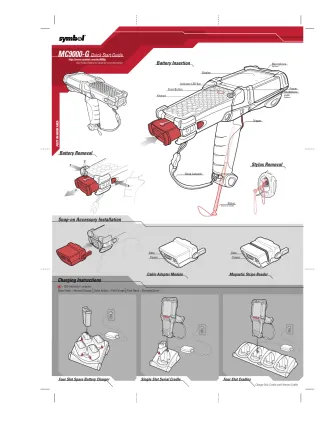
- Charging the main battery and the memory backup battery p. 46, 47
- Reading the amber charge LED p. 47
- Performing a warm boot and a cold boot p. 152
- Choosing accessories: CAM, cradles, spare battery charger, MSR and modem p. 41
- Setting up the MDM9000 Modem Module p. 490
- Communicating with a host computer through ActiveSync p. 29
- Configuring the Spectrum24 wireless connection p. 29
- Verifying MC9062 GSM service and activating the MC9063 on CDMA p. 29
- Using the Bluetooth radio p. 29
Good to know
- Do not remove the main battery within the first 15 hours of use, or data may be lost before the backup battery is charged. p. 46
- Batteries must be charged between 32 and 104 F (0 to +40 C). p. 615
- A cold boot erases records in RAM that are not saved in flash or on a memory card; try a warm boot first. p. 152
- The modem module needs its 9V, 2 amp regulated AC/DC adapter; a wrong supply damages the mobile computer. p. 622
- The MC9062 takes 3V SIM cards only, and the MC9063 takes 3V R-UIM cards only. p. 619, 620
Questions this manual answers
How do I cold boot an MC9000?
Partly eject the battery, hold the Power button while pushing the battery back in, and keep holding Power for about 15 to 17 seconds. p. 152
How long does the MC9000 battery take to charge?
The main battery usually charges fully in less than four hours; the backup battery needs about 15 hours when first used. p. 46
What does a fast blinking amber light mean on the MC9000?
It means a charging error; check that the mobile computer is placed correctly in the cradle or module. p. 47
How much memory does the MC9000 have?
64MB RAM with 64MB ROM, or 128MB RAM with 64MB ROM. p. 616
Contents
Chapters and sections
Each line opens the PDF at its page.
- Front Cover1
- Revision History5
- About This Guide25
- Getting Started35
- Operating61
- Introduction64
- Keypads64
- Using the Power Button90
- Using a Headset92
- Today Screen93
- Using the Navigation Bar and Command Bar94
- Selecting Programs104
- Using Pop-up Menus105
- Notifications106
- Entering Information106
- Finding Information117
- Data Capture118
- Using the Phone (MC9062/MC9063 Only)123
- Resetting the Mobile Computer152
- Settings155
141 more lines, from page 165 on
- Buttons165
- Communications217
- Spectrum24 Configuration243
- Introduction245
- Mobile Companion246
- Using LEAP for Wireless Network Security274
- Enterprise Level Wi-Fi Protected Access277
- Spectrum24 Frequency Hopping (FH) Settings (1 and 2 MB Radios)278
- Configuring the S24 DS (11 Mb) Radio Using a Registry File286
- Configuring the S24 FH (2 Mb) Radio Using a Registry File286
- Wireless WAN - GSM/GPRS287
- Wireless WAN - CDMA315
- Bluetooth343
- AirBEAM Smart387
- Rapid Deployment Client397
- Applications403
- Accessories445
- Introduction449
- Keypads451
- Multi Media Card (MMC) / Secure Device (SD) Card453
- Single Slot Serial/USB Cradle455
- Vehicle Cradle459
- Four Slot Ethernet Cradle472
- Four Slot Charge Only Cradle474
- Four Slot Spare Battery Charger476
- Magnetic Stripe Reader478
- Cable Adapter Module483
- Universal Battery Charger (UBC) Adapter487
- Modem Module490
- Wall Mounting Bracket and Shelf Slide507
- Software Installation on Development PC513
- Configuring the Mobile Computer519
- Maintenance & Troubleshooting553
- Block Recognizer571
- Demo Program575
- Specifications613
- Keypad Maps625
- Glossary715
- Index735
- Tell Us What You Think...747
- Back Cover750
The whole text · 84 parts
Read the manual here as text
Its text as extracted from the PDF, unedited, in parts; each page opens the PDF at that page.
- Front Cover1-4
- Pages 5 to 145-14
- Pages 15 to 2415-24
- About This Guide25-34
- Getting Started, pages 35 to 4335-43
- Getting Started, pages 44 to 5244-52
- Getting Started, pages 53 to 6053-60
- Operating, pages 61 to 7061-70
- Operating, pages 71 to 8071-80
- Operating, pages 81 to 9081-90
- Operating, pages 91 to 10091-100
- Operating, pages 101 to 110101-110
- Operating, pages 111 to 120111-120
- Operating, pages 121 to 130121-130
- Operating, pages 131 to 140131-140
- Operating, pages 141 to 150141-150
- Operating, pages 151 to 154151-154
- Settings, pages 155 to 163155-163
- Settings, pages 164 to 172164-172
- Settings, pages 173 to 181173-181
- Settings, pages 182 to 190182-190
- Settings, pages 191 to 199191-199
- Settings, pages 200 to 208200-208
- Settings, pages 209 to 216209-216
- Communications, pages 217 to 225217-225
- Communications, pages 226 to 234226-234
- Communications, pages 235 to 242235-242
- Spectrum24 Configuration, pages 243 to 251243-251
- Spectrum24 Configuration, pages 252 to 260252-260
- Spectrum24 Configuration, pages 261 to 269261-269
- Spectrum24 Configuration, pages 270 to 278270-278
- Spectrum24 Configuration, pages 279 to 286279-286
- Wireless WAN - GSM/GPRS, pages 287 to 296287-296
- Wireless WAN - GSM/GPRS, pages 297 to 306297-306
- Wireless WAN - GSM/GPRS, pages 307 to 314307-314
- Wireless WAN - CDMA, pages 315 to 324315-324
- Wireless WAN - CDMA, pages 325 to 334325-334
- Wireless WAN - CDMA, pages 335 to 342335-342
- Bluetooth, pages 343 to 351343-351
- Bluetooth, pages 352 to 360352-360
- Bluetooth, pages 361 to 369361-369
- Bluetooth, pages 370 to 378370-378
- Bluetooth, pages 379 to 386379-386
- AirBEAM Smart387-396
- Rapid Deployment Client397-402
- Applications, pages 403 to 411403-411
- Applications, pages 412 to 420412-420
- Applications, pages 421 to 429421-429
- Applications, pages 430 to 438430-438
- Applications, pages 439 to 444439-444
- Accessories, pages 445 to 454445-454
- Accessories, pages 455 to 464455-464
- Accessories, pages 465 to 474465-474
- Accessories, pages 475 to 484475-484
- Accessories, pages 485 to 494485-494
- Accessories, pages 495 to 504495-504
- Accessories, pages 505 to 512505-512
- Software Installation on Development PC513-518
- Configuring the Mobile Computer, pages 519 to 527519-527
- Configuring the Mobile Computer, pages 528 to 536528-536
- Configuring the Mobile Computer, pages 537 to 545537-545
- Configuring the Mobile Computer, pages 546 to 552546-552
- Maintenance & Troubleshooting, pages 553 to 561553-561
- Maintenance & Troubleshooting, pages 562 to 570562-570
- Block Recognizer571-574
- Demo Program, pages 575 to 584575-584
- Demo Program, pages 585 to 594585-594
- Demo Program, pages 595 to 604595-604
- Demo Program, pages 605 to 612605-612
- Specifications613-624
- Keypad Maps, pages 625 to 634625-634
- Keypad Maps, pages 635 to 644635-644
- Keypad Maps, pages 645 to 654645-654
- Keypad Maps, pages 655 to 664655-664
- Keypad Maps, pages 665 to 674665-674
- Keypad Maps, pages 675 to 684675-684
- Keypad Maps, pages 685 to 694685-694
- Keypad Maps, pages 695 to 704695-704
- Keypad Maps, pages 705 to 714705-714
- Glossary, pages 715 to 724715-724
- Glossary, pages 725 to 734725-734
- Index, pages 735 to 740735-740
- Index, pages 741 to 746741-746
- Pages 747 to 750747-750
The file