Manual · Symbol
Symbol Omnidirectional Scanner Advanced Programmer's Guide
Manual632 pagesPDF 1.7 MB
Advanced Data Formatting (ADF) programming guide for Symbol omnidirectional scanners, including the LS 5000, LS 5100, LS 5200 and LS 9100.
Names · 1 model
The models it names
Filed with · 1 model
Also filed with these models on the old site
Summary
What is in it
Symbol's Advanced Programmer's Guide for its omnidirectional scanners. It explains Advanced Data Formatting (ADF): building rules from criteria (input source, code type, code length, specific data strings) and actions that edit scanned data before it goes to the host. It works through example rules for Code 128, UPC, magstripe and weight scale data, then gives the ADF programming bar codes, a numeric keypad and an alphanumeric keyboard. The guide names the LS 5000, LS 5100, LS 5200 and LS 9100.
Its parts
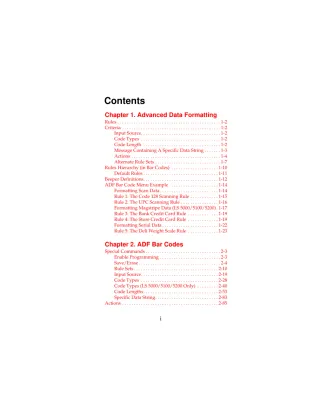
- Chapter 1: Advanced Data Formatting
- Chapter 2: ADF Bar Codes
From the manual
Key facts from this manual
Each line names its page in the PDF.
Advanced Programmer's Guide for Symbol omnidirectional scanners, part 70-15600-01 Revision C. It explains Advanced Data Formatting, which edits scanned data before it reaches the host, and prints the programming bar codes. It names the LS 9100 and the LS 5000, LS 5100 and LS 5200 series; it does not name the LS 5700.
- What it is
- Guide to Advanced Data Formatting (ADF), which edits scanned data before it is sent to the host p. 5
- How to program
- Scan a series of bar codes printed in the guide p. 5
- LS 9100 input
- LS 9100: Primary Scanner Port must be selected as the input source p. 5, 48
- Input sources
- Any source, primary scanner port, secondary scanner port, either scanner port, auxiliary port p. 47, 48, 49, 50, 51
- Rule capacity
- About 15 actions and 15 criteria per rule; most units hold up to 20 average rules p. 28
- Default rule
- Every unit sends all data unchanged unless a user rule matches p. 15
- Code types
- Rules can target codes such as Code 39, Codabar, Code 128, IATA, D 2 of 5, I 2 of 5, Code 93 and UPC-A p. 56, 57, 58, 59, 60, 61, 62, 63
- Rule sets
- Rules can be grouped into four alternate sets that are turned on and off p. 11
- Actions
- Send data, move the cursor, send keystrokes or pauses, remove or pad spaces and zeros, send preset values p. 8, 9, 10
- Preset values
- Values 1 to 6: scan, magstripe and serial prefix and suffix, set in the Product Reference Guide p. 10
- Magstripe editing
- LS 5000, LS 5100 and LS 5200: can also edit magstripe data p. 5
- Enable Programming
- LS 5000/5100/5200 only: scan Enable Programming first and Disable Programming when done p. 5, 31
- Beep signals
- Short and long beep sequences mark each step, a saved rule, full rule memory or an entry error p. 16, 17
- Document
- 70-15600-01 Revision C, June 1997 p. 1
What this manual walks you through
- Building a rule from criteria and actions p. 6, 7, 8
- Switching between alternate rule sets, for example for sale pricing p. 11, 12, 13
- Ordering rules so the right one is checked first p. 14, 15
- Reading the beeper sequences during programming p. 16, 17
- Example: sending Code 128 and UPC scans to a cash register's function keys p. 18, 19, 20
- Example: formatting credit card magstripe data on LS 5000/5100/5200 p. 21, 22, 23
- Example: formatting serial data from a weight scale p. 26, 27
- Saving, quitting and erasing rules p. 32, 33, 34, 35, 36, 37
- Selecting the input source p. 47, 48, 49, 50, 51
Good to know
- An input source must be selected before any ADF rule is created. p. 6
- The last rule entered is the first rule checked, so entry order matters. p. 28
- The guide recommends scanning Disable All Rule Sets after programming a rule in an alternate set. p. 13
- Pause length is set in the Product Reference Guide before entering ADF. p. 9
Questions this manual answers
How do I set up ADF on a Symbol LS 9100?
Select the Primary Scanner Port as the input source, then scan the criteria and action bar codes and Save Rule. p. 5, 48
How many ADF rules can the scanner store?
Most units hold up to about 20 average rules, each with about 15 criteria and 15 actions. p. 28
Why does one of my ADF rules seem to do nothing?
Rules are checked newest first, so a later rule that also matches the data takes effect instead. p. 14
What does a long low-high beep mean while programming ADF?
An entry error: a wrong bar code was scanned. Re-enter the criterion or action; earlier entries are kept. p. 17
Do I need to scan Enable Programming before ADF bar codes?
Only on LS 5000, LS 5100 and LS 5200 series scanners; other Symbol omnidirectional scanners program without it. p. 31
Contents
Chapters and sections
Each line opens the PDF at its page.
The whole text · 64 parts
Read the manual here as text
Its text as extracted from the PDF, unedited, in parts; each page opens the PDF at that page.
- Pages 1 to 101-10
- Pages 11 to 2011-20
- Pages 21 to 3021-30
- Pages 31 to 4031-40
- Pages 41 to 5041-50
- Pages 51 to 6051-60
- Pages 61 to 7061-70
- Pages 71 to 8071-80
- Pages 81 to 9081-90
- Pages 91 to 10091-100
- Pages 101 to 110101-110
- Pages 111 to 120111-120
- Pages 121 to 130121-130
- Pages 131 to 140131-140
- Pages 141 to 150141-150
- Pages 151 to 160151-160
- Pages 161 to 170161-170
- Pages 171 to 180171-180
- Pages 181 to 190181-190
- Pages 191 to 200191-200
- Pages 201 to 210201-210
- Pages 211 to 220211-220
- Pages 221 to 230221-230
- Pages 231 to 240231-240
- Pages 241 to 250241-250
- Pages 251 to 260251-260
- Pages 261 to 270261-270
- Pages 271 to 280271-280
- Pages 281 to 290281-290
- Pages 291 to 300291-300
- Pages 301 to 310301-310
- Pages 311 to 320311-320
- Pages 321 to 330321-330
- Pages 331 to 340331-340
- Pages 341 to 350341-350
- Pages 351 to 360351-360
- Pages 361 to 370361-370
- Pages 371 to 380371-380
- Pages 381 to 390381-390
- Pages 391 to 400391-400
- Pages 401 to 410401-410
- Pages 411 to 420411-420
- Pages 421 to 430421-430
- Pages 431 to 440431-440
- Pages 441 to 450441-450
- Pages 451 to 460451-460
- Pages 461 to 470461-470
- Pages 471 to 480471-480
- Pages 481 to 490481-490
- Pages 491 to 500491-500
- Pages 501 to 510501-510
- Pages 511 to 520511-520
- Pages 521 to 530521-530
- Pages 531 to 540531-540
- Pages 541 to 550541-550
- Pages 551 to 560551-560
- Pages 561 to 570561-570
- Pages 571 to 580571-580
- Pages 581 to 590581-590
- Pages 591 to 600591-600
- Pages 601 to 610601-610
- Pages 611 to 620611-620
- Pages 621 to 630621-630
- Pages 631 to 632631-632
The file