Manual · Symbol
LS 9100 Quick Reference
Manual40 pagesPDF 751 KB
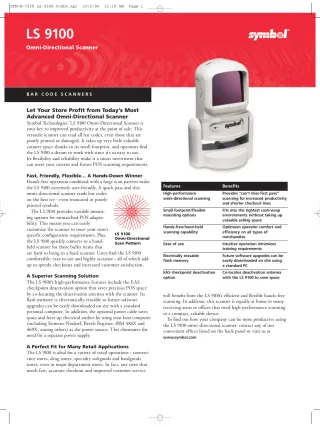
Quick reference guide for daily use of the Symbol LS 9100 hands-free projection scanner: scanning modes, LEDs and beeper.
Covers · 1 model
The models it covers
Summary
What is in it
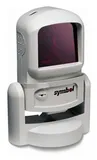
A short quick reference guide for routine operation of the Symbol LS 9100 projection scanner used at point-of-sale counters. It explains powering up, hands-free presentation and swipe scanning, lifting the scanner from its cradle for hand-held use, selecting the beeper volume, and what the green LED and the beeper signals mean, with a few bar codes for changing the beeper tone. The same guidance is repeated in other languages, including French and Italian. Setup and programming are in the separate Product Reference Guide.
From the manual
Key facts from this manual
Each line names its page in the PDF.
Quick reference guide (Revision D, December 2001) for the Symbol LS 9100, a hands-free projection scanner for point-of-sale use, with French, German, Italian and Spanish text as well as English. It explains turning the scanner on, scanning hands-free or hand-held, setting the beeper volume and tone, what the LED and beeps mean, and the power supply and regulatory notes.
- Device
- Hands-free projection scanner for point-of-sale systems; mounts almost anywhere and can be picked up for bulky items p. 3
- Read range
- Up to 8 in. (20.3 cm) from the face of the scanner p. 4
- Scanning modes
- Hands-free presentation or swipe scanning; hand-held when lifted out of its cradle p. 4
- Power
- Powered through the host terminal; power supply Symbol 50-14000-009, output 5.2Vdc, minimum 0.65A p. 3, 37
- LED signals
- Green LED on top: off no power; on steady ready; momentary flash off decoded; slow flashing programming; fast sequential flashing malfunction p. 6
- Beeper signals
- 3 beeps power up or reset; 1 beep decoded; 4 beeps transmission error, data not sent to the host p. 7
- Beeper settings
- Three volume settings from the volume button on top; low, medium or high tone set by scanning bar codes p. 5, 33, 34, 35
- Sleep mode
- Sleeps after a pre-programmed idle time; wakes when a bar code is brought to the window p. 3
- Full manual
- LS 9100 Product Reference Guide (Symbol p/n 70-19620-0X) p. 3
- Guide number
- 70-12495-02, Revision D, December 2001 p. 40
What this manual walks you through
- Turning on the scanner through the host terminal p. 3
- Scanning hands-free by presentation or swipe p. 4
- Using the scanner hand-held p. 4
- Setting the beeper volume p. 5
- Reading the LED and beeper signals p. 6, 7
- Changing the beep tone with programming bar codes p. 33, 34, 35
- Working comfortably: ergonomic recommendations p. 36, 37
- The same operating instructions in French p. 9, 10, 11, 12, 13
Good to know
- Use only the Symbol-approved power supply, 50-14000-009. p. 37
- The scanner's laser light should not be stared into. p. 37
- The guide states it is a Class A digital device (FCC Part 15) that may cause interference in a residential area. p. 37
- After 4 beeps the decoded bar code is not sent to the host terminal. p. 7
Questions this manual answers
How far away can the Symbol LS 9100 read a bar code?
Up to 8 in. (20.3 cm) from the face of the scanner. p. 4
What power supply does the LS 9100 use?
It is powered through the host terminal; the approved Symbol power supply is 50-14000-009, rated 5.2Vdc and minimum 0.65A. p. 3, 37
What do 4 beeps mean on the LS 9100?
A transmission error: the decoded bar code is not sent to the host terminal. p. 7
How do I change the beep volume on the LS 9100?
Hold down the volume button on top; release it after the 2-beep tone of the setting you want. p. 5
What does fast flashing on the LS 9100 green light mean?
Fast sequential flashing means a scanner malfunction has occurred. p. 6
The whole text · 4 parts
Read the manual here as text
Its text as extracted from the PDF, unedited, in parts; each page opens the PDF at that page.
The file