Manual · Symbol
LS 5700/LS 5800 Quick Reference
Manual26 pagesPDF 278 KB
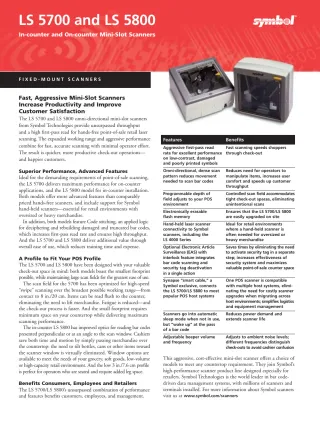
Quick reference guide for the Symbol LS 5700 on-counter and LS 5800 in-counter omni-directional laser scanners: operation and cleaning.
Covers · 2 models
The models it covers
Summary
What is in it
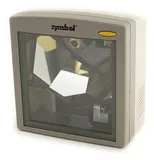
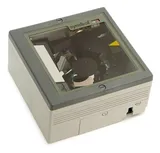
Symbol's quick reference guide for routine operation of the LS 5700 and LS 5800 omni-directional laser scanners. The LS 5700 rests on the counter and the LS 5800 mounts flush in it. The guide explains the indicator lights, the push button control, the connectors, scanning a bar code, rest and sleep mode, cleaning the exit window, a test bar code, beeper volume and frequency bar codes, and regulatory information. It points to the Product Reference Guide for installation and specifications.
Its parts
- Purpose
- Product Description
- Operating the LS 5700/LS 5800 Scanner
- Rest/Sleep Mode
- What If...
- Maintenance
- Test
- Some Helpful Bar Codes
- Regulatory Information
From the manual · read page by page
Key facts from this manual
Each line names its page in the PDF.
The Symbol LS 5700/LS 5800 Quick Reference (Revision A, April 1997) for these omni-directional counter laser scanners. It explains the indicator lights, controls, connectors, scanning, rest and sleep modes, window cleaning and a test bar code, and gives bar codes for beeper volume and tone.
- What it is
- High performance omni-directional laser scanner p. 3
- EAS option
- Electrical Article Surveillance compatibility: reads bar codes and deactivates RF tags at the same time p. 3
- Connectors
- EAS antenna, power, host port, scanner port, RS-232 port, under a connector cover p. 7
- Power switch
- None; ready to scan as soon as it is plugged in p. 5
- Indicator lights
- Green on: ready; green off briefly: good decode; green and red on: asleep p. 5
- Rest mode
- After 30 minutes without scanning by default; wakes when an item passes the window p. 10
- Beeper settings
- Low, medium or high volume and low, medium or high frequency by bar code p. 14, 15, 16, 17, 18, 19, 20
- Test bar code
- UPC-A 1234599999 p. 13
- LS 5700 mounting
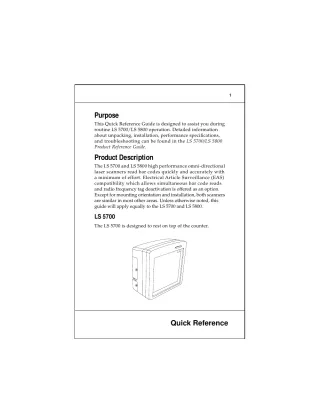
- LS 5700: rests on top of the counter p. 3
- LS 5800 mounting
- LS 5800: mounts in the counter, face flush with the counter top; stainless steel top cover and scratch-proof window option p. 4
- LS 5700 button
- LS 5700: push button sets beeper volume/tone (five combinations) and wakes the scanner p. 6
- LS 5700 sleep
- LS 5700: programmable shut-down sleep that turns off the laser and the motor p. 10
- Document
- 70-16691-02E Revision A, April 1997 p. 26
What this manual walks you through
- Reading the indicator lights p. 5
- Scanning an item through the active scan area p. 8, 9
- Waking the scanner from rest or sleep mode p. 10
- Cleaning or changing the LS 5700 exit window p. 11
- Removing the LS 5800 window and lifting it out of the counter p. 12
- Testing the scanner with a UPC-A bar code p. 13
- Setting beeper volume and tone with bar codes p. 14, 15, 16, 17, 18, 19, 20
Good to know
- A steady or blinking red light, or a blinking green light, means the scanner is not operating normally. p. 5
- The counter area under the scan area should be a light solid color without stripes or patterns. p. 9
- A dirty or scratched window may affect scanning. p. 11
- On the LS 5800, scanning the bar codes is the only way to change the beeper volume. p. 14
- The scanner label warns to avoid long term viewing of direct laser light. p. 21
Questions this manual answers
How do I turn on a Symbol LS 5700?
It has no on/off switch; it is ready to scan as soon as it is plugged in. p. 5
What do the red and green lights on the LS 5700 mean?
Green alone means ready, green going off briefly means a good read, and green and red together mean asleep. Anything else means it is not working normally. p. 5
How do I change the beeper volume on the LS 5700?
Hold down the push button near the top right corner until the sound you want plays, or scan a volume bar code. p. 6, 14
How do I take an LS 5800 out of the counter?
Turn the two large screws counter-clockwise with a coin, lift off the window, then lift the unit out by its two lift straps. p. 12
How do I clean the LS 5700 scanner window?
Remove dirt with a damp cloth and wipe the window with a tissue moistened with ammonia/water. p. 11
Contents
Chapters and sections
Each line opens the PDF at its page.
The whole text · 5 parts
Read the manual here as text
Its text as extracted from the PDF, unedited, in parts; each page opens the PDF at that page.
The file