Manual · Symbol
LS 5800 Mounting Kit Installation Instructions
Manual6 pagesPDF 20 KB
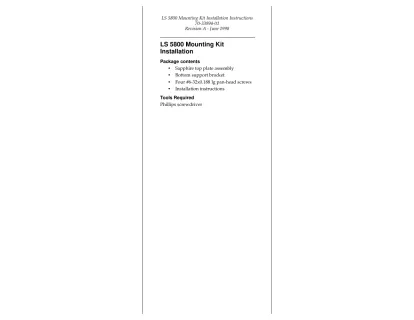
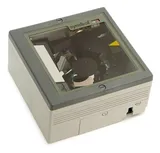
Installation instructions for the Symbol LS 5800 Sapphire mounting kit, which fits the LS5800-I200NN scanner into a counter.
Covers · 1 model
The models it covers
Summary
What is in it
A short instruction sheet for installing the Symbol LS 5800 mounting kit, which pairs a Sapphire top plate assembly with a bottom support bracket around the LS5800-I200NN scanner. It lists the package contents and the one tool needed, then gives thirteen numbered steps: handling the glass top plate, seating the scanner in the bracket, cleaning the exit window and glass, aligning and screwing down the top plate to the stated torque, checking the gasket seal and placing the scanner into the counter.
From the manual · read page by page
Key facts from this manual
Each line names its page in the PDF.
Symbol installation instructions (1998) for the LS 5800 Sapphire mounting kit, which puts a sapphire top plate and a bottom support bracket around an LS5800-I200NN scanner. It lists the kit contents and walks through seating the scanner, cleaning the glass, fitting and torquing the top plate, and placing the scanner in the counter.
- What it is
- Sapphire mounting kit (top plate and bottom support bracket) for the LS5800-I200NN scanner p. 3, 4
- Kit contents
- Sapphire top plate assembly, bottom support bracket, four #6-32x0.188 lg pan-head screws, instructions p. 3
- Tool needed
- Phillips screwdriver p. 3
- Screw torque
- 12 inch pounds; do not exceed 15 inch pounds p. 5
- Top plate glass
- The underside of the Sapphire top plate assembly is normal glass and must not get scratched p. 4
- Cleaning
- Ammonia-based glass cleaner and a soft clean cloth for the exit window and top plate p. 4
- Document number
- 70-33994-01 Revision A, June 1998 p. 1
What this manual walks you through
- Unpacking and inspecting the kit and scanner p. 4
- Seating the scanner in the bottom support bracket p. 4
- Cleaning the exit window and the top plate glass p. 4
- Fitting the top plate and tightening the screws p. 5
- Checking the gasket seal and installing in the counter p. 5
Good to know
- The instructions say the kit is to be installed only by a Symbol certified technician. p. 4
- Do not twist or bend the top plate assembly: this can break the seal between the glass and the steel bezel. p. 4
- The screw holes must line up with the threaded studs, or the sound vent will not line up with the sound deflection bracket. p. 5
Questions this manual answers
What comes in the LS 5800 Sapphire mounting kit?
A Sapphire top plate assembly, a bottom support bracket, four #6-32x0.188 lg pan-head screws and the installation instructions. p. 3
How tight should the LS 5800 mounting kit screws be?
Tighten the four screws to 12 inch pounds of torque, and do not exceed 15 inch pounds. p. 5
Which LS 5800 scanner does the Sapphire mounting kit fit?
The instructions are written for the LS5800-I200NN scanner. p. 4
What should I clean the LS 5800 window with?
A commercially available ammonia-based glass cleaner and a soft clean cloth. p. 4
The whole text · 1 part
Read the manual here as text
Its text as extracted from the PDF, unedited, in parts; each page opens the PDF at that page.
The file