Manual · Symbol
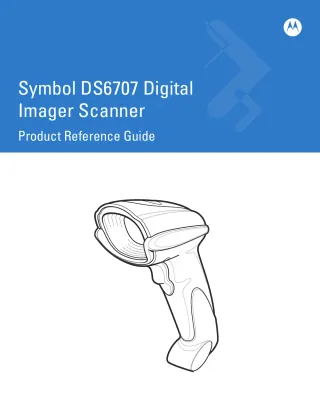
Symbol DS6707 Digital Imager Scanner Product Reference Guide
Manual394 pagesPDF 8.1 MB
Product reference guide for the Symbol DS6707 digital imager scanner, covering setup, scanning, imaging options and host interfaces.
Covers · 1 model
The models it covers

Summary
What is in it
The full product reference guide for the Symbol DS6707 digital imager scanner, published by Motorola. It covers unpacking, cable installation and desk or wall mounting, scanning in hand-held and presentation modes, decode zones for the SR, DC, DP and HD models, maintenance, troubleshooting and technical specifications, user and imaging preferences, the SSI, USB and RS-232 host interfaces, 123Scan, and the bar code symbologies the scanner can be set to read.
Its parts
- About This Guide
- Getting Started
- Scanning
- Maintenance & Technical Specifications
- User Preferences & Miscellaneous Digital Imager Scanner Options
- Imaging Preferences
- SSI Interface
- USB Interface
- RS-232 Interface
- 123Scan
- Symbologies
From the manual
Key facts from this manual
Each line names its page in the PDF.
Product reference guide (72E-83978-05 Revision A, October 2008) for the Symbol DS6707 digital imager scanner, covering the DS6707-SR, DS6707-DC, DS6707-DP and DS6707-HD configurations. It explains setup and cabling to SSI, USB and RS-232 hosts, scanning, beep and LED meanings, troubleshooting and specifications, and holds the bar code menus that program the scanner.
- Device
- Hand-held 1D and 2D omnidirectional digital imager scanner with image capture, also usable hands-free in a stand p. 18
- Configurations
- DS6707-SR (Standard Range), DS6707-DC (Document Capture), DS6707-DP (Direct Part Mark), DS6707-HD (High Density) p. 15
- Host interfaces
- Simple Serial Interface (SSI), RS-232 and USB; USB defaults to HID keyboard p. 19
- RS-232 levels
- TTL RS-232 signal levels; cables with TTL-to-RS-232C conversion are offered for RS-232C hosts p. 129
- Power
- 5 +/-10% VDC at 350 mA; USB hosts power the scanner directly p. 42, 107
- Imager
- 1.3 megapixel, 1280 (H) x 1024 (V); images exported as Bitmap, JPEG or TIFF p. 44
- Light source
- 650 nm laser diode aiming, 630 nm LED illumination p. 42
- Field of view
- Document Capture: 35º (V) x 44º (H); Standard Range, Direct Part Mark, High Density: 34º (V) x 43º (H) p. 42
- Symbologies
- 1D codes (UPC/EAN, Code 128, Code 39, Code 93, Interleaved 2 of 5, Codabar, GS1 DataBar and others), postal codes, PDF417, MicroPDF417, Data Matrix, MaxiCode, QR Code, Aztec p. 42
- Direct part marks
- DS6707-DP only: Data Matrix marks applied by dot peening, laser etch, ink, chemical etch, inkjet mold, cast and thermal spray p. 42
- Temperature
- Operating 32º F to 104º F (0º C to 40º C); storage -40º F to 158º F (-40º C to 70º C) p. 45
- Drop rating
- Multiple 5 ft. (1.52 m) drops to concrete at operating temperature extremes; multiple 6 ft. (1.8 m) drops at room temperature p. 45
- USB operating systems
- Windows 98, 2000, ME, XP; MacOS 8.5 - MacOS 10.3; IBM 4690 OS p. 108
- Mounting accessories
- Intellistand with adjustable height 5-10 in. and angle 0º - 90º; desktop and wall-mount holders; power supplies p. 45
What this manual walks you through
- Installing and removing the interface cable p. 20
- Connecting an external power supply when the host gives no power p. 21
- Fitting the desk mount and wall mount p. 21, 22
- Reading the beep sequences and LED colors p. 24, 25, 26
- Scanning and aiming in hand-held mode p. 26, 27, 28
- Using the Intellistand for hands-free presentation scanning p. 29
- Cleaning the scan window p. 39
- Troubleshooting scanning, decoding and host transmission problems p. 40, 41
- Cable connector pinouts for RS-232/SSI and USB p. 46
- Connecting to a USB or RS-232 host p. 108, 130
Good to know
- Do not spray water or cleaning liquids directly into the scan window, and keep abrasives off it. p. 39
- Four short high beeps on USB mean the scanner has not finished initializing; wait several seconds and scan again. p. 25
- The 123Scan configuration program talks to the scanner over an RS-232 cable. p. 153
- The DS6707-DP comes only in Cash Register White. p. 42
Questions this manual answers
What power does the DS6707 need?
5 VDC +/-10% at 350 mA. A USB host or powered hub powers it with no extra supply; other hosts may need an external power supply. p. 42, 107
What do 4 long low beeps mean on the DS6707?
A transmission error. Set the scanner's communication parameters to match the host's settings. p. 41
Can the DS6707 read direct part marks?
Only the DS6707-DP model, which reads Data Matrix marks made by dot peening, laser etch, ink and similar methods. p. 42
What does 123Scan need to program the DS6707?
A host computer with Windows 98, Windows NT, Windows 2000 or Windows XP, the scanner, and an RS-232 cable. p. 153
What resolution images does the DS6707 capture?
1.3 megapixel images of 1280 x 1024 pixels, exported as Bitmap, JPEG or TIFF. p. 44
Contents
Chapters and sections
Each line opens the PDF at its page.
- Symbol DS6707 Product Reference Guide1
- About This Guide15
- Getting Started18
- Scanning23
- Maintenance & Technical Specifications39
- User Preferences & Miscellaneous Digital Imager Scanner Options47
- Imaging Preferences67
78 more lines, from page 68 on
- Imaging Preferences Parameter Defaults68
- SSI Interface91
- USB Interface107
- RS-232 Interface129
- 123Scan153
- Symbologies155
- Introduction155
- Scanning Sequence Examples155
- Errors While Scanning156
- Symbology Parameter Defaults156
- UPC/EAN161
- Code 128177
- Code 39180
- Code 93188
- Code 11190
- Interleaved 2 of 5 (ITF)194
- Discrete 2 of 5 (DTF)198
- Codabar (NW - 7)200
- MSI203
- Inverse 1D206
- Postal Codes207
- GS1 DataBar212
- Composite214
- 2D Symbologies218
- Redundancy Level227
- Security Level229
- Report Version230
- Macro PDF Features231
- Advanced Data Formatting233
- Standard Default Parameters337
- Programming Reference347
- Sample Bar Codes355
- Numeric Bar Codes361
- ASCII Character Sets363
- Index384
- Tell Us What You Think...391
The whole text · 48 parts
Read the manual here as text
Its text as extracted from the PDF, unedited, in parts; each page opens the PDF at that page.
- Symbol DS6707 Product Reference Guide1-5
- Table of Contents, pages 6 to 126-12
- Table of Contents, pages 13 to 1413-14
- About This Guide15-17
- Getting Started18-22
- Scanning, pages 23 to 3023-30
- Scanning, pages 31 to 3831-38
- Maintenance & Technical Specifications39-46
- User Preferences & Miscellaneous Digital Imager Scanner Options, pages 47 to 5647-56
- User Preferences & Miscellaneous Digital Imager Scanner Options, pages 57 to 6657-66
- Imaging Preferences, pages 67 to 7467-74
- Imaging Preferences, pages 75 to 8275-82
- Imaging Preferences, pages 83 to 9083-90
- SSI Interface, pages 91 to 9891-98
- SSI Interface, pages 99 to 10699-106
- USB Interface, pages 107 to 114107-114
- USB Interface, pages 115 to 122115-122
- USB Interface, pages 123 to 128123-128
- RS-232 Interface, pages 129 to 136129-136
- RS-232 Interface, pages 137 to 144137-144
- RS-232 Interface, pages 145 to 152145-152
- Pages 153 to 162153-162
- Pages 163 to 172163-172
- Pages 173 to 182173-182
- Pages 183 to 192183-192
- Pages 193 to 202193-202
- Pages 203 to 212203-212
- Pages 213 to 222213-222
- Pages 223 to 232223-232
- Advanced Data Formatting, pages 233 to 242233-242
- Advanced Data Formatting, pages 243 to 252243-252
- Advanced Data Formatting, pages 253 to 262253-262
- Advanced Data Formatting, pages 263 to 272263-272
- Advanced Data Formatting, pages 273 to 282273-282
- Advanced Data Formatting, pages 283 to 292283-292
- Advanced Data Formatting, pages 293 to 302293-302
- Advanced Data Formatting, pages 303 to 312303-312
- Advanced Data Formatting, pages 313 to 322313-322
- Advanced Data Formatting, pages 323 to 332323-332
- Advanced Data Formatting, pages 333 to 336333-336
- Standard Default Parameters337-346
- Programming Reference347-354
- Sample Bar Codes355-360
- Pages 361 to 368361-368
- Pages 369 to 376369-376
- Pages 377 to 383377-383
- Index384-390
- Tell Us What You Think391-394
The file