Manual · Symbol
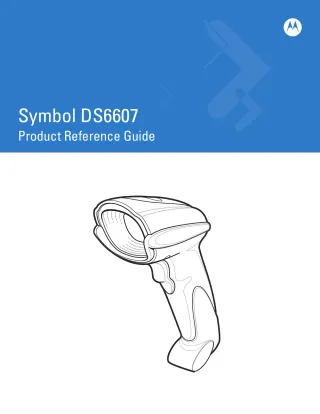
Symbol DS6607 Product Reference Guide
Manual370 pagesPDF 6.7 MB
Product reference guide for the Symbol DS6607 Standard Range and High Density digital scanners: setup, scanning, interfaces and programming.
Covers · 1 model
The models it covers

Summary
What is in it
The full product reference guide for the Symbol DS6607 digital scanner, in its Standard Range and High Density versions. It covers unpacking, cable connection and mounting, hand-held and hands-free scanning, beeper and LED meanings, decode zones, maintenance, troubleshooting and technical specifications. Most of the guide is programming bar codes: user and imaging preferences, SSI, RS-232 and USB host setup, the 123Scan tool, symbology options and Advanced Data Formatting.
Its parts
- About This Guide
- Getting Started
- Scanning
- Maintenance and Technical Specifications
- User Preferences & Miscellaneous Scanner Options
- Imaging Preferences
- SSI Interface
- RS-232 Interface
- USB Interface
- 123Scan
- Symbologies
- Advanced Data Formatting
From the manual
Key facts from this manual
Each line names its page in the PDF.
Motorola product reference guide (72E-69537-04 Revision A, December 2007) for the Symbol DS6607 Standard Range and DS6607 High Density digital scanners. It covers setup, cables and mounts, hand-held and hands-free scanning, image capture, maintenance, troubleshooting and specifications, then programming bar codes for the SSI, RS-232 and USB hosts, symbologies and data formatting.
- Device
- Hand-held digital scanner that reads 1D and 2D bar codes in any direction and captures and transfers images; also works hands-free in a stand p. 19
- Interfaces
- SSI, RS-232 and USB, through a modular cable plugged into the bottom of the handle p. 20, 37
- Power
- 5 VDC + / - 10% @ approximately 220 mA RMS (nominal), 500 mA (max); host powered or external power supply, 5.2 V nominal p. 36
- USB
- Defaults to HID keyboard; Windows 98, 2000, ME, XP, MacOS 8.5 and above, IBM 4690 OS; IBM SurePOS terminals p. 19, 118
- Image capture
- Decode, Snapshot and Video modes; Snapshot captures a high-quality image and sends it to the host p. 60
- Scanning distance
- About two to nine inches from the symbol, depending on symbol density p. 29
- Size and weight
- 6.55 in. (16.64 cm) x 2.82 in. (7.16 cm) x 4.72 in. (11.99 cm); 6.4 oz. (181.4 g) without cable p. 36
- Temperature
- Operating 32° to 122° F (0° to 50° C); storage -40° to 158° F (-40° to 70° C); humidity 5% to 95% non-condensing p. 36
- Codes read
- UPC/EAN, Code 39, Code 128, Codabar (NW7), Interleaved 2 of 5, Code 93, GS1 DataBar, postal codes, Composite Codes, PDF417, MicroPDF, Maxicode, Data Matrix (ECC 200), QR Code p. 36
- Mounts
- Optional desk mount, wall mount (two #6 screws, 1” long, and two #6 washers) and Intellistand with height and angle knobs p. 22, 30
- Laser
- 650nm laser diode aiming pattern; minimum element width 5 mil (0.127 mm) p. 28, 37
- Durability
- 6 ft (1.8 m) drop to concrete p. 36
- Configuration
- Programming bar codes or the 123Scan PC program; settings kept in non-volatile memory p. 21, 57
- Document number
- 72E-69537-04 Revision A, December 2007 p. 3
What this manual walks you through
- Installing, removing and powering the interface cable p. 20, 21
- Mounting the scanner on a desk or wall p. 22, 23
- Scanning in hand-held mode and aiming p. 28, 29
- Scanning hands-free in the Intellistand p. 30
- Capturing images in Snapshot and Video modes p. 60
- Cleaning the scan window p. 33
- Troubleshooting aiming, decoding and transmission problems p. 34, 35
- Connecting to an SSI host p. 78
- Connecting to an RS-232 host p. 94
- Connecting to a USB host p. 118
Good to know
- Do not spray water or other cleaning liquids directly into the scan window. p. 33
- In Snapshot Mode, hold the scanner steady until a single beep; capture can take up to 2 seconds. p. 60
- USB support for Apple iMac, G4 and iBooks is listed for North America only. p. 118
- A host type must be selected after the power-up beeps on the first power-up with a new host. p. 57
Questions this manual answers
What power does the Symbol DS6607 need?
5 VDC plus or minus 10%, about 220 mA nominal and 500 mA maximum, from the host or an external supply of 5.2 V nominal. p. 36
Can the DS6607 take pictures?
Yes. Snapshot Mode captures a high-quality image and sends it to the host, and Video Mode works as a video camera while the trigger is held. p. 60
Which operating systems support the DS6607 over USB?
Windows 98, 2000, ME and XP, MacOS 8.5 and above, and IBM 4690 OS. p. 118
How far from the bar code should I hold the DS6607?
Between two and nine inches, depending on symbol density; smaller codes closer, larger codes farther. p. 29
What do 4 long low beeps mean on the DS6607?
A transmission error; set the scanner's communication parameters to match the host's setting. p. 35
Contents
Chapters and sections
Each line opens the PDF at its page.
- Symbol DS6607 Product Reference Guide1
- About This Guide15
- Getting Started19
- Scanning25
- Maintenance and Technical Specifications33
- User Preferences & Miscellaneous Scanner Options39
- Imaging Preferences57
79 more lines, from page 58 on
- Imaging Preferences Parameter Defaults58
- SSI Interface77
- RS-232 Interface93
- USB Interface117
- 123Scan139
- Symbologies141
- Introduction141
- Scanning Sequence Examples142
- Errors While Scanning142
- Symbology Parameter Defaults142
- UPC/EAN147
- Code 128163
- Code 39165
- Code 93172
- Code 11175
- Interleaved 2 of 5 (ITF)178
- Discrete 2 of 5 (DTF)182
- Codabar (NW - 7)184
- MSI187
- Inverse 1D191
- Postal Codes192
- GS1 DataBar197
- Composite199
- 2D Symbologies203
- Redundancy Level209
- Security Level211
- Report Version212
- Macro PDF Features213
- Advanced Data Formatting215
- Standard Default Parameters317
- Programming Reference325
- Sample Bar Codes331
- Numeric Bar Codes335
- ASCII Character Sets339
- Glossary351
- Index361
- Tell Us What You Think...367
The whole text · 46 parts
Read the manual here as text
Its text as extracted from the PDF, unedited, in parts; each page opens the PDF at that page.
- Symbol DS6607 Product Reference Guide1-6
- Table of Contents, pages 7 to 137-13
- Table of Contents, page 1414
- About This Guide15-18
- Getting Started19-24
- Scanning25-32
- Maintenance and Technical Specifications33-38
- User Preferences & Miscellaneous Scanner Options, pages 39 to 4739-47
- User Preferences & Miscellaneous Scanner Options, pages 48 to 5648-56
- Imaging Preferences, pages 57 to 6657-66
- Imaging Preferences, pages 67 to 7667-76
- SSI Interface, pages 77 to 8477-84
- SSI Interface, pages 85 to 9285-92
- RS-232 Interface, pages 93 to 10093-100
- RS-232 Interface, pages 101 to 108101-108
- RS-232 Interface, pages 109 to 116109-116
- USB Interface, pages 117 to 124117-124
- USB Interface, pages 125 to 132125-132
- USB Interface, pages 133 to 138133-138
- Pages 139 to 148139-148
- Pages 149 to 158149-158
- Pages 159 to 168159-168
- Pages 169 to 178169-178
- Pages 179 to 188179-188
- Pages 189 to 198189-198
- Pages 199 to 208199-208
- Pages 209 to 214209-214
- Advanced Data Formatting, pages 215 to 224215-224
- Advanced Data Formatting, pages 225 to 234225-234
- Advanced Data Formatting, pages 235 to 244235-244
- Advanced Data Formatting, pages 245 to 254245-254
- Advanced Data Formatting, pages 255 to 264255-264
- Advanced Data Formatting, pages 265 to 274265-274
- Advanced Data Formatting, pages 275 to 284275-284
- Advanced Data Formatting, pages 285 to 294285-294
- Advanced Data Formatting, pages 295 to 304295-304
- Advanced Data Formatting, pages 305 to 314305-314
- Advanced Data Formatting, pages 315 to 316315-316
- Standard Default Parameters317-324
- Programming Reference325-330
- Sample Bar Codes331-334
- Numeric Bar Codes335-338
- ASCII Character Sets339-350
- Glossary351-360
- Index361-366
- Tell Us What You Think367-370
The file