Manual · Symbol
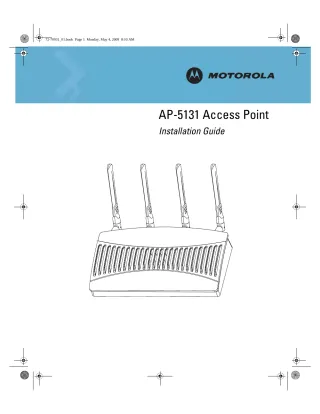
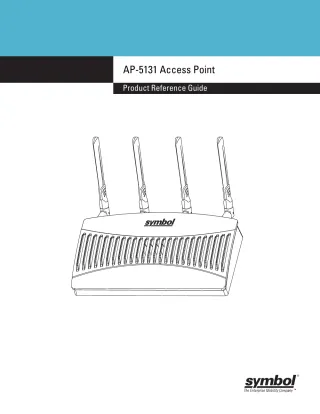
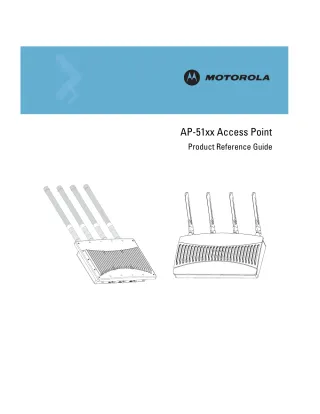
AP-51xx Access Point Product Reference Guide
Manual724 pagesPDF 7.6 MB
Product reference guide for the Motorola AP-51xx wireless access points (AP-5131 and AP-5181): installation, setup and CLI.
Names · 1 model
The models it names
Filed with · 1 model
Also filed with these models on the old site
Summary
What is in it
The full product reference guide for the AP-51xx family of wireless access points, covering both the AP-5131 and the AP-5181. It explains the features, hardware installation (desk, wall, ceiling, plenum and pole mounting, antennas, power injector), first connection and basic setup, system and network configuration, WLANs and radios, security (WEP, KeyGuard, WPA, WPA2, firewall, VPN), statistics, the command line interface, mesh networking and Adaptive AP.
Its parts
- Introduction
- Hardware Installation
- Getting Started
- System Configuration
- Network Management
- Configuring Access Point Security
- Monitoring Statistics
- CLI Reference
- Configuring Mesh Networking
- Adaptive AP
From the manual
Key facts from this manual
Each line names its page in the PDF.
Motorola product reference guide (May 2009) for the AP-5131 and AP-5181 access points, which share the same Web UI, CLI and MIB. It covers hardware installation, power and antenna options, the command line interface and the technical specifications, and explains how the indoor AP-5131 and the outdoor AP-5181 differ.
- What it is
- Access point bridging Ethernet wired LANs or WANs and wireless networks, up to 54Mbps per radio p. 19
- Power
- 48Vdc nominal; 200mA peak, 170mA nominal (both models) p. 684
- Power options
- AP-5131: power injector AP-PSBIAS-1P2-AFR, 48-Volt power supply 50-14000-243R, or any 802.3af midspan device p. 57
- Kits
- AP-5131: dual radio AP-5131-13040-WW to AP-5131-13043-WWR; single radio AP-5131-40020-WW to AP-5131-40023-WWR; dependent (switch required) AP-5131-13040-D-WR and AP-5131-40020-D-WR p. 50, 51
- Dimensions
- AP-5131: 5.32 in. long x 9.45 in. wide x 1.77 in. thick (135 x 240 x 45 mm) p. 682
- Weight
- AP-5131: 1.95 lbs/0.88 Kg single-radio; 2.05 lbs/0.93 Kg dual-radio p. 682
- Temperature
- AP-5131: operating -20 to 50° Celsius; storage -40 to 70° Celsius p. 682
- Operating channels
- 802.11a: channels 34-161 (5170-5825 MHz); 802.11b/g: channels 1-13 (2412-2472 MHz), channel 14 (2484 MHz) Japan only p. 684
- Serial console
- 19200 baud, 8 data bits, 1 stop bit, no parity, no flow control; null modem cable for the AP-5131, RJ-45 to Serial cable for the AP-5181 p. 360
- 2.4 GHz antennas
- AP-5131: ML-2499-11PNA2-01R wide angle directional, ML-2499-HPA3-01R omni-directional, ML-2499-BYGA2-01R Yagi, ML-2452-APA2-01 dual-band p. 685
- 5 GHz antennas
- AP-5131: ML-5299-WPNA1-01R panel, ML-5299-HPA1-01R wide-band omni-directional, ML-2452-APA2-01 dual-band p. 686
- Antenna accessories
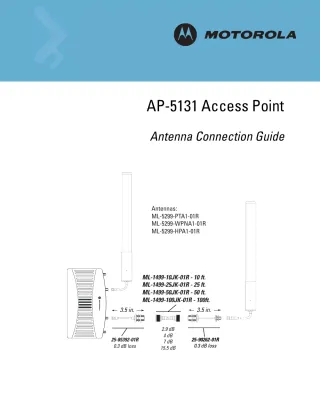
- AP-5131: cable extension ML-1499-72PJ-01R; lightning arrestors ML-1499-LAK1-01R, ML-1499-LAK2-01R; jumper kits ML-1499-10JK-01R, ML-1499-25JK-01R, ML-1499-50JK-01R, ML-1499-100JK-01R p. 686
- AP-5181 outdoor model
- AP-5181: outdoor, dual-radio SKU AP-5181-13040-WWR; aluminum housing, 12 x 8.25 x 3.5 inches, 4 lbs., operating -30 to 55° Celsius p. 19, 52, 683
- AP-5181 accessories
- AP-5181: Power Tap AP-PSBIAS-5181-01R recommended, cannot use power supply 50-14000-243R; Mounting Kit KT-5181-WP-01R for a 1.5 - 18 inch pole or wall; Heavy Weather Kit KT-5181-HW-01R p. 52, 58
What this manual walks you through
- Choosing an AP-5131 kit p. 50, 51
- Placing the access point for good coverage p. 53
- Choosing a power source, power injector or power tap p. 57, 58
- Reading the AP-5131 LED indicators p. 71
- Connecting to the command line through the serial port or Telnet p. 360
- Choosing antennas and antenna accessories for each model p. 685, 686, 687, 688
- Replacing an AP-4131 with an AP-5131 or AP-5181 p. 712
- Features added since the 2.0 firmware release p. 20, 21
Good to know
- A power injector or power tap works only on the access point's LAN port. p. 58
- Using an antenna other than the dual-band antenna could leave the AP-5131 Rogue AP Detector Mode inoperable. p. 52
- The AP-5131 antennas are rated for indoor use and are not meant for outdoor use with an AP-5181. p. 685
- An AP-5181 cannot be downgraded to 1.1.0.x or earlier firmware. p. 19
- An AP-4131 configuration file cannot be carried over to an AP-5131 or AP-5181. p. 712
Questions this manual answers
What is the difference between the AP-5131 and the AP-5181?
The AP-5181 is built for outdoor installations and comes only as a dual radio; the AP-5131 is mainly for indoor use and comes in single and dual-radio versions. p. 19
Can the AP-5181 use the AP-5131 power supply?
No. The AP-5181 cannot use the 48-Volt power supply 50-14000-243R; the guide recommends the AP-PSBIAS-5181-01R Power Tap. p. 58
What cable connects to the AP-5131 serial port?
A null modem serial cable, set to 19200 baud, 8 data bits, 1 stop bit, no parity and no flow control. p. 360
What is the default IP address of the AP-5131?
The WAN port uses the static address 10.1.1.1 and the LAN port is set as a DHCP client. p. 360
Can I copy an AP-4131 configuration to an AP-5131?
No. The configuration file cannot be ported, but the AP-5131 can be configured in a similar way. p. 712
Contents
Chapters and sections
Each line opens the PDF at its page.
- Introduction19
- Hardware Installation49
- Getting Started81
- System Configuration97
- 4.1 Configuring System Settings98
- 4.2 Adaptive AP Setup102
- 4.3 Configuring Data Access105
- 4.4 Managing Certificate Authority (CA) Certificates112
- 4.5 Configuring SNMP Settings123
- 4.6 Configuring Network Time Protocol (NTP)139
- 4.7 Logging Configuration143
- 4.8 Importing/Exporting Configurations145
- 4.9 Updating Device Firmware150
- Network Management159
- Configuring Access Point Security239
47 more lines, from page 240 on
- 6.1 Configuring Security Options240
- 6.2 Setting Passwords241
- 6.3 Enabling Authentication and Encryption Schemes243
- 6.4 Configuring Kerberos Authentication246
- 6.5 Configuring 802.1x EAP Authentication248
- 6.6 Configuring WEP Encryption253
- 6.7 Configuring KeyGuard Encryption255
- 6.8 Configuring WPA/WPA2 Using TKIP258
- 6.9 Configuring WPA2-CCMP (802.11i)261
- 6.10 Configuring Firewall Settings264
- 6.11 Configuring VPN Tunnels273
- 6.12 Configuring Content Filtering Settings289
- 6.13 Configuring Rogue AP Detection292
- 6.14 Configuring User Authentication301
- Monitoring Statistics319
- CLI Reference359
- Configuring Mesh Networking615
- Adaptive AP655
- Technical Specifications681
- Usage Scenarios693
- Customer Support713
- Index717
The whole text · 76 parts
Read the manual here as text
Its text as extracted from the PDF, unedited, in parts; each page opens the PDF at that page.
- Pages 1 to 91-9
- Pages 10 to 1810-18
- Introduction, pages 19 to 2819-28
- Introduction, pages 29 to 3829-38
- Introduction, pages 39 to 4839-48
- Hardware Installation, pages 49 to 5649-56
- Hardware Installation, pages 57 to 6457-64
- Hardware Installation, pages 65 to 7265-72
- Hardware Installation, pages 73 to 8073-80
- Getting Started, pages 81 to 8881-88
- Getting Started, pages 89 to 9689-96
- System Configuration, pages 97 to 10597-105
- System Configuration, pages 106 to 114106-114
- System Configuration, pages 115 to 123115-123
- System Configuration, pages 124 to 132124-132
- System Configuration, pages 133 to 141133-141
- System Configuration, pages 142 to 150142-150
- System Configuration, pages 151 to 158151-158
- Network Management, pages 159 to 168159-168
- Network Management, pages 169 to 178169-178
- Network Management, pages 179 to 188179-188
- Network Management, pages 189 to 198189-198
- Network Management, pages 199 to 208199-208
- Network Management, pages 209 to 218209-218
- Network Management, pages 219 to 228219-228
- Network Management, pages 229 to 238229-238
- Configuring Access Point Security, pages 239 to 248239-248
- Configuring Access Point Security, pages 249 to 258249-258
- Configuring Access Point Security, pages 259 to 268259-268
- Configuring Access Point Security, pages 269 to 278269-278
- Configuring Access Point Security, pages 279 to 288279-288
- Configuring Access Point Security, pages 289 to 298289-298
- Configuring Access Point Security, pages 299 to 308299-308
- Configuring Access Point Security, pages 309 to 318309-318
- Monitoring Statistics, pages 319 to 328319-328
- Monitoring Statistics, pages 329 to 338329-338
- Monitoring Statistics, pages 339 to 348339-348
- Monitoring Statistics, pages 349 to 358349-358
- CLI Reference, pages 359 to 368359-368
- CLI Reference, pages 369 to 378369-378
- CLI Reference, pages 379 to 388379-388
- CLI Reference, pages 389 to 398389-398
- CLI Reference, pages 399 to 408399-408
- CLI Reference, pages 409 to 418409-418
- CLI Reference, pages 419 to 428419-428
- CLI Reference, pages 429 to 438429-438
- CLI Reference, pages 439 to 448439-448
- CLI Reference, pages 449 to 458449-458
- CLI Reference, pages 459 to 468459-468
- CLI Reference, pages 469 to 478469-478
- CLI Reference, pages 479 to 488479-488
- CLI Reference, pages 489 to 498489-498
- CLI Reference, pages 499 to 508499-508
- CLI Reference, pages 509 to 518509-518
- CLI Reference, pages 519 to 528519-528
- CLI Reference, pages 529 to 538529-538
- CLI Reference, pages 539 to 548539-548
- CLI Reference, pages 549 to 558549-558
- CLI Reference, pages 559 to 568559-568
- CLI Reference, pages 569 to 578569-578
- CLI Reference, pages 579 to 588579-588
- CLI Reference, pages 589 to 598589-598
- CLI Reference, pages 599 to 608599-608
- CLI Reference, pages 609 to 614609-614
- Configuring Mesh Networking, pages 615 to 624615-624
- Configuring Mesh Networking, pages 625 to 634625-634
- Configuring Mesh Networking, pages 635 to 644635-644
- Configuring Mesh Networking, pages 645 to 654645-654
- Adaptive AP, pages 655 to 663655-663
- Adaptive AP, pages 664 to 672664-672
- Adaptive AP, pages 673 to 680673-680
- Technical Specifications681-692
- Usage Scenarios, pages 693 to 702693-702
- Usage Scenarios, pages 703 to 712703-712
- Customer Support713-716
- Index717-724
The file