Manual · PSC
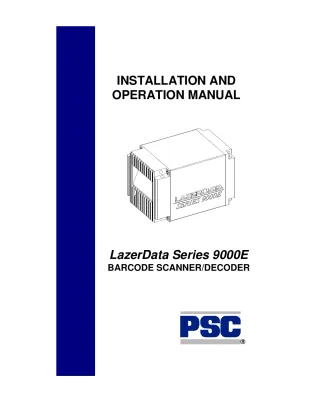
Installation and Operation Manual, LazerData Series 9000E Barcode Scanner/Decoder
Manual104 pagesPDF 714 KB
Installation and operation manual for the PSC LazerData Series 9000E fixed-mount laser bar code scanner/decoder.
Covers · 2 models
The models it covers
Summary
What is in it
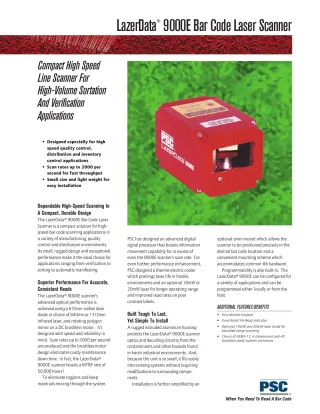
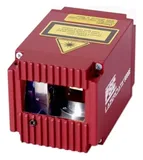
The installation and operation manual for the LazerData Series 9000E Scanner/Decoder from PSC Automation, a compact fixed-mount laser scanner with a built-in decoder. It covers laser and electrical safety, the system description and technical specifications, mounting and power, the local, host and I/O port signal interfaces, setting up the unit through menu screens on an ordinary terminal (gate parameters, field definitions, output formatting, diagnostics, compare strings) and host programming commands.
Its parts
- 1 Read This First
- 2 Introduction
- 3 Installation
- 4 Signal Interfaces
- 5 Local Formatting
- 6 Host Programming
From the manual
Key facts from this manual
Some pages are scans or cannot be read; this says only what the readable text supports. Each line names its page in the PDF.
The PSC Automation installation and operation manual (Part No. 7902033, Revision E, August 1997) for the LazerData Series 9000E bar code scanner/decoder. It covers safety, specifications, mounting, power, the local, host and I/O port wiring, menu configuration, host programming and diagnostics. A few drawing pages are scans read by OCR.
- Device
- Fixed laser bar code scanner and decoder in one extruded aluminum package, 2.5" wide x 2.5" high x 3.85" long p. 11
- Interfaces
- Host port RS-232C, RS-422 or optional RS-485 (DE9S); RS-232 local terminal port (DE9P); user I/O port (DE-15S) p. 25, 27, 30
- Power
- +5 VDC @ 860 mA and +12 VDC @ 300 mA through a keyed 5-pin connector; the power connector table also lists -12 VDC, 300 mA minimum p. 18, 34
- Scan rate
- 500 to 1000 sweeps per second by model, 1500 for special applications; rotating polygon, unidirectional p. 11
- Laser
- Laser diode, 670-680 nm visible red, 840 nm or 1330 nm infrared by model; life greater than 50,000 hours p. 11
- Code types
- C11, C39, C93, C128, C49 (2 row numeric only), Codabar, UPCE, UPCA, EAN8, EAN13, I2/5, Binary, AS10, Pharmacode, ISTR p. 12
- Local port
- RS-232 terminal port for setup and monitoring, set to 9600 baud, 8 data bits, no parity, 1 stop bit at manufacture p. 25
- Cable length
- RS-232: 50 ft maximum suggested; RS-422 or RS-485: up to 500 feet p. 27
- User I/O
- Gate and push button compare inputs; good read, no read, good compare, no compare and digital outputs; open collector outputs switch up to 24 VDC at 100 mA p. 30, 31, 32, 33
- Package contents
- Local port cable 1702076, host mating connector Y260020, I/O mating connector Y259930, back shells 7651021, power supply 1902032, manual 7902033 p. 15
- Mating connectors
- Local port Y259600, host port Y260020, I/O port Y259930 (back shell 7651021 for each); power 5601006 p. 35
- Host protocols
- ACK/NAK, XON/XOFF, LazerData Intermec multidrop, or none; 300 to 38,400 baud p. 12
- Operating temperature
- 0 to 50 degrees centigrade (32 to 122 F) p. 16
- Mounting
- Eight through holes for #6 hardware; any orientation p. 15, 16
What this manual walks you through
- Unpacking the scanner and checking the package contents p. 15
- Mounting the scanner and avoiding specular reflection from glossy labels p. 16, 18
- Finding the best reading distance with the read percentage test p. 19
- Wiring the local, host (RS-232, RS-422, RS-485) and I/O ports p. 25, 26, 27, 28, 29, 30, 31, 32
- Supplying power and ordering mating connectors p. 34, 35
- Configuring the scanner from a terminal with the menu screens p. 6, 11
- Programming the scanner from the host p. 6
- Read rate, counter and sync count diagnostics p. 72, 73
Good to know
- Make no connection to pin 5 of the I/O port, which is reserved. p. 31
- Sending Control L to the local or host port turns the laser beam on or off. p. 8
- Install the scanner away from extreme heat, electrical noise such as large AC motors or solenoids, and high vibration. p. 16
- Disconnect the main power line before working on electrical equipment, and never stare into the laser beam. p. 9
- The gate input takes 30 VDC maximum; grounding it or applying less than 0.8 V gates the scanner. p. 32
Questions this manual answers
What power does the PSC LazerData 9000E need?
+5 VDC at 860 mA and +12 VDC at 300 mA through a keyed 5-pin connector; the I/O port can supply power instead. p. 18
How long can the 9000E host cable be?
About 50 feet for RS-232, and up to 500 feet for RS-422 or RS-485. p. 27
What are the factory serial settings of the 9000E local port?
9600 baud, 8 data bits, no parity and 1 stop bit (9600 N81). p. 25
How do I find the best reading distance for the 9000E?
Run the Read Percentage Test from the Diagnostics page and move the label until #Decodes is largest; 95 or more decodes is normally reliable. p. 19
What comes in the box with a LazerData 9000E?
The scanner, local port cable 1702076, host and I/O mating connectors, back shells, power supply 1902032 and manual 7902033, with a power connector on some models. p. 15
The whole text · 11 parts
Read the manual here as text
Its text as extracted from the PDF, unedited, in parts; each page opens the PDF at that page.
The file