Manual · Omron
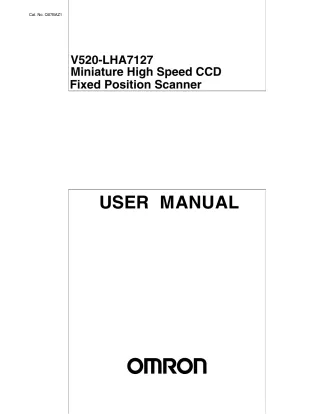
V520-LHA7127 Miniature High Speed CCD Fixed Position Scanner User Manual
Manual77 pagesPDF 1.8 MB
User manual for the Omron V520-LHA7127 miniature high speed CCD fixed position bar code scanner: specifications, mounting and programming.
Covers · 1 model
The models it covers
Summary
What is in it
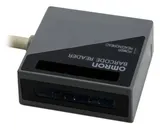
The user manual for the Omron V520-LHA7127, a miniature CCD fixed position bar code scanner built into host equipment. It gives a quick start over RS-232C, full technical specifications (physical, optical, electrical, communications, pin-outs, environment), how to position the scanner for best read rates, how to configure it, application support, servicing and maintenance, and appendices with programming menus and commands, dimensional drawings, optical performance charts and PLC and touchscreen connection examples.
Its parts
- Introduction and Getting Started
- Technical Specifications
- Positioning the Scanner
- Configuring the Scanner
- Application Engineering Support
- Scanner Servicing and Maintenance
From the manual
Key facts from this manual
Some pages are scans or cannot be read; this says only what the readable text supports. Each line names its page in the PDF.
User manual for the Omron V520-LHA7127, a miniature fixed-position CCD bar code scanner made in front-view and side-view versions with an RS-232C link. It gives the specifications, mounting and positioning guidance, the full list of programming commands and bar codes, and cleaning instructions. Its PLC and touchscreen connection examples are written for the V500-LPx5627-P reader.
- Device
- Miniature fixed-position CCD bar code scanner, 700 scans per second, in front-view and side-view versions p. 12
- Part numbers
- V520-LHA7127-C and V520-LHA7127-P p. 17
- Interface
- RS-232C; factory default 9600 baud, 8 data bits, 1 stop bit, no parity, no handshaking p. 24
- Baud rates
- 300 to 38,400 baud p. 16
- Power
- +5 VDC ± 5%; 158 mA typical, 220 mA max. when operating p. 16
- Optics
- CCD linear array sensor, 660 nm LED illumination, 700 scans per second ±10% p. 14
- Resolution
- 5.0 mil narrow bar at 0.9 PCS; minimum PCS 0.45 p. 14
- Focal distance
- Front view: 1.4 in. (35 mm) nominal p. 18
- Symbologies
- Codabar (NW-7), Code 39, Code 93, Code 128, Industrial 2 of 5, Interleaved 2 of 5, MSI / Plessey, WPC (UPC / EAN / JAN), IATA p. 14
- Weight
- 100 g (3.5 ounces) without cable p. 14
- Operating temperature
- 0° to +40°C (+32° to +104°F); storage -10° to +60°C p. 17
- Case and mounting
- Black steel case; 4 threaded M-3 mounting holes, 2 on each side p. 14
- Configuration
- Programming bar codes, or commands sent from the host over RS-232C p. 24
What this manual walks you through
- Connecting the scanner to a PC serial port and testing it with a terminal program p. 12, 13
- Angling the scanner for pitch, skew and tilt p. 15
- Positioning the scanner at its focal distance p. 18
- Restoring the factory default settings p. 24
- Programming the scanner with commands or bar codes p. 30, 31
- Finding the common causes of poor reading p. 26
- Cleaning the scanner p. 28
- Connecting a reader to Omron Sysmac PLCs and NT or NS touchscreens p. 72, 73, 74
- Dimensional drawings and optical performance charts p. 68, 70
Good to know
- The scanner needs +5 V DC; a supply from another source should carry the CE mark. p. 12
- The M-3 mounting screws must not reach more than 3 mm into the case. p. 14
- There are no user-serviceable parts inside; opening the scanner could expose the operator to LED light. p. 28
- Do not clean with bleach, which can damage the painted case or window. p. 28
- Settings changed by computer command are kept after power-off only if saved with Z2. p. 31
Questions this manual answers
What power supply does the Omron V520-LHA7127 need?
It runs on +5 VDC ± 5% and draws 158 mA typical, 220 mA max. when operating. p. 16
What are the V520-LHA7127 default serial settings?
9600 baud, 8 data bits, 1 stop bit, no parity and no handshaking. p. 24
Which bar codes does the V520-LHA7127 read?
Codabar (NW-7), Code 39, Code 93, Code 128, Industrial and Interleaved 2 of 5, MSI / Plessey, UPC / EAN / JAN and IATA. p. 14
How do I test that the V520 scanner is talking to my PC?
Send <Escape> V5 <Carriage Return> from a terminal program; the buzzer should sound. p. 13
Why is the red scanning light off on my V520-LHA7127?
The scanner may be in trigger mode waiting for a trigger; sending <Escape> S7 <Carriage Return> turns that mode off. p. 13
Contents
Chapters and sections
Each line opens the PDF at its page.
- Front Cover1
- Terms and Conditions of Sale5
- Precautions6
- Section 1- Introduction and Getting Started12
- Section 2- Technical Specifications14
- Section 3- Positioning the Scanner18
- Section 4- Configuring the Scanner24
- Section 5- Application Engineering Support26
- Section 6- Scanner Servicing and Maintenance28
- Appendix A30
- Appendix B68
- Appenidix C70
- Appendix D72
- Revision History76
- Contact Omron77
The whole text · 12 parts
Read the manual here as text
Its text as extracted from the PDF, unedited, in parts; each page opens the PDF at that page.
The file