Manual · Monarch
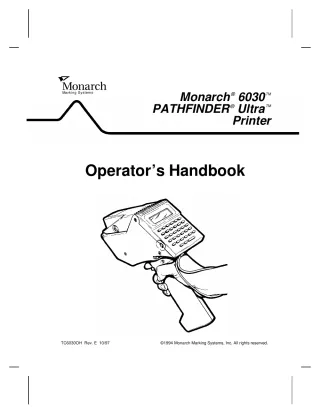
Monarch 6030 PATHFINDER Ultra Printer Operator's Handbook
Manual92 pagesPDF 948 KB
Operator's handbook for the Monarch 6030 PATHFINDER Ultra portable label printer: battery, supplies, data entry, printing and care.
Names · 1 model
The models it names
Filed with · 1 model
Also filed with these models on the old site
Summary
What is in it
The operator's handbook for the Monarch 6030 PATHFINDER Ultra, a hand-held, battery-powered label printer that runs downloaded applications. It covers Command mode and its menus, charging and attaching the battery handle, loading supplies for peel and non-peel mode, entering and printing data, transferring data over RS-232, configuring the printer, care and maintenance, the optional laser scanner, troubleshooting messages and diagnostics, with cable pinouts and specifications in the appendices.
Its parts
- Introduction
- Getting Started
- Loading Supplies
- Entering and Printing Data
- Transferring Data
- Configuring the Printer
- Care and Maintenance
- Using the Laser Scanner
- Troubleshooting
- Using Diagnostics
From the manual
Key facts from this manual
Each line names its page in the PDF.
Operator's handbook (Rev. E, 10/97) for the Monarch 6030 PATHFINDER Ultra printer; it names the 6030 only. It explains charging the battery handle, loading supplies, transferring data with a host and setting up the printer. It also covers care, the optional laser scanner, troubleshooting messages and diagnostics.
- Printing
- Thermal direct p. 89
- Factory options
- Laser scanner, additional RAM memory, international keypad p. 7
- Battery
- 12VDC NiCd battery in the handle; battery handle #115873 p. 11, 90
- Charging time
- About 1.5-2 hours with a fast charger, about 1.5 hours with a 6094 charger p. 89
- Chargers
- 6093-07 115V fast charger, 6093-08 230V fast charger, 6094 Four-Station Charger p. 90
- Communications
- RS-232C serial port through a mini-DIN connector on the printer p. 87, 89
- Serial defaults
- 9600 baud, odd parity, 7 data bits, 1 stop bit, XON/XOFF flow control p. 40
- RS-232 cables
- 9-pin modem #116587-14, 25-pin modem #116587-15, 9-pin connector #116587-30, 25-pin connector #116587-31 p. 90
- Display
- 16-character, two-line alphanumeric liquid crystal display with backlight p. 7, 89
- Memory
- 128K of EPROM, 512K of RAM standard; a lithium battery maintains memory p. 89
- Supplies
- Paper and synthetic labels, paper tags, specialty paper; lengths .55" (14 mm) to 4.0" (102 mm) p. 89, 90
- Weight
- 2.64 lbs. (1.1 kg) with battery handle, scanner and 1.5" (38 mm) supply roll p. 89
- Operating temperature
- 40°F to 110°F (4°C to 43°C); storage 15°F to 120°F (-9°C to 49°C) p. 89
- Other accessories
- Loop Back Plug #116850, Holster #PHOL01, Cleaning Pen #114226, 6076 Cleaning Kit p. 90
What this manual walks you through
- Charging, removing and attaching the battery handle p. 11, 12, 13, 14
- Loading labels and tags in Peel or Non-Peel mode p. 15, 16
- Connecting the communications cable to a host p. 35, 36
- Receiving an application and sending data collection records p. 37, 38, 39
- Setting the serial port parameters to match the host p. 39, 40
- Configuring backlight, On-Demand mode, clock, language and shutdown timer p. 41, 42, 43, 44, 45
- Enabling bar code types for the scanner p. 46, 47
- Clearing supply jams and cleaning the printhead and rollers p. 49, 50, 51, 52, 53
- Scanning bar codes and cleaning the scanner window p. 60, 61
- Troubleshooting problems, display messages and diagnostics p. 63, 64, 65, 66, 67, 68, 69, 70
Good to know
- Storing the printer without a battery handle attached may erase or alter its memory. p. 12
- Turn the printer off before removing or attaching the battery handle. p. 13
- Do not clean the scanner window with solvents such as alcohol or acetone, or with abrasive cleaners. p. 61
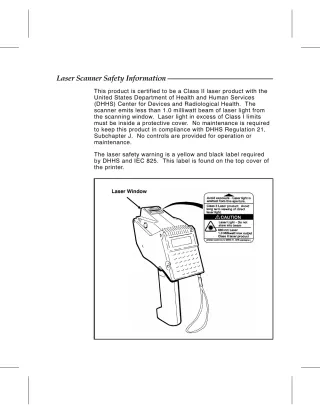
- The manual states the optional scanner is a Class II laser product emitting less than 1.0 milliwatt. p. 59
- Diagnostics are meant for a System Administrator or Service person only. p. 67
Questions this manual answers
What battery does the Monarch 6030 printer use?
A 12VDC NiCd battery built into the handle; the battery handle is part #115873. p. 11, 90
What does RECHARGE mean on the 6030 display?
The battery charge has run down; switch to a fully charged handle. p. 66
What are the 6030 default serial port settings?
The factory defaults are 9600 baud, odd parity, 7 data bits, 1 stop bit and XON/XOFF flow control. p. 40
How far from a bar code should the 6030 scanner be held?
About four to eight inches, aimed at a slight angle to the bar code. p. 60, 61
What software packages work with the 6030?
The handbook lists 2055 PFX-DOS, 2355 PATHFINDER Plus/Ultra Transfer Program (Windows) and the 2370 Application Development Kit. p. 90
Contents
Chapters and sections
Each line opens the PDF at its page.
- Laser Scanner Safety Information i-13
- Audience i-i5
- Terms to Know i-i5
- Chapter 1. Introduction 1-17
- Chapter 2. Getting Started 2-111
- Chapter 3. Loading Supplies 3-115
- Chapter 4. Entering and Printing Data 4-127
- Chapter 5. Transferring Data 5-135
- Chapter 6. Configuring the Printer 6-141
- Chapter 7. Care and Maintenance 7-149
- Chapter 8. Using the Laser Scanner 8-159
- Chapter 9. Troubleshooting 9-163
- Chapter 10. Using Diagnostics 10-167
- Appendix A. Reference Information A-187
- Appendix B. Specifications and Accessories B-189
- Accessories B-189
The whole text · 10 parts
Read the manual here as text
Its text as extracted from the PDF, unedited, in parts; each page opens the PDF at that page.
The file