Manual · Monarch
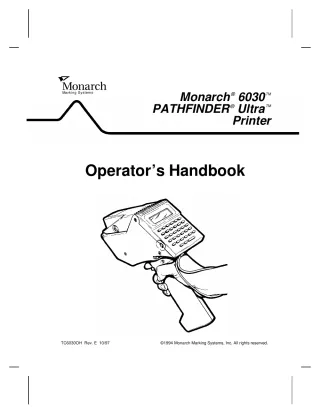
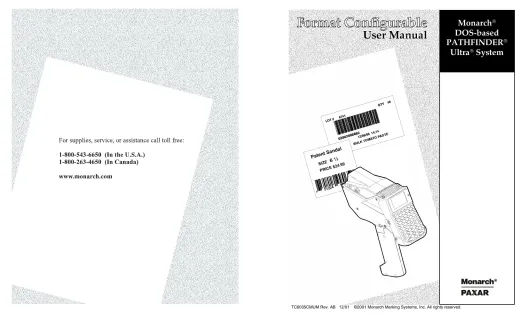
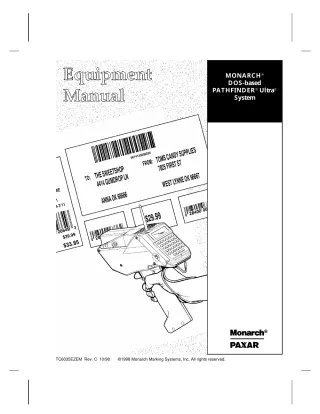
DOS-based PATHFINDER Ultra System
Manual87 pagesPDF 1.0 MB
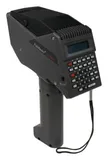
Equipment guide for the Monarch DOS-based Pathfinder Ultra portable printer: battery, supplies, keypad, laser scanner, diagnostics and care.
Names · 1 model
The models it names
Filed with · 1 model
Also filed with these models on the old site
Summary
What is in it
The Monarch equipment guide for the DOS-based Pathfinder Ultra printer (document TC6035EZEM), a portable unit that can act as a data collection device, a label printer or both. It covers the 4-line/33 key and 8-line/48 key versions, charging the battery handle and backup battery, loading supplies for peel and non-peel modes, the display, keypad and data entry modes, using the optional laser scanner, cleaning and clearing jams, the diagnostics program, troubleshooting, cable pinouts, specifications and accessories.
Its parts
- Introduction
- Getting Started
- Loading Supplies
- Basic Operations
- Using the Laser Scanner
- Care and Maintenance
- Using Diagnostics
- Troubleshooting
From the manual
Key facts from this manual
Each line names its page in the PDF.
Equipment guide (TC6035EZEM Rev. C, 10/98) for the Monarch DOS-based PATHFINDER Ultra printer, model 6035; it does not name the 6030. It applies to both the 4-line/33 key and 8-line/48 key versions. It explains charging, loading supplies, the display and keypad, care, diagnostics and troubleshooting.
- What it is
- DOS-based PATHFINDER Ultra printer that works as a data collection device, a printer, or both p. 8
- Versions
- 4-line display with 33 keys, or 8-line display with 48 keys; 20 characters per display line p. 8, 28
- Operating system
- Datalight ROM-DOS 6.22 p. 9
- Factory options
- Radio communication, laser scanner, international keypad p. 9
- Battery
- 12VDC NiCd battery pack in the handle; handle standard #115873, high capacity #115884 p. 10, 85
- Chargers
- 6093-07 Fast Charger and 6094-01 Four-Station Charger, about 1.5 hours each p. 11, 85
- Communications
- RS-232C serial port (COM1) on a mini-DIN connector; optional radio frequency port (COM2) p. 82, 84
- Radio options
- Aironet 2.4, Aironet 3500, Symbol 2.4, Symbol 902 MHz and Proxim 2.4 cards p. 80
- Memory
- 2 MB of FLASH and 1 MB of Static RAM, kept by a lithium battery; memory cards listed from 2M to 40M Flash p. 80, 84
- RS-232 cables
- 9-pin straight #116587-14, 25-pin straight #116587-15, 9-pin PC #116587-30, 25-pin PC #116587-31 p. 85
- Supplies
- Thermal direct on paper and synthetic labels, paper tags, specialty paper; lengths .55" (14 mm) to 4.0" (102 mm) p. 84, 85
- Weight
- 2.64 lbs. (1.1 kg) with battery handle, scanner and 1.5" (38 mm) supply roll p. 84
- Operating temperature
- 40°F to 90°F (4°C to 32°C); storage 15°F to 120°F (-9°C to 49°C) p. 84
- Other accessories
- Holster #PHOL03 or #UHOL-01, Cleaning Pen #114226, 6076 Cleaning Kit, loopback plug 116850 p. 59, 85
What this manual walks you through
- Charging the battery handle and the NiMH backup battery p. 10, 11, 12, 13, 14
- Changing the battery handle p. 15
- Choosing peel or non-peel mode for loading supplies p. 16
- Reading the display status indicators and using the keypad p. 28, 29, 30, 31, 32, 33
- Clearing supply jams and cleaning the printhead, platen roller and sensors p. 46, 47, 48, 49, 50, 51, 52, 53
- Storing the printer p. 54
- Running diagnostics for the display, keyboard, serial port and scanner p. 56, 57, 58, 59, 60
- Troubleshooting feed, print, startup and scanning problems p. 78, 79
- Identifying the radio and memory cards when calling Service p. 80
Good to know
- Storing the printer without a battery handle attached may erase or alter its memory. p. 11
- Charge the battery handle only when it is drained; charging a partly charged battery reduces its capacity and life. p. 11
- When storing the printer for more than a month, charge the battery monthly or keep it on a trickle charger. p. 10
- Do not store the printer near magnetic fields, damp or dusty areas, or intense vibration or shock. p. 54
- The keypad descriptions apply to domestic models only. p. 30
Questions this manual answers
What operating system does the Monarch 6035 PATHFINDER Ultra run?
Datalight ROM-DOS 6.22. p. 9
What does WARNING CMOS FAILURE DEFAULTS RESTORED mean on the 6035?
It appears when power is lost, for example when both the battery handle and the NiMH backup battery are drained. Press any key, then fit a fully charged handle and turn the printer on. p. 14
Which battery handles fit the DOS-based PATHFINDER Ultra?
The standard handle is #115873 and the high capacity handle is #115884. p. 85
How do I start diagnostics on the 6035?
At the DOS prompt type DIAG and press e; on the 4-line/33 key printer press s first if not already in Shift mode. p. 57
The 6035 logo screen never goes away at startup. What do I do?
Turn the printer off, turn it back on while holding the f key, note the final message and report it to the System Administrator. p. 79
Contents
Chapters and sections
Each line opens the PDF at its page.
The whole text · 9 parts
Read the manual here as text
Its text as extracted from the PDF, unedited, in parts; each page opens the PDF at that page.
The file