Manual · Monarch
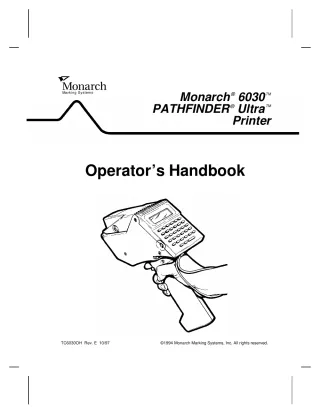
Monarch PATHFINDER Ultra Printers: Item Pricing Application
Manual58 pagesPDF 657 KB
Guide to the Item Pricing application for Monarch PATHFINDER Ultra printers: label formats, print methods and database use.
Names · 1 model
The models it names
Filed with · 1 model
Also filed with these models on the old site
Summary
What is in it
The Monarch guide to the Item Pricing application on the PATHFINDER Ultra printer, which prints preset labels in 26 non-database and 17 database styles from data keyed, scanned or downloaded from a database. It explains the keyboard and function keys, the four print methods, each non-database label format with its prompts, setting up the printer and creating sequential database files, downloading and uploading data, the database formats, and scannable format templates in Appendix A.
Its parts
- Using the Keyboard
- Printing Options
- Non-Database Operating Instructions
- Setting Up for Database Operation
- Database Operating Instructions
From the manual · read page by page
Key facts from this manual
Some pages are scans or cannot be read; this says only what the readable text supports. Each line names its page in the PDF.
Manual (TC6030ITUM Rev. A, 1/98) for the Item Pricing application on Monarch PATHFINDER Ultra printers. It explains printing preset price, shelf and shipping labels from 26 non-database and 17 database formats, and setting up a PC to download item data and upload label counts. Appendix A gives bar code templates for picking formats and options.
- What it is
- Item Pricing application printing preset labels in 26 non-database and 17 database styles p. 5
- Data entry
- Data entered by hand or scanned, or downloaded from a PC database p. 5, 7
- Label sizes
- 1.2"x0.8", 1.2"x1.1", 1.2"x2.7", 1.5"x1.1", 1.5"x1.5", 1.5"x2.2", 2.0"x1.1", 2.0"x4.0" p. 8, 9, 13, 18, 24, 26, 28, 35
- Bar codes
- UPC-A, UPC-A+2, EAN13+5, Code 39, Code 128, I 2 of 5 p. 8, 19, 21, 22, 28, 33
- Serial settings
- 9600 baud, odd parity, 7 data bits, 1 stop bit, Xon/Xoff, ENQ polling enabled, response timeout 30 p. 39
- Database file
- Comma-delimited ASCII sequential file with nine fields, saved as data.txt p. 40, 41
- PC files
- PU2420v0.cfu, PF2420v0.fmt, PFXSEND.exe, PL2420v0.txt p. 42
- Print methods
- 1: one label automatically; 2: label strips with auto-trigger; 3: with trigger; 4: set number one at a time with trigger p. 6
- Function keys
- F1 Main Menu, F2 print method, F3 save upload records, F4 download or upload data p. 5, 6
- Upload file
- Uploads go to c:\Ultra.txt: item bar codes with the quantity of labels printed for each p. 44
What this manual walks you through
- Using the function keys, Escape and alpha/numeric toggle p. 5, 6
- Choosing a print method p. 6
- Printing labels without a database p. 7
- Entering data for each of the 26 non-database label formats p. 8
- Installing the application files on a PC and setting communications p. 38, 39
- Creating the sequential database file p. 40, 41
- Downloading item data to the printer p. 42, 43
- Uploading label counts to the PC p. 43, 44
- Printing labels from the database formats p. 44, 45
- Scanning bar code templates to select formats and options p. 54
Good to know
- Print Method 2 needs supplies loaded in non-peel mode. p. 6
- Select Save Upld Recs before scanning data if you plan to upload. p. 5
- The PC should not be running Windows while the files are installed. p. 38
- Downloading a new sequential file erases the previous one. p. 42
- The database file must be saved as data.txt or the download fails. p. 41
Questions this manual answers
What serial settings does the Monarch Item Pricing application use?
9600 baud, odd parity, 7 data bits, 1 stop bit, Xon/Xoff flow control, ENQ polling enabled and a response timeout of 30. p. 39
What does the label size number 1511 on the PATHFINDER Ultra display mean?
It is the label size: 1.5 inch width by 1.1 inch feed length. p. 7
How many label formats does the Item Pricing application have?
26 non-database styles and 17 database styles. p. 5
Where does uploaded label data go on the PC?
To c:\Ultra.txt, which lists item bar code numbers with the quantity of labels printed for each. p. 44
The whole text · 6 parts
Read the manual here as text
Its text as extracted from the PDF, unedited, in parts; each page opens the PDF at that page.
The file