Manual · Microscan
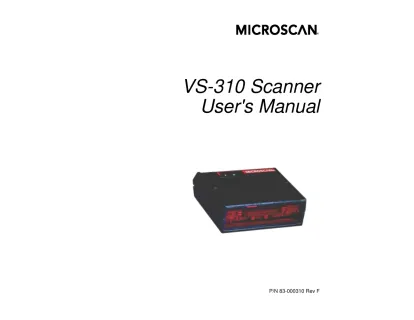
VS-310 Scanner User's Manual
Manual108 pagesPDF 1.3 MB
User's manual for the Microscan VS-310 miniature fixed-mount laser barcode scanner: setup, configuration and serial commands.
Covers · 1 model
The models it covers
Summary
What is in it
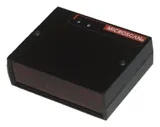
Microscan's user's manual for the VS-310, a small fixed-mount laser scanner that reads and decodes barcodes. It walks through setup and installation step by step, configuring the scanner by menu with the ESP program or by serial command, and the operational utilities such as read rate, counters and master label. Appendices cover specifications, connectors and cables, the IB-105 interface box, multidrop communications, label orientation and grounding.
Its parts
- Setup and Installation
- Menu Configuration
- Serial Configuration
- Utilities
From the manual
Key facts from this manual
Each line names its page in the PDF.
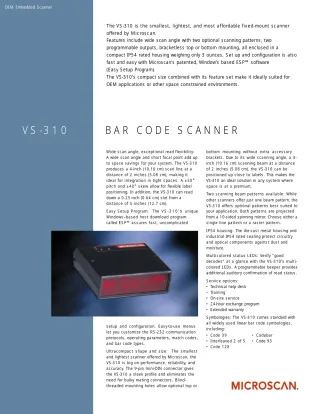
The Microscan VS-310 Scanner User's Manual for the compact fixed-mount laser bar code scanner. It walks through planning, read range and scan calculations, cabling and pinouts, setup with the ESP program and by serial command, and gives the specifications, the mating connector, accessory cables and the IB-105 interface box configurations.
- Device
- Compact fixed-mount laser bar code scanner with a 10-sided spinning mirror p. 7
- Versions
- FIS -009 to -012 RS-232, -013 to -016 RS-422/485; low density (100 scans per second) or high density (60); single line or raster p. 7, 81
- Power
- +5 VDC ±4% @ 200 mA, from a listed Class 2 direct plug-in power unit p. 8, 80
- Connector
- Single 9-pin mini-DIN; mating connector kit 98-200021-01 included p. 80, 82
- Accessory cables
- RS-232 versions: 61-130014 or 61-130019; RS-422/485 versions: 61-130024 p. 83
- IB-105 interface box
- P/N 99-420001, sold separately: RS-232 breakout, RS-232 to RS-422/485 converter, multidrop setup or long distance converter p. 84, 85
- Read range
- Low density: 2.0" to 7.25" (5.08 to 18.42 cm) for .020" bars; high density: 2.25" to 3.0" (5.72 to 7.62 cm) for .005" bars p. 13
- Scan width
- 4.0" @ 2.75" (10.16 @ 6.99 cm); 3.15" for .005" high density bars p. 13
- Code types
- Code 39, Codabar, Interleaved 2 of 5, Code 93, Code 128 p. 80
- Protocols
- Point-to-Point, Point-to-Point with XON/XOFF, Polling Mode D, Multidrop, User Defined, User-defined Multidrop p. 80
- Outputs
- Output-1 and Output-2, each can sink 3.5 mA or source 60 µA; trigger input p. 16
- Size and environment
- About 3 oz. (85 g); IP54 housing; 32° to 104°F (0° to 40°C); humidity up to 90% non-condensing p. 80
- Setup software
- ESP program for Windows 3.1 or Windows 95; setup by serial command also possible p. 7
What this manual walks you through
- Planning an RS-232 or RS-422/485 scanning system p. 12
- Checking read range and scan width for a bar code density p. 13
- Calculating the number of scans per label p. 14, 15
- Attaching cables and the connector pinout p. 16
- Positioning an object detector p. 24
- Operating do's and don'ts p. 25
- Assembling the mating connector p. 82
- Connecting through the IB-105 interface box p. 84, 85, 86, 87, 88
Good to know
- There are no user serviceable parts; opening the scan head can expose the user to laser diode power of up to 5 mW. p. 8
- Avoid eye contact with the laser beam and never point it at people. p. 8
- Do not aim the scanner into direct light, sunlight or an object detector, and do not connect scanner and host chassis to different ground potentials. p. 25
- The Appendix A specification lists 60 scans per second as low density and 100 as high density, the reverse of the introduction and Chapter 1. p. 7, 80
Questions this manual answers
What power supply does the Microscan VS-310 need?
+5 VDC ±4% at 200 mA, from a listed Class 2 direct plug-in power unit rated 5 VDC at 200 mA. p. 8, 80
Which cable connects the VS-310 to an IB-105?
Cable 61-130014 or 61-130019 for RS-232 versions, 61-130024 for RS-422/485 versions. p. 83
What is the VS-310 read range?
From 2.0" up to 7.25" for .020" low density bars, and 2.25" to 3.0" for .005" high density bars. p. 13
What mating connector does the VS-310 use?
Kit part no. 98-200021-01, included with each VS-310, for its 9-pin mini-DIN connector. p. 82
Does the VS-310 read Code 128?
Yes; it reads Code 39, Codabar, Interleaved 2 of 5, Code 93 and Code 128. p. 80
Contents
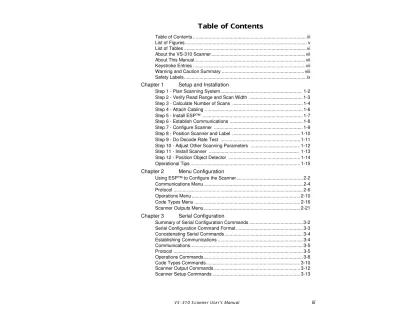
Chapters and sections
Each line opens the PDF at its page.
The whole text · 11 parts
Read the manual here as text
Its text as extracted from the PDF, unedited, in parts; each page opens the PDF at that page.
The file