Manual · Microscan
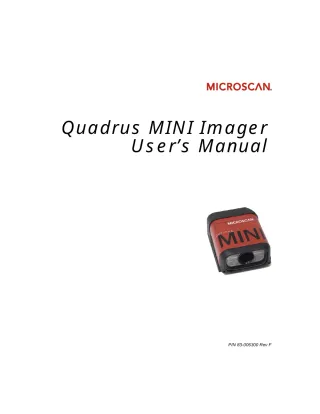
Quadrus MINI Imager User's Manual
Manual424 pagesPDF 3.4 MB
User's manual for the Microscan Quadrus MINI fixed-mount imager: setup, ESP software, communications, calibration and symbologies.
Covers · 1 model
The models it covers
Summary
What is in it
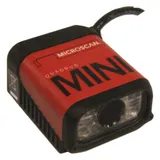
The full user's manual for the Microscan Quadrus MINI Imager, a fixed-mount barcode imager that reads linear and 2D symbologies. It walks through a quick start, the ESP (Easy Setup Program) software, host and auxiliary port communications, calibration, read cycle setup, symbologies, I/O parameters, symbol quality, matchcode, camera and IP setup, the configuration database, utilities and output format, with specifications and serial commands in the appendices.
Its parts
- Quick Start
- Using ESP
- Communications
- Calibration
- Read Cycle
- Symbologies
- I/O Parameters
- Symbol Quality
- Matchcode
- Camera and IP Setup
- Configuration Database
- Terminal
- Utilities
- Output Format
From the manual
Key facts from this manual
Each line names its page in the PDF.
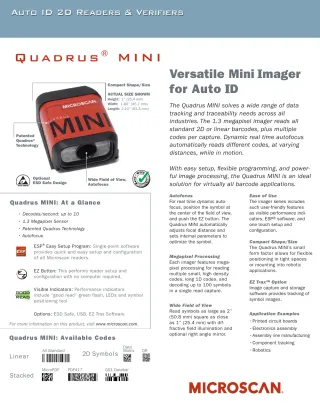
Microscan's user's manual (P/N 83-006300 Rev F, 2008) for the Quadrus MINI megapixel imager, a small reader for linear and 2D symbols in USB and RS-232/RS-422/485 versions. It walks through connecting, positioning, calibrating and testing the imager, then setting it up with the ESP program, the EZ Button or serial commands. The appendices give the general and electrical specifications, host connector pins and the ESD Safe version.
- Device
- Megapixel (SXGA, 1280 by 1024 pixels) imager that reads linear and 2D symbols p. 9, 364
- Interfaces
- USB, RS-232 and RS-422/485 p. 9
- Connector
- 3 ft cable ending in a high density 15-pin D-sub socket or a USB type A plug p. 364
- Power
- 5VDC +/- 5%, 3.5 W max, 440 mA at 5VDC typical p. 367
- Focal range
- 2 to 6 in (50.8 to 152.4 mm); up to 10 decodes per second p. 364
- Read angles
- Pitch ±30°, skew ±30°, tilt 360° p. 364
- Size and weight
- 1 in high, 1.8 in wide, 2.10 in deep (25.4 x 45.7 x 53.3 mm); 2 oz (57 g) p. 364
- Environment
- Operating 0° to 40°C (32° to 104°F); storage -50° to 75°C; humidity up to 90% non-condensing; enclosure IP54 p. 364
- Discrete I/O
- Trigger and New Master inputs rated 5 to 28VDC; outputs 1, 2 and 3 are 5V TTL, sink and source 10 mA; optoisolated I/O with the IC-332 accessory p. 364
- Symbologies
- Data Matrix (ECC 0-200), Aztec Code, QR Code, Micro QR Code, PDF417, MicroPDF417, GS1 DataBar, Code 39, Code 128, BC412, Interleaved 2 of 5, Pharmacode, UPC/EAN, Codabar, Code 93, Postal p. 364
- Setup hardware
- IC-332 adapter, IB-131 interface box, power supply (90-264 VAC, 24VDC), object detector, communication cable p. 14
- Setup software
- ESP (Easy Setup Program) on Windows Vista, XP or 2000; also the EZ Button and serial commands p. 9, 17
- Indicators
- Green flash on a good read, blue target pattern to locate the symbol, beeper p. 364
- ESD Safe version
- Nickel-plated case and a window with a static-dissipative coating p. 368
What this manual walks you through
- Connecting the imager, host cable, object detector and power supply through the IB-131 p. 15
- Positioning the imager and the symbol p. 16
- Installing the ESP setup program from CD or download p. 17
- Locating the symbol with the blue target pattern, by ESP or the EZ Button p. 21, 22
- Calibrating by EZ Button, ESP or serial command p. 23
- Testing the read rate p. 24
- Triggering reads with an object detector p. 388
- Installing the USB-to-Serial Virtual COM Port Driver p. 390
- Utility serial commands: read rate, counters, master database, firmware, defaults p. 8
- Formatting the output: assign, extract, insert and output filters p. 8
Good to know
- Connect all cables before applying power, and power down before disconnecting any cable. p. 14
- A USB model must be connected to the host computer before it is powered on. p. 15
- Clean the hard-coated window only with 100% isopropyl alcohol. p. 389
- Do not insulate the stand mount: the bottom panel needs metal-to-metal contact to shed heat. p. 389
- The chassis ground pin is for earth ground only, never for power or signal return. p. 367
Questions this manual answers
What power does the Quadrus MINI need?
5VDC within 5%, at most 3.5 W (about 440 mA typical). The manual calls for a direct plug-in power unit marked Class II, rated 5 VDC at 3.5 Watts or more. p. 10, 367
How do I restore the Quadrus MINI defaults from the host connector?
Connect pin 8 (default configuration) to ground pin 4 on the 15-pin host connector. p. 367
How do I calibrate the Quadrus MINI with the EZ Button?
Hold the EZ Button about two seconds until two short beeps; the imager then searches its camera settings. Five short beeps mean calibration failed. p. 23
Why is my USB Quadrus MINI not recognized by the PC?
A USB model has to be connected to the host computer before it is powered on, or it is not recognized as a USB device. p. 15
How far from the barcode should the Quadrus MINI be mounted?
Between 2 and 6 inches from the symbol, tipped to avoid glare, with skew and pitch each within ±30°. p. 16
Contents
Chapters and sections
Each line opens the PDF at its page.
- Quadrus MINI Imager User’s Manual1
- About the Quadrus MINI Imager9
- About This Manual9
- Highlighting9
- Host Communications9
- Warning and Caution Summary10
- Statement of Agency Compliance11
- 1 Quick Start13
- 2 Using ESP27
- 3 Communications45
- 4 Calibration79
- 5 Read Cycle99
- 6 Symbologies129
- 7 I/O Parameters181
- 8 Symbol Quality239
- 9 Matchcode255
- 10 Camera and IP Setup267
- 11 Configuration Database299
- 12 Terminal319
- 13 Utilities325
- 14 Output Format349
- Appendices363
- Index399
The whole text · 43 parts
Read the manual here as text
Its text as extracted from the PDF, unedited, in parts; each page opens the PDF at that page.
- Pages 1 to 101-10
- Pages 11 to 2011-20
- Pages 21 to 3021-30
- Pages 31 to 4031-40
- Pages 41 to 5041-50
- Pages 51 to 6051-60
- Pages 61 to 7061-70
- Pages 71 to 8071-80
- Pages 81 to 9081-90
- Pages 91 to 10091-100
- Pages 101 to 110101-110
- Pages 111 to 120111-120
- Pages 121 to 130121-130
- Pages 131 to 140131-140
- Pages 141 to 150141-150
- Pages 151 to 160151-160
- Pages 161 to 170161-170
- Pages 171 to 180171-180
- Pages 181 to 190181-190
- Pages 191 to 200191-200
- Pages 201 to 210201-210
- Pages 211 to 220211-220
- Pages 221 to 230221-230
- Pages 231 to 240231-240
- Pages 241 to 250241-250
- Pages 251 to 260251-260
- Pages 261 to 270261-270
- Pages 271 to 280271-280
- Pages 281 to 290281-290
- Pages 291 to 300291-300
- Pages 301 to 310301-310
- Pages 311 to 320311-320
- Pages 321 to 330321-330
- Pages 331 to 340331-340
- Pages 341 to 350341-350
- Pages 351 to 360351-360
- Pages 361 to 370361-370
- Pages 371 to 380371-380
- Pages 381 to 390381-390
- Pages 391 to 400391-400
- Pages 401 to 410401-410
- Pages 411 to 420411-420
- Pages 421 to 424421-424
The file