Manual · Metrologic
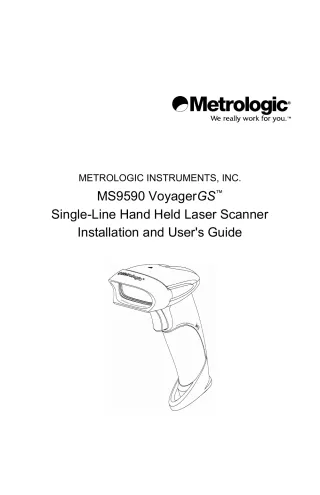
MS9590 VoyagerGS Single-Line Hand Held Laser Scanner Installation and User's Guide
Manual44 pagesPDF 5.1 MB
Installation and user's guide for the Metrologic MS9590 VoyagerGS single-line hand-held laser scanner: interfaces, stand, operation and specs.
Covers · 1 model
The models it covers
Summary
What is in it
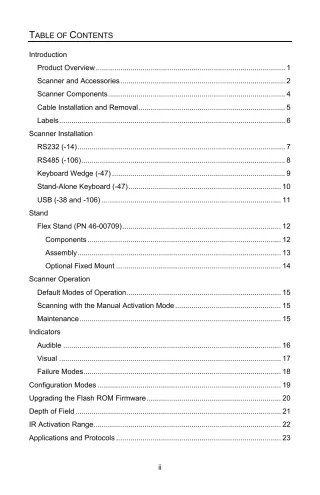
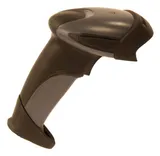
The installation and user's guide for the Metrologic MS9590 VoyagerGS, a single-line hand-held laser scanner with trigger scanning. It lists the models by interface (RS232, USB, keyboard wedge, RS485), the kit and accessories, installing the scanner for each interface, assembling the Flex Stand, operating modes, audible and visual indicators, configuration modes, upgrading the flash ROM firmware, depth of field, troubleshooting, design specifications, pinouts and the limited warranty.
Its parts
- Introduction
- Scanner Installation
- Stand Kits
- Scanner Operation
- Upgrading the Flash ROM Firmware
- Depth of Field
- IR Activation Range
- Applications and Protocols
- Troubleshooting Guide
- Design Specifications
- Scanner and Cable Terminations
- Limited Warranty
- Regulatory Compliance
- Patents
From the manual
Key facts from this manual
Each line names its page in the PDF.
Installation and user's guide (2007) for the Metrologic MS9590 VoyagerGS, a trigger-activated single-line hand-held laser scanner, in its -14, -38, -47 and -106 interface versions. It shows how to connect the scanner by RS232, RS485, keyboard wedge or USB, assemble the flex stand, read the beeps and LEDs, upgrade the firmware and troubleshoot problems. It ends with specifications and scanner and cable pinouts.
- What it is
- Single-line hand-held laser scanner with trigger scanning and automatic in-stand detection, for all standard 1D bar codes p. 5
- Versions
- -14: RS232; -38: USB and RS232 transmit/receive; -47: keyboard wedge, stand-alone keyboard and RS232 transmit/receive; -106: RS485, USB and RS232 transmit/receive p. 5, 27
- Connector
- 10-pin RJ45 female socket on the scanner p. 8, 33
- Cables
- RS232 PowerLink 53-53000x-3; keyboard wedge 53-53802x-N-3; stand-alone keyboard 53-53820x-N-3; USB locking Plus-Power Type A 53-53813x-N-3; USB Type A 53-53809x-N-3 p. 7
- Power supplies
- Regulated 5.2VDC @ 1A, 90VAC to 255VAC: 46-00525 US, Canada and Japan; 46-00526 Continental European; 46-00870 UK; 46-00528 Australia; 46-00529 China p. 6
- Other accessories
- Flex stand 46-00709; MVC voltage converter cable (±12VDC to +5.2VDC) for RS485; PowerLink cable 54-54014 for RS232 firmware upgrade p. 6, 7, 24
- Power
- 5VDC ± 0.25V; operating 650 mW (130 mA), standby 375 mW (75 mA), typical p. 32
- Scan performance
- 100 scan lines per second, single scan line; 0 mm - 305 mm (0" - 12") with a 13 mil bar code; minimum bar width 0.127 mm (5.0 mil) p. 31
- IR activation
- Long range 0 mm - 279 mm ± 50 mm; short range 0 mm - 140 mm ± 25 mm p. 31
- Laser
- Visible laser diode 650 nm ± 10 nm, 0.809 mW (peak) p. 31
- Size and weight
- Height 160 mm (6.30"), depth 100 mm (3.93"); 150g p. 32
- Temperature
- Operating 0°C to 40°C (32°F to 104°F); storage -40°C to 60°C (-40°F to 140°F) p. 32
- Configuration
- MetroSelect Single-Line Configuration Guide (MLPN 00-02544) bar codes, MetroSet2 Windows software, or serial commands p. 23
- Firmware
- Flash upgradeable with MetroSet2 from a Windows 95 or later PC over RS232 or USB p. 24
What this manual walks you through
- Attaching and releasing the scanner cable p. 9
- Installing an RS232 (-14) scanner with the PowerLink cable p. 11
- Installing an RS485 (-106) scanner with the MVC cable p. 12
- Installing a keyboard wedge or stand-alone keyboard (-47) scanner p. 13, 14
- Installing a USB (-38 and -106) scanner p. 15
- Assembling and fixing the flex stand to a countertop p. 16, 18
- Reading the beeps and the blue, white and yellow LEDs p. 20, 21
- Upgrading the flash ROM firmware with MetroSet2 p. 24
- Troubleshooting power, scanning and host communication problems p. 28, 29, 30
- Scanner and host cable pinouts p. 33, 34, 35
Good to know
- Use only MS9590 compatible cables; the guide says incompatible cables may damage the scanner. p. 7
- Powering the -47 keyboard wedge version from the host may cause interference, since host keyboard ports differ in current. p. 13
- On the -106, scanning the recall defaults bar code returns it to USB; the RS485 bar code must be scanned again. p. 12
- Do not use the standard keyboard wedge or RS485 cable for an RS232 firmware upgrade. p. 24
- If the cable is not fully latched the scanner can power intermittently. p. 9
Questions this manual answers
Why does my MS9590 beep three times at power up?
The host and scanner may be set to different communication protocols; if they match, the NovRAM holding the configuration may have failed, so reconfigure and send it for repair if that does not help. p. 22
What does a razzberry tone at power up mean on the MS9590?
A razz tone with a flashing blue LED means a VLD failure; a razz tone with both LEDs flashing means a flipper/motor failure. p. 28
How do I remove the cable from an MS9590?
Push a bent paperclip through the rubber at the small dimple on the handle near the connector until the lock clicks, then pull the cable out by its strain relief. p. 9
Which MS9590 version has RS485?
The MS9590-106 has RS485, USB and RS232; USB is its default protocol, and IBM OEM USB support is only on the -106. p. 15, 27
Which power supply does the MS9590 use?
A regulated AC to DC transformer with 5.2VDC @ 1A output, such as 46-00525 for the United States, Canada and Japan. p. 6
Contents
Chapters and sections
Each line opens the PDF at its page.
The whole text · 5 parts
Read the manual here as text
Its text as extracted from the PDF, unedited, in parts; each page opens the PDF at that page.
The file