Manual · Keyence
BL-180 Series User's Manual, CCD Bar Code Reader
Manual109 pagesPDF 568 KB
User's manual for the Keyence BL-180 series CCD bar code readers (BL-180, BL-185): wiring, read modes, setup and serial commands.
Covers · 2 models
The models it covers
Summary
What is in it
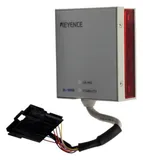
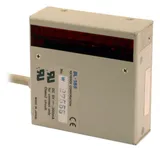
The user's manual for the Keyence BL-180 series of compact CCD bar code readers for fixed-mount use. It covers wiring the power, trigger, OK/NG outputs and RS-232C, installation, scanning and read modes (single and multi-label), test mode, the STABILITY LEDs, the preset compare function, the BL-18H1E setup software, serial communication and command sets, specifications, reading range, dimensions and default settings. A section on the BL-U1 power supply and RS-485 multidrop link is included.
Its parts
- Connection and Installation
- Functions for Reading Operation
- Setup Software
- Serial Communication (RS-232C/RS-422A)
- BL-U1 Power Supply
From the manual
Key facts from this manual
Each line names its page in the PDF.
Keyence user's manual (1995) for the BL-180 Series CCD bar code readers, the BL-180 and BL-185. It explains wiring, installation, read modes, the Windows setup software and RS-232C serial commands, with specifications and troubleshooting. A closing section covers the BL-U1 power supply.
- Device
- CCD bar code reader with LED light source and CCD image sensor p. 6, 70
- Power
- 5 VDC ±5%, 300 mA max.; power supply bought separately p. 7, 76
- Interface
- RS-232C serial port, ASCII codes, 600 to 38,400 bps p. 54, 70
- Scanning rate
- 500 scans/sec p. 70
- Bar codes
- CODE39, ITF, Industrial2-of-5, COOP2-of-5, Codabar, CODE128, EAN/UPC(A-E); up to 32 digits p. 70
- Scanning distance
- 33 mm ± 10 mm with narrow bars of at least 0.19 mm; 33 ± 5 mm below 0.19 mm p. 70
- Readable bar width
- 0.125 to 1.0 mm p. 70
- Label width
- Up to 80 mm (narrow bar 0.19 to 1.0 mm); up to 60 mm below 0.19 mm p. 76
- Trigger input
- Non-voltage input (contact or solid-state); TTL input also possible p. 70
- OK/NG output
- NPN open collector, rated load 24 VDC, 100 mA p. 11, 70
- Operating temperature
- 0 to 40°C p. 70
- Setup software
- BL-18H1E for Windows 3.1 on 3.5-inch floppy, ordered separately free of charge p. 6, 7
- Options
- BL-U1 or BL-U2 power supply; OP-22149 (1.5 m) RS-232C null modem cable with OP-25057 25- to 9-pin adapter p. 7
- BL-U1 power supply
- 100 to 240 VAC input; 5 VDC±5% (1.5 A) for the reader, 12 V ±10% (300 mA) for a sensor p. 106
What this manual walks you through
- Wiring the reader's power, trigger and output wires p. 10
- Connecting to a PC through a D-sub 9-pin or 25-pin connector p. 11
- Mounting hints: mirror surfaces, bar code pitch, photoelectric sensors p. 12
- Setting up serial communication with a PC p. 54
- Troubleshooting codes that will not read and setup that will not send p. 76, 77
Good to know
- Reversing the power supply polarity damages the unit, and a power cable longer than 2 meters can stop it starting properly. p. 10
- A protective seal covers the optical pickup for shipping and must be removed before use. p. 6
- The setup software works with port 1 and port 2 only. p. 11
- Settings are stored in EEPROM, rewritable up to 10,000 times. p. 70
- The manual says not to use the BL-180 as a controller for equipment that could harm a person. p. 6
Questions this manual answers
What power supply does the Keyence BL-180 need?
A stable 5 VDC ±5% supply of at least 300 mA, bought separately; the optional BL-U1 or BL-U2 can be used. p. 7, 76
How far from the bar code does the BL-180 read?
At 33 mm ± 10 mm with narrow bars of at least 0.19 mm, or 33 ± 5 mm with narrower bars. p. 70
How do I talk to a BL-180 whose serial settings are unknown?
Send SSET and a carriage return within 5 seconds of power-up; the reader then stays at its default settings. p. 54
How do I clean the BL-180 optical pickup?
Wipe it gently with a soft lens cloth soaked with water. p. 6
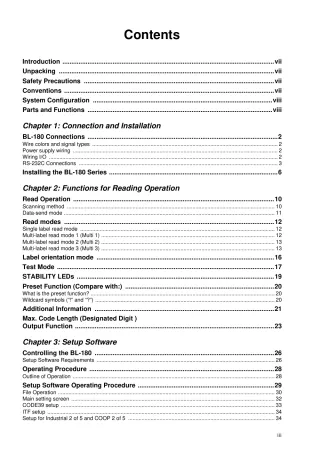
Contents
Chapters and sections
Each line opens the PDF at its page.
The whole text · 14 parts
Read the manual here as text
Its text as extracted from the PDF, unedited, in parts; each page opens the PDF at that page.
- Pages 1 to 51-5
- Pages 6 to 86-8
- Chapter 1 Connection and Installation9-16
- Chapter 2 Functions for Reading Operation, pages 17 to 2417-24
- Chapter 2 Functions for Reading Operation, pages 25 to 3225-32
- Chapter 3 Setup Software, pages 33 to 4233-42
- Chapter 3 Setup Software, pages 43 to 5243-52
- Chapter 4 Serial Communication (RS-232C/RS-422A), pages 53 to 6053-60
- Chapter 4 Serial Communication (RS-232C/RS-422A), pages 61 to 6861-68
- APPENDIX, pages 69 to 7669-76
- APPENDIX, pages 77 to 8477-84
- BL-U1 Power Supply, pages 85 to 9385-93
- BL-U1 Power Supply, pages 94 to 10294-102
- BL-U1 Power Supply, pages 103 to 109103-109
The file