Manual · Intermec
JANUS Application Simulator User's Manual
Manual112 pagesPDF 557 KB
User's manual for the Intermec JANUS Application Simulator, PC software for debugging JANUS 2010 and 2020 reader applications.
Filed with · 6 models
Also filed with these models on the old site
 Intermec J2020Portable batch data collection terminal from$1,195.003 in stock
 Intermec JG20202.4 GHz wireless portable data collection terminal from$1,295.003 in stock
 Intermec JR2020Wireless portable data collection terminal from$1,195.0010 in stock
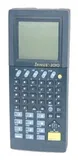 Intermec J2010Portable batch data collection terminal Call for availability
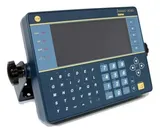 Intermec J2050Vehicle-mounted data collection terminal Call for availability Intermec JG2050802.11 (2 Mbps) vehicle-mounted data collection terminal Call for availability
Summary
What is in it
Intermec user's manual for the JANUS Application Simulator, a DOS TSR and Windows editor that let a PC mimic a JANUS reader (the JANUS 2010 and JANUS 2020) so programmers can run and debug JANUS applications on the PC. It explains installation and requirements, which JANUS features are and are not simulated, running and debugging an application, every parameter of the INI file, customizing INI files with the editor, and troubleshooting messages. It is meant for experienced PC programmers.
Its parts
- Getting Started
- Running and Debugging an Application
- Learning About the INI File
- Customizing INI Files With the Editor
- Troubleshooting
From the manual
Key facts from this manual
Each line names its page in the PDF.
User manual P/N 062778-001 for the Intermec JANUS Application Simulator, PC software that lets a developer run and debug JANUS reader applications on a PC. It explains installing the software, starting the Simulator TSR, how bar code, power and serial input are simulated, the limits of the simulation, and the error messages.
- What it is
- PC software that makes a PC mimic a JANUS reader so JANUS applications can be run and debugged p. 17
- Manual part number
- P/N 062778-001 p. 1
- Parts
- Simulator TSR, INI file (default JANUSSIM.INI) and a Windows-based Editor p. 20
- PC hardware
- Intel 386 or 486 CPU, 3.5 inch floppy drive, 1.2 MB free on the hard drive, VGA monitor, mouse p. 18
- PC software
- MS-DOS 5.0 or higher, MS-Windows 3.0 or higher, and development software such as Microsoft Visual C++ 1.5 Professional Edition p. 18
- TSR memory
- 50K of RAM p. 103
- Simulated features
- Text display, bar code input, power management, communications input and output p. 24
- Not simulated
- Character height, viewport, contrast level, special JANUS key sequences, speed and performance p. 27
- Serial ports
- COM1 to COM4 simulated with ASCII files named in portn_read_file and portn_write_file p. 26, 27
- Bar code simulation
- Key sequence (default Ctrl-G) to type bar code data, or an Intermec Wedge with real labels p. 24, 25
- Interrupts using INI values
- INT 14H, 16H, 5EH, 79H, 7EH and 7DH p. 22
- Commands
- janussim starts the TSR (janussim filename.ini for a custom INI file); janussim -d unloads it p. 31, 34
- Debugger
- A DOS-application debugger such as Codeview for DOS, not a Windows one p. 19
What this manual walks you through
- Installing the simulator from Windows Program Manager p. 19
- Starting and unloading the Simulator TSR p. 31, 32, 33, 34
- Using the simulator with Visual C++ during development p. 23
- Debugging a JANUS application with Codeview for DOS p. 32
- Simulating bar code input from the keyboard or an Intermec Wedge p. 24, 25
- Simulating serial data input and output with ASCII files p. 26, 27
- Simulating battery and AC power status p. 20, 21, 26
- Solving Simulator TSR and Editor error messages p. 103, 104, 105, 106
Good to know
- Running a JANUS application on the PC without the Simulator TSR started may lock up the PC. p. 33
- The simulator does not test the user interface or performance; the manual says to test on a JANUS reader after debugging. p. 18
- An application that sets IM_PROGRAMMER or IM_DESKTOP input mode and reads keys with stdlib or iostream hangs on the reader, but the simulator does not detect it. p. 33
- A TSR started from an MS-DOS session in Windows is removed from memory when that session ends. p. 31
- It cannot run the JANUS configuration application IC.EXE or the IRL Desktop IRLDESK.EXE on a PC. p. 23
Questions this manual answers
What PC do I need for the JANUS Application Simulator?
An Intel 386 or 486 PC with a 3.5 inch floppy drive, 1.2 MB of free disk space, VGA and a mouse, running MS-DOS 5.0 and Windows 3.0 or higher. p. 18
How do I simulate a bar code scan in the JANUS simulator?
Press the sim_wand_key sequence (Ctrl-G by default), type the data and press Enter. An Intermec Wedge can also be used. p. 24, 25
Why does my PC lock up when I run a JANUS application?
Running a JANUS application without first starting the Simulator TSR may lock up the PC. Reboot at once, then start the TSR before the application. p. 103
How much memory does the JANUS simulator TSR need?
The TSR requires 50K of conventional memory; the Insufficient memory error means not enough is free. p. 103
The whole text · 12 parts
Read the manual here as text
Its text as extracted from the PDF, unedited, in parts; each page opens the PDF at that page.
The file