Manual · Intermec
6400 PSK Reference Manual
Manual272 pagesPDF 1.1 MB
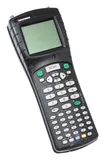
Programmer's reference for the Intermec 6400 PSK, the C function library for building applications for the 6400 hand-held computer.
Covers · 1 model
The models it covers
Summary
What is in it
The reference manual for the Intermec 6400 Programmer's Software Kit (PSK), a set of C language functions for writing applications on a PC and downloading them to the 6400 hand-held computer. It covers installing the kit, the PSK library and supported Microsoft C functions, building and transferring applications, converting Trakker Antares and JANUS applications, a description of every PSK function, reader commands, configuration commands and status codes.
Its parts
- Getting Started
- Programming Guidelines
- Building Applications
- Converting Trakker Antares and JANUS Applications to 6400 Applications
- PSK Function Descriptions
- Reader Command Reference
- Configuration Command Reference
From the manual
Key facts from this manual
Each line names its page in the PDF.
Intermec 6400 PSK Reference Manual (manual version 003, 9/00) for the 6400 Programmer's Software Kit, a C function library for writing applications on a PC and downloading them to the 6400 hand-held computer. It explains installing the kit, building programs with Microsoft Visual C/C++, moving files to and from the 6400 over the serial port, and converting Trakker Antares and JANUS applications. It also lists the PSK functions and the status codes they return.
- Software kit
- C function library for building 6400 applications on a PC, then downloading them to the 6400 p. 19
- Processor
- AMD Am386 SC300, 33 MHz p. 49
- Keypad and scanning
- Full alphanumeric keypad input and integrated bar code scanning p. 49
- Compiler
- Microsoft Visual C/C++ Professional Edition v1.0 or v1.5x (16-bit DOS applications) p. 20
- Languages
- Microsoft C/C++ only p. 49
- Development PC
- Windows 95, Windows 98 or Windows NT, with 1MB of free disk space p. 19
- Serial file transfer
- FileCopy on the PC with XMRECVF.EXE or XMSENDF.EXE on the 6400: COM1, XMODEM1K, 19200 baud, even parity, 7 data bits, 1 stop bit p. 44, 45
- Record size
- Up to 1024 bytes transmitted in one record p. 25
- Library files
- im64psk.lib library and im64psk.h header; large memory model p. 42, 43
- Compiler part number
- Microsoft Visual C/C++ Enterprise Edition v1.52, Intermec Part No. 590224 p. 21
- User's guide
- 6400 Hand-Held Computer User's Guide, Part No. 961-047-093 p. 19
- Programmer's guide
- Pen*Key 6400 Hand-Held Computer Programmer's Reference Guide, Part No. 977-054-004 p. 44
- Status codes
- Hex status codes, 0x000 for success; message text comes from im_message p. 239, 240, 241, 242, 243, 244
What this manual walks you through
- Installing the PSK, Application Simulator and FileCopy on a PC p. 19, 20
- Copying FileCopy to another PC p. 20
- Building the sample programs in Visual C/C++ p. 41
- Setting project, compiler and linker options for your own program p. 42
- Building a program from the DOS command line with a make file p. 43, 44
- Transferring applications and files between a PC and the 6400 over the serial port p. 44, 45, 46
- Converting Trakker Antares and JANUS applications to run on the 6400 p. 49, 50
- Creating a compatibility include file for unsupported functions p. 50
- Checking PSK function results with status codes p. 239
Good to know
- Only Intermec-certified C functions may be used; uncertified functions make the link fail. p. 42
- Microsoft Visual C/C++ Professional Edition v5.0 does not include the 16-bit C compiler the PSK needs. p. 20
- Install Microsoft Visual C/C++ v1.5x before installing the PSK library. p. 19
- Command-line builds need the /FPi and /AL switches; any other /FP setting causes failure. p. 43
- The 6400 supports drive C, and a 6400 filename in FileCopy must not include a backslash. p. 45
Questions this manual answers
What compiler do I need to program the Intermec 6400?
Microsoft Visual C/C++ Professional Edition v1.0 or v1.5x, which builds 16-bit DOS applications; v5.0 lacks the 16-bit C compiler. p. 20
How do I copy an application from a PC to the 6400?
Connect the 6400 to the PC serial port, start XMRECVF.EXE on the 6400, then click Download in the FileCopy utility on the PC. p. 44, 45
What serial settings does XMRECVF.EXE use on the 6400?
COM1, XMODEM1K protocol, 19200 baud, even parity, 7 data bits and 1 stop bit. p. 45
What processor is in the Intermec 6400?
An AMD Am386 SC300 running at 33 MHz. p. 49
What does PSK status code 0x07E mean?
Could not connect to controller. p. 240
Contents
Chapters and sections
Each line opens the PDF at its page.
- Reference Manual1
- Before You Begin13
- Chapter 1 - Getting Started17
- Chapter 2 - Programming Guidelines23
- Chapter 3 - Building Applications39
- Chapter 4 - Converting Trakker Antares and JANUS Applications to 6400 Applications47
- Chapter 5 - PSK Function Descriptions57
- Chapter 6 - Reader Command Reference187
- Chapter 7 - Configuration Command Reference203
- Appendix A - Status Codes237
- Appendix B - Microsoft Visual C/C++ Settings245
- Appendix C - Full ASCII Charts251
- Index261
The whole text · 28 parts
Read the manual here as text
Its text as extracted from the PDF, unedited, in parts; each page opens the PDF at that page.
- Pages 1 to 101-10
- Pages 11 to 2011-20
- Pages 21 to 3021-30
- Pages 31 to 4031-40
- Pages 41 to 5041-50
- Pages 51 to 6051-60
- Pages 61 to 7061-70
- Pages 71 to 8071-80
- Pages 81 to 9081-90
- Pages 91 to 10091-100
- Pages 101 to 110101-110
- Pages 111 to 120111-120
- Pages 121 to 130121-130
- Pages 131 to 140131-140
- Pages 141 to 150141-150
- Pages 151 to 160151-160
- Pages 161 to 170161-170
- Pages 171 to 180171-180
- Pages 181 to 190181-190
- Pages 191 to 200191-200
- Pages 201 to 210201-210
- Pages 211 to 220211-220
- Pages 221 to 230221-230
- Pages 231 to 240231-240
- Pages 241 to 250241-250
- Pages 251 to 260251-260
- Pages 261 to 270261-270
- Pages 271 to 272271-272
The file