Manual · Intermec
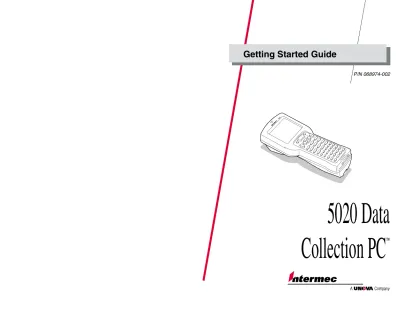
5020 Data Collection PC Getting Started Guide
Manual15 pagesPDF 628 KB
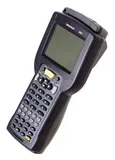
Getting started guide for the Intermec 5020 Data Collection PC, a Windows CE hand-held computer with bar code scanning and wireless LAN.
Covers · 1 model
The models it covers
Summary
What is in it
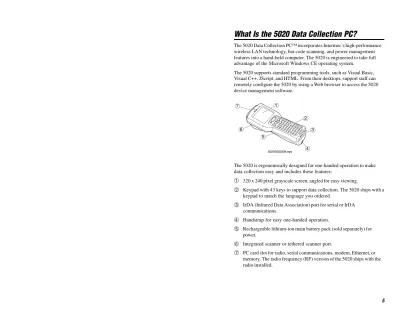
The getting started guide for the Intermec 5020 Data Collection PC, a hand-held Windows CE computer with bar code scanning and wireless LAN. It describes the batch and RF models and options, then walks through unpacking, charging and installing the main battery pack, charging the bridge battery, turning the unit on and test scanning, connecting and configuring it, using PC and Compact Flash cards, the keypad and pointer, installed software and specifications.
Its parts
- What Is the 5020 Data Collection PC?
- Getting the 5020 Up and Running
- Connecting and Configuring the 5020
- Using the Keypad
- Learning About the Installed Software
- Specifications
- Where to Find Other Information
From the manual · read page by page
Key facts from this manual
Some pages are scans or cannot be read; this says only what the readable text supports. Each line names its page in the PDF.
Intermec's Getting Started Guide (Part No. 068974-002) for the 5020 Data Collection PC, a hand-held Windows CE computer with bar code scanning. It walks through charging and installing the batteries, turning the unit on, testing the scanner, connecting it to a network and running Fast Config, using memory cards and rebooting, and it lists the specifications and accessories.
- Device
- Hand-held computer combining wireless LAN, bar code scanning and power management, running Windows CE 2.12 p. 3, 12
- Processor and memory
- Hitachi SH3 processor; 8MB or 16MB (optional) RAM; 16MB or 32MB (optional) flash p. 12
- Display
- 320 x 240 pixel monochrome screen, 5.1 x 6.73 cm (2 x 2.65 in), 8.4 cm (3.3 in) diagonal p. 13
- Keypad
- 43 keys and 10 function keys; overlays: Simplified English, Full English, European 1, European 2 p. 13
- Battery
- 1500 mAh lithium-ion main pack (Part No. 068537, sold separately); 90 mAh lithium manganese dioxide bridge battery p. 4, 5, 12
- Electrical rating
- 7.4 to 12V; 750mA peak p. 12
- Radio
- RF 5020: 2.4 GHz OpenAir frequency hopping (1.6/0.8 Mbits per second) or IEEE 802.11b HR direct sequence (11 Mbits per second); 100 mW; coverage > 80 m (262.4 ft) p. 4, 13
- Scanner options
- Integrated laser scanner: standard-range (670 nm), long-range (650 nm), high-density (675 nm) or high-performance (675 nm); or 10-pin modular port for tethered input devices p. 13
- Card slots
- Type I/II PC card slot for 3.3V and 5V 16-bit cards; Type I compact flash slot; no Type III PC cards or Type II compact flash cards p. 10, 12
- Size and weight
- Width 10.2 cm (4.0 in) at the screen; length 22.9 cm (9.0 in); depth 7.1 cm (2.8 in) maximum; batch 703.1 g (24.8 oz), RF 748.4 g (26.4 oz) with batteries and handstrap p. 12
- Connectivity
- TCP/IP, SLIP, IrDA, IRSOCK, UDP Plus, Winsock 1.1, LAN using NDIS p. 13
- Accessories
- Z2400 Battery Charger; D5020 Communications Dock; L5020 Serial Communications Adapter and power supply (Part No. 065236); Powered Vehicle Mount Bracket (070780); Vehicle Mount Bracket (070407); holster and belt (069237); handle with trigger (067802) p. 4, 13
- Installed software
- Windows CE 2.12, Internet Explorer 4.0, ADC Server, Configuration, SNMP, HTTP server, Intermec SDK library functions, radio drivers p. 12
- Development tools
- Intermec 5020 SDK CD-ROM (Part No. 069511); Visual C++ 6.0 with Windows CE 2.1 Toolkit; Visual Basic with Visual Studio 6.0 and Windows CE 2.12 Toolkit; HTML 4.0 and JScript p. 9
What this manual walks you through
- Unpacking the 5020 and checking the information packet p. 4
- Charging and installing the main battery pack p. 5, 6
- Charging the bridge battery p. 6
- Turning the 5020 on and off and Suspend mode p. 6, 7
- Verifying operation by scanning the test bar code p. 7
- Connecting the 5020 by IrDA, radio, or Ethernet or serial PC card p. 7, 8
- Setting basic network parameters with Fast Config p. 8, 9
- Installing PC cards and compact flash cards p. 10
- Warm booting and cold booting the 5020 p. 10, 11
- Entering keypad characters and adjusting backlight, contrast and volume p. 11
Good to know
- Use only main battery pack Part No. 068537; another pack may present a risk of fire or explosion. p. 5
- The 5020 will not run without a main battery pack, even on AC power through a D5020 or L5020. p. 5
- The bridge battery ships discharged and cannot be relied on to keep RAM until fully charged. p. 6
- A cold boot reverts settings to factory defaults; only network and scanner settings are kept. p. 10
- The 5020 turns itself off after 5 minutes without activity. p. 7
Questions this manual answers
What battery does the Intermec 5020 use?
A 1500 mAh lithium-ion main battery pack, Part No. 068537, sold separately; a charger fully charges it in about 3 hours. p. 5
How much memory does the Intermec 5020 have?
8MB RAM, or 16MB as an option, and 16MB flash, or 32MB as an option. p. 12
What compact flash cards work in the 5020?
Type I compact flash cards (3.3mm thick); Type II cards (5mm thick) cannot be used. p. 10
How do I cold boot the 5020?
Hold the on/off key, press the recessed Reset switch with a straightened paper clip, then release the key; settings return to factory defaults apart from network and scanner settings. p. 6, 10, 11
How much does the Intermec 5020 weigh?
With batteries and handstrap, the batch 5020 weighs 703.1 g (24.8 oz) and the RF 5020 748.4 g (26.4 oz). p. 12
The whole text · 2 parts
Read the manual here as text
Its text as extracted from the PDF, unedited, in parts; each page opens the PDF at that page.
The file