Manual · Intermec
D5020 Communications Dock Instructions
Manual6 pagesPDF 319 KB
Instructions for the Intermec D5020 communications dock for the 5020 and 5023 Data Collection PC: setup, charging, status lights and troubleshooting.
Names · 1 model
The models it names
Filed with · 1 model
Also filed with these models on the old site
Summary
What is in it
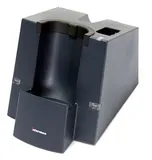
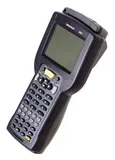
A short instruction sheet for the Intermec D5020 Communications Dock, an accessory for the Intermec 5020 and 5023 (502X) Data Collection PC. It describes the dock's parts, the RS-232 and IrDA models and how to set each up, inserting the 502X, charging its main battery pack inside the unit or in the fast charge slot, the three status lights, ordering power cords, linking up to five docks with the ganging jumper kit, troubleshooting, and physical and environmental specifications.
From the manual · read page by page
Key facts from this manual
Each line names its page in the PDF.
Intermec's instruction sheet for the D5020 Communications Dock, an accessory for the 5020 and 5023 (502X) Data Collection PC, made in an RS-232 model and an IrDA model. It explains how to set up and mount the dock, charge battery packs, read the status lights, link several docks and solve basic connection problems.
- Device
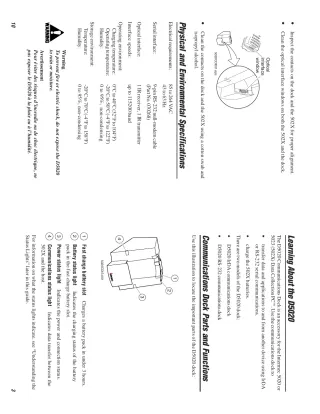
- Communications dock for the 5020 or 5023 that charges batteries and transfers data by IrDA or RS-232 p. 3
- Models
- D5020 RS-232 communications dock; D5020 IrDA communications dock p. 3
- Interfaces
- 1 IR receiver and 1 IR transmitter; 9-pin RS-232 null-modem cable (Part No. 070268); up to 115200 baud p. 3
- AC power
- 85 to 264 VAC, 43 to 63 Hz; power cord ordered separately p. 3, 4
- Battery
- Charges the main battery pack inside the 502X or a spare in the fast charge slot; slot takes only battery pack Part No. 068537 p. 4
- RS-232 cable
- Intermec null-modem cable Part No. 070268, sold separately p. 4, 5
- Ganging kit
- D5020 Ganging Jumper Kit Part No. 069600: four jumpers and four clips; powers up to five docks from one cord p. 4
- IR transceiver
- IrDA dock ships without one; at least one must be bought p. 6
- Status lights
- Three: Battery, Power and Communications p. 3, 5
- Mounting
- Two rear holes for #8 pan head screws; optional front hole for a #8-32 pan head screw (screws not provided) p. 6
What this manual walks you through
- Setting up the RS-232 communications dock p. 5, 6
- Setting up the IrDA communications dock and placing the IR transceiver p. 6
- Mounting the dock on a flat surface p. 6
- Charging the 502X main battery pack and a spare battery p. 4
- Connecting multiple docks with the ganging jumper kit p. 4
- Inserting the 502X and reading the status lights p. 5
- Troubleshooting a poor connection p. 4
- Cleaning the dock contacts and optical windows p. 3
Good to know
- Do not expose the D5020 to rain or moisture, to prevent fire or electric shock. p. 3
- A battery pack must be installed in the 502X for all dock operations. p. 5
- Place the dock on a flat, stable, clean surface within 1.5 m (5 ft) of an electrical source. p. 5
- The front mounting screw must not reach more than 1.27 cm (0.5 in) into the dock; do not overtighten. p. 6
- With ganged IrDA docks, the IR transceiver goes behind the dock you want to communicate with. p. 6
Questions this manual answers
What cable does the D5020 RS-232 dock need?
An Intermec null-modem cable, Part No. 070268, sold separately. p. 5
Which battery fits the D5020 fast charge slot?
Only Intermec battery pack Part No. 068537. p. 4
How many D5020 docks can share one power cord?
Up to five, linked with the D5020 Ganging Jumper Kit (Part No. 069600). p. 4
Does the D5020 IrDA dock come with an IR transceiver?
No. The IrDA dock ships without one, so at least one IR transceiver must be bought. p. 6
What does a flashing green Communications light on the D5020 mean?
Data is being transmitted and received. p. 5
The whole text · 1 part
Read the manual here as text
Its text as extracted from the PDF, unedited, in parts; each page opens the PDF at that page.
The file