Manual · Intermec
MaxiScan 3300 Installation Guide
Manual82 pagesPDF 650 KB
Installation guide for the MaxiScan 3300 fixed-mount laser bar code scanner: placement, wiring, power-up, setup and technical data.
Covers · 1 model
The models it covers
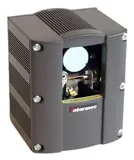
Summary
What is in it
United Barcode Industries' installation guide for the MaxiScan 3300 fixed-mount laser scanner (serial numbers greater than 01000). It walks step by step through checking the parts, choosing the scanner position for the labels being read, connecting to the host, powering up and setting up with the EasySet System software. Appendices give the technical characteristics, the cable connector, the MaxiScan Connexion System, the RS-232 C cable, input/output synchronization, troubleshooting and test codes.
Its parts
- Check you have everything you need
- Decide what's best for your application
- Switch off the host system and connect up your MaxiScan 3300
- Power up the MaxiScan 3300
- Setting up your MaxiScan 3300
From the manual
Key facts from this manual
Each line names its page in the PDF.
The MaxiScan 3300 Installation Guide, Edition 1.0 of August 1997, from United Barcode Industries (UBI), for units with serial numbers above 01000. It helps plan the scanner position, connect it directly or through the MaxiScan Connexion System, power it up and set it up with EasySet System, and its appendix gives the technical data, pinouts and a troubleshooting checklist.
- What it is
- Laser bar code reader in two models: MaxiScan 3300 ST (standard) and 3300 HR (high resolution) p. 39, 40
- Host interfaces
- RS-232 C (standard), RS-422, RS-485, or passive Current Loop through the MCS unit p. 39
- Power
- 7-25 VDC full-wave rectified unregulated; under 3.5 W normal, under 4.75 W with thermo-cooler p. 40
- Connector
- 15-pin subD female on the scanner p. 41, 49
- Scan rate
- 400 to 700 scans/second; 450 scans/second at 40° scan angle by default p. 40
- Operating temperature
- 0° to 50° C (32° to 122° F); thermo-cooler above 27° C p. 41
- Symbologies
- Codabar, Codablock, Code 39, Code 93, Code 128, EAN 128, Industrial/Standard, Interleaved and Matrix 2 of 5, MSI, Plessey, UPC/EAN p. 39, 40
- Reading angles
- Scan angle 45° ± 4°, pitch ± 70°, skew ± 40° p. 40
- Size and weight
- 82 x 75 x 100 mm (3.2 x 2.9 x 3.9"), 550 g (19.4 oz) without cord p. 40
- Accessories
- MaxiScan Connexion System unit, mains adapter (15 VDC, 0.65 A, 10 Watt), adjustable stand p. 39
- Thermo-cooler option
- Laser diode thermocooler, required above 27°C (80°F) p. 39
- Beeps and LEDs
- Power-up: red LED and 2 beeps; good read: green LED flash and 1 beep; configuration error: 6 beeps p. 41
- Setup software
- EasySet System; needs Windows 3.11 on a 486 PC with 8 MB RAM p. 23
- Sealing
- The manual states IP65 / Nema 12 p. 41
What this manual walks you through
- Checking the items needed for the installation p. 7
- Choosing labels and scanner placement, including tilt, pitch and skew p. 10, 11, 12, 13, 14, 15
- Working out the number of scans for picket fence and ladder reading p. 16, 17
- Connecting the scanner directly or through the MaxiScan Connexion System p. 19, 20
- Powering up and reading the beeps and LEDs p. 21, 22
- Setting up the scanner with EasySet System p. 23, 24, 25, 26, 27, 28, 29, 30
- Wiring the 15-pin connector for RS-232 C, RS-422 and RS-485 p. 49, 50, 51, 52
- MaxiScan Connexion System port pinouts p. 53, 54, 55, 56, 57, 58, 59, 60
- Standard RS-232 C cable to a PC p. 61
- Troubleshooting checklists and resetting factory defaults p. 69, 70, 71
Good to know
- Prolonged viewing of direct laser light may damage the eyes; do not take the scanner apart. p. 21
- It is a Class A apparatus and may cause radio interference in a residential environment. p. 2
- Both 7-25 VDC power pins must be powered and both GND pins used. p. 49
- Synchronization current from the external device must be limited to 50 mA. p. 60
- Above 40° C the guide calls for both the thermo-cooler and an input sync device. p. 41
Questions this manual answers
What power supply does the MaxiScan 3300 need?
7-25 VDC full-wave rectified unregulated; the optional mains adapter is 15 VDC, 0.65 A, 10 Watt. p. 39, 40
Can the MaxiScan 3300 use a current loop interface?
Yes, a passive Current Loop, but it needs the MaxiScan Connexion System unit. p. 20
How do I reset the MaxiScan 3300 to factory defaults?
Disconnect power, hold the Reset Factory Defaults code in front of the scanner and reconnect power, then download the setup again with EasySet System. p. 71
What do six beeps from the MaxiScan 3300 mean?
A setup or configuration error. p. 22
Does the MaxiScan 3300 need a thermo-cooler?
The laser diode thermocooler is required above 27°C (80°F). p. 39
The whole text · 9 parts
Read the manual here as text
Its text as extracted from the PDF, unedited, in parts; each page opens the PDF at that page.
The file