Manual · Intermec
MobileLAN access System Manual
Manual304 pagesPDF 3.0 MB
System manual for the Intermec MobileLAN access points (2100, 2101, 2102/2106, WA21, WA22): installation, radios, security and upkeep.
Names · 3 models
The models it names
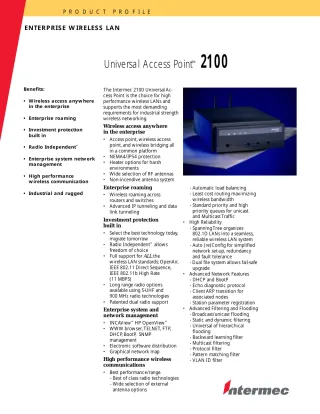
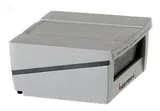 Intermec 2100Universal wireless access point from$1,695.0012 in stock
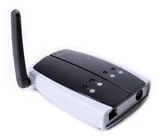 Intermec 2106802.11a wireless access point from$295.0012 in stock
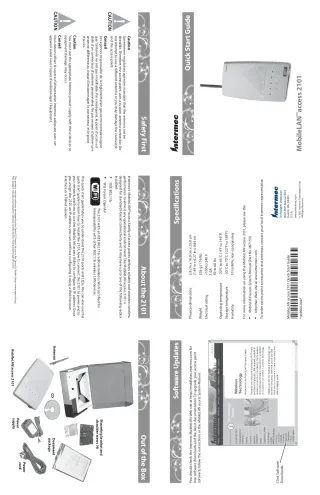
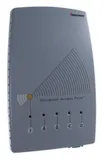 Intermec 2101Universal wireless access point Call for availability
Filed with · 1 model
Also filed with these models on the old site
Summary
What is in it
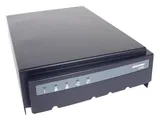
The system manual for the Intermec MobileLAN access family of wireless access points, including the 2100, 2101, 2102/2106, WA21 and WA22. It explains how an access point fits into a network, how to install each model and connect it to a wired or fiber LAN and to power, and how to configure the Ethernet network, the 802.11b, 802.11a, OpenAir and 902 MHz radios, the spanning tree and IP tunnels, security and the embedded authentication server. It ends with management, troubleshooting, upgrades, specifications and default settings.
Its parts
- Before You Begin
- Getting Started
- Installing the Access Points
- Configuring the Ethernet Network
- Configuring the Radios
- Configuring the Spanning Tree
- Configuring Security
- Configuring the Embedded Authentication Server (EAS)
- Managing, Troubleshooting, and Upgrading Access Points
- Additional Access Point Features
From the manual
Key facts from this manual
Each line names its page in the PDF.
The Intermec MobileLAN access System Manual (2004, with an addendum for software release 1.94) for the MobileLAN access family of access points: the WA22, WA21, 2101, 2100, 2102 and 2106. It explains installing, configuring, securing, managing, troubleshooting and upgrading the access points, and lists specifications and antenna part numbers.
- Device
- Wireless LAN access point that can also work as a point-to-point or point-to-multipoint bridge p. 16
- Radios
- 2100: IEEE 802.11b, WLI-Forum OpenAir, 902 MHz; 2101: IEEE 802.11b, WLI-Forum OpenAir; 2106: IEEE 802.11a p. 247, 249, 251
- Ethernet
- 10BaseT/100BaseTx on the 2101B, 2100D and 2106; optional 100BaseFX fiber port (MT-RJ) on the 2101 and 2100 p. 22
- AC power
- 2101 and 2106: 100 to 240V, 1.0A, 50 to 60 Hz p. 247, 251
- Operating temperature
- 2101: -20°C to +65°C; 2106: 0°C to +45°C p. 247, 251
- Size and weight
- 2100: 9.5 x 35.5 x 23.6 cm, 2.63 kg; 2101: 3.8 x 25.0 x 15.9 cm, 526 g (height x length x width) p. 247, 249
- Serial cable
- RS-232 null-modem cable with a 9-pin socket end; Intermec 9-socket to 9-socket cable P/N 059167; the 2106 has no serial port p. 22, 45
- 2101 mounting kits
- Desk bracket kit P/N 069657, cubicle bracket kit P/N 069926, locking bracket kit P/N 070184, dual antenna bracket kit P/N 069888, power supply holder kit P/N 069893 p. 56
- 2101 spare antennas
- 069753 (2.4 GHz omni) and 069903 (2.4 GHz omni, 802.11b) p. 256
- 802.11b radio
- 2.4 to 2.5 GHz; 11, 5.5, 2 or 1 Mbps with automatic fallback; 32 mW (15 dBm); WEP 64 and WEP 128 p. 252
- 802.11a radio
- 5.15 to 5.35 GHz; up to 54 Mbps (72 Mbps turbo mode); 40mW p. 252
- Management
- Web browser, text menus, serial port (not on the 2106), Telnet and SNMP p. 22, 249
- 2100 sealing
- 2100: industrial sealing IP54 (NEMA 4) p. 249
- Indicators
- 2100 and 2101: five LEDs; 2106: four LEDs p. 20
What this manual walks you through
- Setting the first IP address with a communications program over the serial port p. 45
- Installing and mounting the 2101 and connecting it to the LAN and power p. 56, 57
- Identifying the ports and removing the 2100 cable access door p. 22
- Reading the LEDs during normal use p. 20
- General troubleshooting of booting, serial, browser and Telnet connections p. 206
- Troubleshooting radios with the LEDs and Radio MAC Ping p. 209
- Choosing antennas and antenna cables by part number p. 254, 255, 256
Good to know
- Use the appropriate Intermec power supply, or equipment damage may occur. p. 57
- Software release 1.94 removes support for the OpenAir radios. p. 3
- With only one antenna on the 2101 802.11b radio, attach it to the send/receive port. p. 56
- The 902 MHz radio is not available in Europe. p. 253
Questions this manual answers
What radios does the Intermec 2101 support?
IEEE 802.11b and WLI-Forum OpenAir. Software release 1.94 removes OpenAir support. p. 3, 247
Which serial cable configures a MobileLAN access point?
An RS-232 null-modem cable with a 9-pin socket end, such as Intermec P/N 059167. The 2106 has no serial port. p. 22, 45
Why can't I connect to the access point over the serial port?
Check for a null-modem cable, the correct serial port, and terminal settings of 9600, N, 8, 1, no flow control (not 115200 baud). p. 206
What does it mean when the Wireless #2 and Root LEDs flash together?
Only the boot ROM code may be loaded and the other files lost; recover the access point with the MobileLAN access Utility. p. 206
How long does an access point take to boot?
About 30 seconds; then the Power LED stays steady green. p. 206
Contents
Chapters and sections
Each line opens the PDF at its page.
- MobileLAN access System Manual1
- Before You Begin11
- Chapter 1 - Getting Started15
- Chapter 2 - Installing the Access Points53
- Chapter 3 - Configuring the Ethernet Network73
- Chapter 4 - Configuring the Radios97
- Chapter 5 - Configuring the Spanning Tree121
- Chapter 6 - Configuring Security155
- Chapter 7 - Configuring the Embedded Authentication Server (EAS)179
- Chapter 8 - Managing, Troubleshooting, and Upgrading Access Points195
- Chapter 9 - Additional Access Point Features223
- Appendix A - Specifications245
- Appendix B - Default Settings257
- Glossary271
- Index281
- About This Addendum299
- What’s New for Software Release 1.94?299
- Using Wavelink Avalanche With Your MobileLAN access Products299
- Using Avalanche to Manage Your Access Points301
- Important Information When Using Avalanche With Your Access Points303
The whole text · 31 parts
Read the manual here as text
Its text as extracted from the PDF, unedited, in parts; each page opens the PDF at that page.
- Pages 1 to 101-10
- Pages 11 to 2011-20
- Pages 21 to 3021-30
- Pages 31 to 4031-40
- Pages 41 to 5041-50
- Pages 51 to 6051-60
- Pages 61 to 7061-70
- Pages 71 to 8071-80
- Pages 81 to 9081-90
- Pages 91 to 10091-100
- Pages 101 to 110101-110
- Pages 111 to 120111-120
- Pages 121 to 130121-130
- Pages 131 to 140131-140
- Pages 141 to 150141-150
- Pages 151 to 160151-160
- Pages 161 to 170161-170
- Pages 171 to 180171-180
- Pages 181 to 190181-190
- Pages 191 to 200191-200
- Pages 201 to 210201-210
- Pages 211 to 220211-220
- Pages 221 to 230221-230
- Pages 231 to 240231-240
- Pages 241 to 250241-250
- Pages 251 to 260251-260
- Pages 261 to 270261-270
- Pages 271 to 280271-280
- Pages 281 to 290281-290
- Pages 291 to 300291-300
- Pages 301 to 304301-304
The file