Manual · Intermec
2100/2101/2102 Access Points and WA21/WA22 Application Guide
Manual26 pagesPDF 279 KB
Antenna application guide for Intermec 2100, 2101 and 2102 access points and WA21/WA22: antennas, cable assemblies, splitters and wiring.
Names · 8 models
The models it names
Filed with · 6 models
Also filed with these models on the old site
Summary
What is in it
An application guide showing how Intermec antennas, cable assemblies and accessories fit together with the 2100, 2101 and 2102 access points and the WA21 and WA22. It explains FCC and ETSI power limits and basic antenna terms (dBi, dBm, EIRP, gain, omni-directional), compares radiation patterns, and draws typical antenna circuits with direct connection, splitters, lightning suppressors and UHF. It then lists each cable assembly with its connectors, length and cable loss, each 2.4 GHz and 5.25 to 5.35 GHz antenna by part number, and mounting accessories.
Its parts
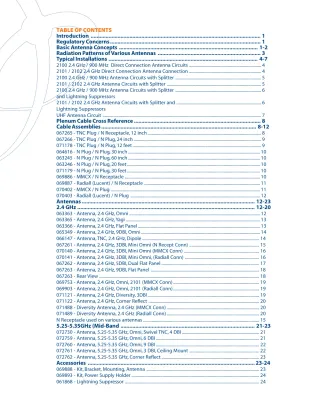
- Introduction
- Regulatory Concerns
- Basic Antenna Concepts
- Radiation Patterns of Various Antennas
- Typical Installations
- Plenum Cable Cross Reference
- Cable Assemblies
- Antennas
- Accessories
From the manual · read page by page
Key facts from this manual
Some pages are scans or cannot be read; this says only what the readable text supports. Each line names its page in the PDF.
An Intermec antenna and cable application guide for the 2100, 2101 and 2102 access points and the WA21/WA22, from 2002. It shows how Intermec antennas, cable assemblies, splitters and lightning suppressors connect, with part numbers, gain, size and cable loss for each. It is written mainly for 2.4 GHz, with some 900 MHz, 5.25 to 5.35 GHz and UHF parts.
- Bands supported
- 2100: 900 MHz and 2.4 GHz; WA21 and WA22: 2.4 GHz and 5.3 GHz (Mid-Band) p. 6
- Access point to antenna
- 067266 (24 inch) or 071178 (12 feet) TNC plug / N plug cable connects the 2100/WA21/WA22 to an antenna p. 11
- N plug / N plug cables
- 064616 30 inch, 063245 5 feet, 063246 20 feet, 071179 30 feet; plenum versions 072824 to 072827 p. 12
- Cable loss at 2.4 GHz
- 064616: .2 dB; 063245: .3 dB; 063246: 1.3 dB p. 12
- 063363 antenna
- 063363: 2.4 GHz omni, 5 dBi, 1.0 diameter x 11.5 inches, mast hardware provided p. 14
- 065349 antenna
- 065349: 2.4 GHz omni, 9 dBi, 1.7 diameter x 22.0 inches p. 16
- Splitters
- 063198 for 2.4 GHz, 069304 for 900 MHz; a 5 GHz splitter was not yet available p. 7
- 2101 / 2102 radio cables
- 2101 and 2102 PC card radio: 069886 (MMCX) and 069887 (Radiall) to N plug cables; 070402 (MMCX) and 070403 (Radiall) direct to antennas p. 12, 13, 14
- Lightning suppressor
- 061868, with 586610 capsule p. 8
- Adapter cable
- 067265: TNC plug / N receptacle, 12 inch, connects the 2100/WA21/WA22 to N plug cables p. 10
- UHF antennas (2100)
- 805-511-001; kits 203-449-001, -002, -003; 805-430-001 7dBi magnetic mount; 805-431-000 1/4 wave ground plane p. 9
- Recommended plenum cable
- 072823 is the recommended cable assembly for plenum applications p. 10
- Mounting accessories
- 069888 antenna bracket kit; 069893 5V power supply holder for the 2101 and 2102 p. 25, 26
- Document number
- 609423-01A 09/02 p. 26
What this manual walks you through
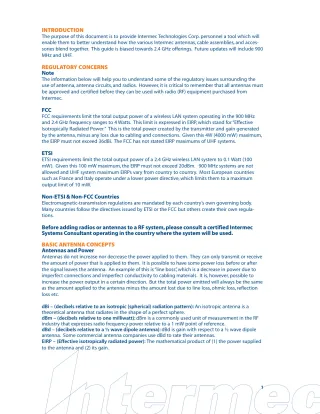
- Understanding FCC and ETSI power limits for antenna systems p. 3
- Basic antenna terms: dBi, dBm, dBd, EIRP, gain and line of sight p. 3, 4
- Choosing an antenna by radiation pattern p. 5
- Connecting an antenna directly to a 2100, WA21 or WA22 p. 6
- Connecting antennas to 2101 and 2102 access points p. 6
- Building antenna circuits with a splitter p. 7
- Adding a lightning suppressor to the antenna circuit p. 8
- UHF antenna circuits for the 2100 UAP p. 9
- Picking plenum cable assemblies p. 10
- Mounting flat panel and mini omni antennas p. 17, 19, 20
Good to know
- All antennas must be approved and certified before use with Intermec radio equipment. p. 3
- Under FCC rules a 900 MHz or 2.4 GHz wireless LAN is limited to 4 Watts EIRP; ETSI limits 2.4 GHz to 100 mW. p. 3
- The Yagi antenna is not for 500 mW, 2.4 GHz uses. p. 5
- Large metal objects in the antenna's path will likely distort the signal and should be avoided. p. 4
- The guide is weighted toward 2.4 GHz parts. p. 3
Questions this manual answers
What frequencies does the Intermec 2100 access point support?
The 2100 supports 900 MHz and 2.4 GHz; the WA21 and WA22 support 2.4 GHz and 5.3 GHz (Mid-Band). p. 6
Which cable connects an Intermec 2100 to an antenna?
The 067266 (24 inch) or 071178 (12 feet) TNC plug / N plug cable assembly. p. 11
What is the gain of the Intermec 063363 antenna?
It is a 2.4 GHz omni antenna with 5 dBi gain, 360 degrees by 30 degrees beam width. p. 14
What is the plenum version of the 063246 cable?
072826 is the 20 feet plenum N plug / N plug cable; 063246 is the 20 feet standard one. p. 12
How much signal does the 20 foot 063246 cable lose?
1.3 dB at 2.4 GHz and 2.1 dB at 5.35 GHz. p. 12
The whole text · 3 parts
Read the manual here as text
Its text as extracted from the PDF, unedited, in parts; each page opens the PDF at that page.
The file