Manual · HHP
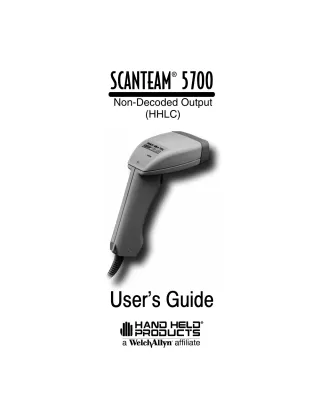
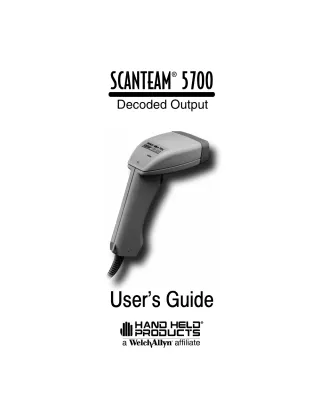
SCANTEAM 5700 Decoded Output User's Guide
Manual98 pagesPDF 913 KB
User's guide for the Welch Allyn SCANTEAM 5700 decoded output laser scanner: interface setup, programming bar codes and specifications.
Covers · 1 model
The models it covers
Summary
What is in it
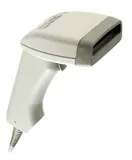
The user's guide for the SCANTEAM 5700 decoded output hand-held laser scanner from Welch Allyn and Hand Held Products. It explains how to identify the model from its label, connect and program the scanner with plug-and-play and terminal codes, and set prefixes, suffixes, output and serial communication options, laser and keyboard options, industrial and retail symbologies, and firmware utilities. It ends with product specifications, cable pinouts, maintenance, troubleshooting and customer service.
Its parts
- Introduction & Quick Start Menu
- Output Parameters Menu
- General Operating Menu
- Symbology Menu
- Firmware Utility Menu
- Supported Interface Keys
- Product Specifications and Pinouts
- Maintenance and Troubleshooting
- Customer Service
From the manual
Key facts from this manual
Each line names its page in the PDF.
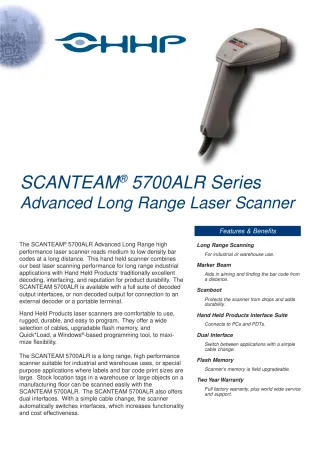
User's guide for the decoded output Welch Allyn SCANTEAM 5700 hand-held laser scanner, with specifications for the 5700/A, 5700/HD and 5700ALR. It explains connecting the scanner, programming it for a terminal or computer with Plug and Play and menu bar codes, and setting up a second interface. It also gives cable pinouts, cleaning, cable replacement and troubleshooting steps.
- Device type
- Hand-held laser scanner with built-in decoding, data editing and formatting, and multiple interfaces p. 9
- Symbologies
- 14: Codabar, Code 39, Code 93, Interleaved 2 of 5, Matrix 2 of 5, Code 2 of 5, Code 11, Code 128, Code 16K, Code 49, EAN, UPC, MSI, Plessey p. 7, 9
- Engine versions
- Increased Performance (5700/A), HD (High Density), ALR (Advanced Long Range); optional hands free AutoTrigger p. 10
- Interface versions
- 5700–X0 laser output; 5700–X1 and 5700–X2 wand emulation, RS-232 (TTL) or laser output; 5700–X3 RS-232 (True); 5700–X4 laser output with +12VDC input p. 78, 79, 80, 81, 82
- Plug and Play
- One-scan setup for IBM PC, IBM 4683, OCIA, and OCR or RS232; other terminals by two digit Terminal I.D. p. 5, 11, 19
- Dual interface
- 5700–X1 and 5700/X–X2 connect to two terminals by switching cables; 5700–X3 does not support it p. 22, 23
- Terminal connector
- Interface cables end in a 9 pin Type D female connector; RS-232 cables add a 4 pin mini-DIN for an external power supply p. 78, 81
- Operating voltage
- Decoded: +5 VDC or +12 VDC, depending on interface; non-decoded: +4.5 to 5.5 VDC p. 77
- Current, decoded +5VDC
- 60 to 90 mA idle, 165 to 200 mA scanning p. 77
- Scan rate
- 36 ±3 scans per second p. 77
- Weight
- 7 ounces (198 g) p. 77
- Operating temperature
- 32° F to +104° F; storage -40° F to +140° F p. 77
- Humidity
- 5 to 95% non-condensing p. 77
- Print contrast
- Minimum reflective difference 25% (5700/A); 40% (5700ALR, 5700/HD) p. 77
What this manual walks you through
- Reading the model number on the identification label p. 10
- Connecting the scanner and programming it for a terminal or computer p. 11
- Supported terminals and their Terminal I.D. codes p. 19, 20
- Setting up a secondary interface for a second terminal p. 22
- Typical depth of field charts for the 5700/A, 5700/HD and 5700ALR p. 12, 13, 14
- Cable pinouts for laser output, wand emulation and RS-232 p. 78, 79, 80, 81, 82
- Cleaning the scan window and housing p. 83
- Replacing the interface cable p. 84
- Restoring the factory settings p. 84
- Troubleshooting scanning and display problems p. 85, 86
Good to know
- Some decoders carry +12V on pins 4 or 9; the 5700–X0 laser output cable must be connected to +5VDC only. p. 78
- Dual interface is not available when the scanner is programmed for an HP terminal with I.D. 20 or 79, or a WYSE terminal with I.D. 13 to 18. p. 22
- RS-232 settings are shared, so changing baud rate or parity affects both the primary and secondary interfaces. p. 22
- MSI and Plessey are off by default and must be enabled one by one. p. 86
- Do not open the scanner or submerge it; there are no serviceable parts inside and the housing is not water-tight. p. 83
Questions this manual answers
How do I set up a SCANTEAM 5700 for my computer or terminal?
Connect it with host power off, then scan the matching Plug and Play code, or scan Program Terminal Interface followed by your terminal's two digit Terminal I.D. p. 11, 19
Why does the scanned bar code appear but not get entered?
A suffix needs to be programmed, such as a carriage return, so the scanner sends the key your application needs after the data. p. 85
Which SCANTEAM 5700 models support dual interface?
Models 5700–X1 and 5700/X–X2 support it; 5700–X3 units do not. p. 22, 23
Why won't my SCANTEAM 5700 read MSI or Plessey codes?
Both are turned off by default and have to be enabled individually from the symbology menu. p. 86
How do I reset a SCANTEAM 5700 to factory settings?
Scan the Factory Default Settings bar code under Main Menu Selections in Section 1. p. 84
The whole text · 10 parts
Read the manual here as text
Its text as extracted from the PDF, unedited, in parts; each page opens the PDF at that page.
The file