Manual · HHP
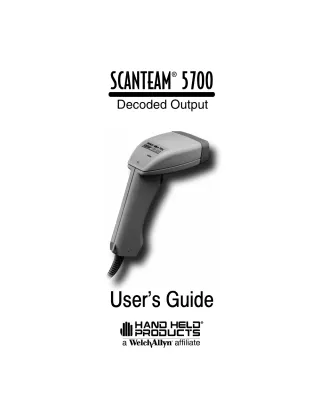
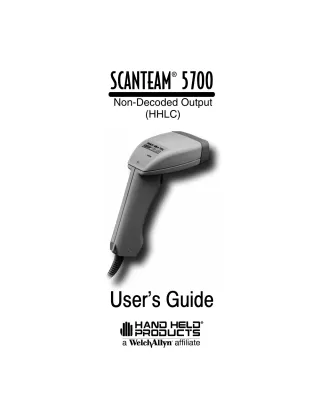
SCANTEAM 5700 Non-Decoded Output (HHLC) User's Guide
Manual24 pagesPDF 706 KB
User's guide for the SCANTEAM 5700 hand-held laser scanner with non-decoded (HHLC) output: installation, specifications and pinouts.
Covers · 1 model
The models it covers
Summary
What is in it
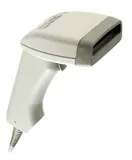
Welch Allyn's user's guide for the SCANTEAM 5700 hand-held laser scanner in its non-decoded output (hand-held laser compatible) version. It explains the identification label and model number options, connecting the scanner to a decoder, scanning technique, product specifications, the laser output cable pinouts, maintenance and troubleshooting, customer support and the limited warranty, with sample bar codes.
Its parts
- Introduction & Installation
- Product Specifications and Pinouts
- Maintenance and Troubleshooting
- Customer Support
From the manual · read page by page
Key facts from this manual
Each line names its page in the PDF.
User's guide for the non-decoded output (hand-held laser compatible) version of the Welch Allyn SCANTEAM 5700 laser scanner, which passes bar code data in conventional laser format to a separate decoder or terminal. It explains the model number label, connecting the scanner, cleaning, replacing the interface cable and basic troubleshooting. Specifications cover the 5700/A, 5700/HD and 5700ALR versions.
- Device type
- Hand-held laser scanner with non-decoded output, connected to a decoder or terminal p. 7, 9
- Working distance
- Up to 31 inches p. 7
- Scan rate
- 36 ±3 scans per second p. 11
- Versions
- HD (High Density), LR (Long Range) and ALR (Advanced Long Range) engines; optional hands-free AutoTrigger p. 7, 8
- Terminal connector
- 5700-X0 cable: 9 pin Type D (squeeze-to-release) connector for Welch Allyn decoders and terminals p. 12
- Operating voltage
- +4.5 to 5.5 VDC p. 11
- Current at +5VDC
- 0.060 mA idle, 110 mA scanning; 135mA scanning for 5700ALR p. 11
- Weight
- 7 ounces (198 g) p. 11
- Operating temperature
- 32° F to +104° F; storage -40° F to +140° F p. 11
- Humidity
- 5 to 95% non-condensing p. 11
- Skew angle
- ±65 degrees for 5700/A; ±60 degrees for 5700/HD and 5700ALR p. 11
- Print contrast
- Minimum reflective difference 25% (5700/A); 40% (5700ALR, 5700/HD) p. 11
- ESD
- 15 kV to any external surface p. 11
- Cable
- Field replaceable, held in the handle by a flexible retention tab p. 14
What this manual walks you through
- Reading the model number on the identification label p. 8
- Connecting the scanner to a decoder p. 9
- Aiming the beam for a good read p. 10
- Laser output cable pinout p. 12
- Cleaning the scan window and housing p. 13
- Inspecting the cable, connector and housing p. 13
- Replacing the interface cable with a paper clip p. 14
- Troubleshooting when the beam is off or codes will not read p. 15
- Sample bar codes for testing p. 23
Good to know
- Do not submerge the scanner in water; the housing is not water-tight. p. 13
- Never use abrasive wipers on the window, or solvents such as alcohol or acetone on the housing or window. p. 13
- When ordering a replacement cable, give the part number of the original interface cable. p. 14
- Turn the host system power off before connecting the scanner or changing its cable. p. 9, 14
- The scanner reads only symbologies that are enabled in the decoder it is connected to. p. 15
Questions this manual answers
How do I replace the cable on a SCANTEAM 5700 laser scanner?
With host power off, push a straightened paper clip into the small hole near the base of the handle to release the tab, pull the connector out, then press the new keyed connector in until it clicks. p. 14
How far can the SCANTEAM 5700 non-decoded scanner read?
The guide gives a working scanning distance of up to 31 inches. p. 7
What does the non-decoded SCANTEAM 5700 plug into?
It connects to a decoder or terminal; the 5700-X0 cable ends in a 9 pin Type D connector compatible with Welch Allyn decoders and terminals. p. 9, 12
What voltage does the SCANTEAM 5700 non-decoded scanner use?
Its operating voltage is +4.5 to 5.5 VDC. p. 11
Why is the red beam on my SCANTEAM 5700 not lighting?
Check that the cable is connected properly and that the host system power is on if external power is not used. p. 15
The whole text · 3 parts
Read the manual here as text
Its text as extracted from the PDF, unedited, in parts; each page opens the PDF at that page.
The file