Manual · Datamax
I-Class Operator's Manual
Manual134 pagesPDF 7.5 MB
Operator's manual for the Datamax I-Class label printers (4206, 4208, 4212, 4308, 4406, 4604): setup, menus and maintenance.
Covers · 1 model
The models it covers
Summary
What is in it
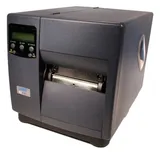
The operator's manual for the Datamax I-Class thermal label printers, models 4206, 4208, 4212, 4308, 4406 and 4604. It covers unpacking, installation and communications, loading roll or fan-fold media and ribbon, the control panel and its system and test menus, calibration, resets, printhead adjustment and replacement, cleaning, firmware updates, troubleshooting with warning and fault messages, specifications, approved media, and printer driver setup.
Its parts
- Overview
- Getting Started
- Setting up the Printer
- Using the Control Panel
- Operating, Adjusting and Maintaining the Printer
- Troubleshooting
- Specifications
From the manual
Key facts from this manual
Each line names its page in the PDF.
Operator's manual for the Datamax I-Class thermal label printers, models I-4206, I-4208, I-4212, I-4308, I-4406 and I-4604. It walks through unpacking, connecting, loading media and ribbon, the control panel menus, calibration, maintenance and troubleshooting. Its specifications list the print speed, resolution and memory of each model.
- Printing type
- Direct thermal, with optional thermal transfer p. 108
- Resolution
- I-4308: 300 DPI (11.8 dots/mm) p. 108
- Print speed
- I-4308: 2 to 8 IPS (51 to 203 MMPS) p. 108
- Maximum print width
- I-4308: 4.16 in (105.7 mm) p. 109
- Interfaces
- EIA RS-232 serial (DB-25) and IEEE 1284 parallel p. 107
- Power
- 90 to 132 or 180 to 264 VAC, 47 to 63 Hz, auto-ranging; 90 W typical, 10 W standby p. 107
- Flash memory
- I-4308: 2 MB p. 109
- SDRAM
- I-4308: 16 MB p. 109
- Optional interfaces
- USB 1.1 card, RS-422 serial, DMXNetII wired or DMXrfNetII wireless network card, Twinax/Coax card p. 12, 13, 14
- Serial data rates
- 1200, 2400, 4800, 9600, 19.2K and 38.4K baud p. 107
- Size and weight
- 12.70 in high, 12.62 in wide, 18.60 in deep; 45 lb (20.5 kg) p. 108
- Operating temperature
- 32 to 100 F (0 to 38 C); 10 to 95% humidity, non-condensing p. 108
- Media
- Roll-fed, die-cut, continuous and fan-fold; rolls up to 8 in (203 mm) across on 1.5 or 3.0 in cores p. 109
- Serial cables
- Part numbers 556000, 556001 and 556002 p. 113
What this manual walks you through
- Unpacking the printer and checking what came in the box p. 17, 18
- Connecting the printer to a host computer and AC power p. 19
- Choosing between the parallel, serial, USB and network ports p. 20
- Which options an operator can fit and which need a certified technician p. 14, 15
- Reading warning and fault messages and clearing them p. 99, 100, 101, 102, 103
- Choosing media and ribbon for print quality p. 110, 111
- Media size and thickness limits p. 112
- Serial interface cables and their wiring p. 113
Good to know
- The optional USB port is a device-end connection only; plugging a keyboard, mouse or modem into it can cause damage. p. 20
- Turn the host on before the printer when connecting the interface cable. p. 19
- The linear scanner option is not offered for the I-4206 and cannot be combined with a cutter. p. 13
- The RS-422 serial option is not offered for the I-4206 and I-4208. p. 14
- The manual states that non-Datamax media and ribbons may affect print quality and printer life. p. 110
Questions this manual answers
What resolution does the Datamax I-4308 print at?
The I-4308 has a 300 DPI (11.8 dots/mm) printhead. p. 108
What voltage does the Datamax I-Class printer need?
It runs on 90 to 132 or 180 to 264 VAC at 47 to 63 Hz and switches range automatically. p. 107
What does POSITION FAULT mean on a Datamax I-Class printer?
It follows an application update, a power-off or reset during certain faults, or a calibration the printer could not finish. Press FEED and clear any related fault, or calibrate the printer. p. 102
Why does my I-Class printer show TEMPERATURE PAUSE?
The printhead is too hot. No action is needed; printing resumes once the printhead cools. p. 100
What does RIBBON FAULT mean on a Datamax I-4308?
The ribbon sensor values changed or the ribbon supply hub is not turning. Check the ribbon loading, the locked printhead, the hub for obstructions and the core fit. p. 103
The whole text · 14 parts
Read the manual here as text
Its text as extracted from the PDF, unedited, in parts; each page opens the PDF at that page.
The file