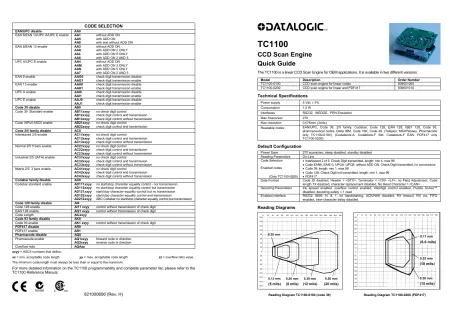
Manual · Datalogic
TC1100 Reference Manual
Manual131 pagesPDF 979 KB
Reference manual for the Datalogic TC1100 compact CCD scanner and scan engine: installation, wiring, configuration strings and setup bar codes.
Covers · 1 model
The models it covers
Summary
What is in it
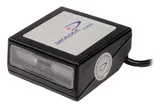
The reference manual for the Datalogic TC1100, a compact CCD bar code reader with a built-in decoder, sold as a scanner and as an OEM scan engine. It gives dimensions and mechanical installation, electrical connections for the RS232, wedge and pen emulation interfaces, inputs, outputs and an external beeper, then the software configuration strings and the configuration bar codes for interface, data format, power save, reading and decoding parameters and code selection, ending with technical features and reading diagrams.
Its parts
- Introduction
- Installation
- Software Configuration Strings
- Barcode Configuration
- References
- Technical Features
From the manual
Key facts from this manual
Each line names its page in the PDF.
This is the Datalogic TC1100 Reference Manual for the TC1100 compact CCD reader, covering the TC1100-0100 and TC1100-0200 scan engines and the TC1100-1100 and TC1100-1200 scanners. It explains mechanical and electrical installation, interface, trigger and beeper wiring, positioning, the GFC-TC1100 mirror, and configuration by serial command strings or by barcodes, with reading diagrams.
- Models
- TC1100-0100 and TC1100-0200 scan engines; TC1100-1100 and TC1100-1200 scanners; the x200 models add PDF417 p. 11
- Device
- Compact CCD reader with built-in decoder, for building into OEM equipment p. 9
- Interfaces
- RS232, Wedge (keyboard emulation) and Pen emulation p. 14, 15
- Connectors
- Scanner: 25-pin female D-Sub; scan engine: two 8-pin DF13 connectors (J1, J2) p. 13, 19
- Power input
- +5 Vdc on pin 13 (scanner) or J2 pin 1 (scan engine) p. 17, 23
- Readable codes
- EAN/UPC, Code 39, 2/5 family, Codabar, Code 128, EAN 128, ISBT 128, Code 93, pharmaceutical codes, Delta IBM, Code 16K, Code 49 p. 122
- Model-only codes
- TC1100-x100: also Telepen, MSI, Plessey, Pharmacode; TC1100-x200: also Codablock-A, Codablock-F, PDF417 p. 122
- Default serial setup
- Factory set for RS232: 9600 baud, parity disabled, 8 data bits, 1 stop bit, no handshaking p. 28, 30
- Read rate
- 270 reads per second by default p. 28
- Trigger input
- Optocoupled external trigger, NPN or PNP, external supply 30 Vdc max p. 15
- Good read output
- Good read output, external supply 40 Vdc max; scanner pins 11 and 12, scan engine J1 pins 3 and 2 p. 16, 22
- External beeper
- Beeper output on pin 8 (scanner) or J1 pin 4 (scan engine) for a piezo buzzer with internal oscillator p. 17, 23
- Default codes
- Enabled by default: Interleaved 2 of 5, EAN8/EAN13/UPC, Code 39, Code 128, and PDF417 on TC1100-x200 p. 29
- Side mirror
- GFC-TC1100 80° deflection mirror, fits the scanner or the scan engine p. 25
What this manual walks you through
- Mounting the scanner and scan engine from the dimension drawings p. 12, 18
- Wiring RS232, Wedge and Pen emulation connections to the host p. 14, 15, 20, 21
- Wiring the external trigger with NPN or PNP commands p. 15, 16, 21, 22
- Building an external beeper circuit p. 17, 23
- Positioning the reader for the best label angles p. 24, 25
- Fitting the GFC-TC1100 deflection mirror p. 26, 27
- Configuring the reader with serial command strings p. 30
- Setting up the reader by reading configuration barcodes p. 42, 43, 44, 45, 46
- Reading the two LED indicators p. 10
- Reading diagrams for the scan engines and scanners p. 123, 124
Good to know
- Send the Wedge or Pen emulation selection last, because the reader then stops accepting RS232. p. 30
- Barcode configuration is suggested only for Wedge or Pen emulation users. p. 42
- Use shielded cables; the RS232 cable must be shorter than 15 m (49.2 ft). p. 14
- Keep the skew angle at least 10° to avoid direct light reflection. p. 24
Questions this manual answers
What is the difference between the TC1100-0100 and TC1100-1100?
The TC1100-0x00 models are bare CCD scan engines and the TC1100-1x00 models are scanners; the x200 versions also read PDF417. p. 11
What connector does the TC1100 scanner use?
The scanner has a 25-pin female D-Sub; the scan engine has two 8-pin DF13 connectors. p. 13, 19
What are the TC1100 default serial settings?
9600 baud, parity disabled, 8 data bits, 1 stop bit and handshaking disabled. p. 28
How do I get a TC1100 back to RS232 after choosing Wedge or Pen?
Read the Return to RS232 Interface barcode printed in the manual. p. 30
Can the TC1100 read from the side?
Yes, with the GFC-TC1100 accessory, an 80° deflection mirror that mounts on the scanner or scan engine. p. 25
Contents
Chapters and sections
Each line opens the PDF at its page.
The whole text · 16 parts
Read the manual here as text
Its text as extracted from the PDF, unedited, in parts; each page opens the PDF at that page.
- Pages 1 to 81-8
- 1 Introduction9-11
- 2 Installation, pages 12 to 1912-19
- 2 Installation, pages 20 to 2720-27
- 3 Software Configuration Strings28-41
- 4 Barcode Configuration, pages 42 to 5142-51
- 4 Barcode Configuration, pages 52 to 6152-61
- 4 Barcode Configuration, pages 62 to 7162-71
- 4 Barcode Configuration, pages 72 to 8172-81
- 4 Barcode Configuration, pages 82 to 9182-91
- 4 Barcode Configuration, pages 92 to 10192-101
- 4 Barcode Configuration, pages 102 to 110102-110
- 5 References111-121
- 6 Technical Features122-124
- Apx A Code Identifier Table125-128
- Pages 129 to 131129-131
The file