Manual · Cyclades
Cyclades-TS User Guide
Manual454 pagesPDF 4.3 MB
User guide for installing, configuring and maintaining the Cyclades-TS terminal servers, including the Cyclades-TS2000.
Covers · 2 models
The models it covers
Summary
What is in it
The user guide for the Cyclades-TS family of terminal servers (version TS 1.4.0), which names the TS3000, TS2000, TS1000, TS800, TS400, TS110 and TS100. It covers what is in the box, power and safety, a quick start by console, Web browser or Telnet, the pslave.conf configuration file, and access to the serial ports. A long chapter explains features such as authentication, data buffering, DHCP, filters, alarms and clustering, with appendices on cabling, upgrades and troubleshooting.
Its parts
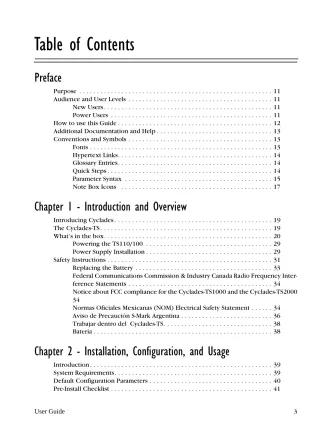
- Preface
- Chapter 1 - Introduction and Overview
- Chapter 2 - Installation, Configuration, and Usage
- Chapter 3 - Additional Features
- Appendix A - New User Background Information
- Appendix B - Cabling, Hardware, and Electrical Specifications
- Appendix C - The pslave Configuration File
- Appendix D - Software Upgrades and Troubleshooting
- Appendix E - Certificate for HTTP Security
- Appendix F - Web User Management
- Appendix G - Connect to Serial Ports from Web
- Appendix H - Examples for Configuration Testing
- Appendix I - Billing Feature
- Appendix J - Wiz Application Parameters
- Appendix K - Copyrights
From the manual
Key facts from this manual
Some pages are scans or cannot be read; this says only what the readable text supports. Each line names its page in the PDF.
The Cyclades-TS User Guide, version TS 1.4.0 from 2004, for the whole Cyclades-TS line of console access and terminal servers: TS110, TS100, TS400, TS800, TS1000, TS2000 and TS3000. It covers installation and configuration, the many software features, cabling and pinouts, hardware specifications, firmware upgrades and troubleshooting. It helps an administrator set a unit up as a console access server, reach the attached serial ports and recover a unit whose flash was lost.
- Device
- Console access and terminal server running embedded Linux; default profile is a Console Access Server p. 19
- Access and setup
- Reached by direct console, telnet/ssh or a browser; configured with vi, the Wizard, a browser or the CLI p. 19
- Default settings
- DHCP enabled (else 192.168.160.10, netmask 255.255.255.0); telnet access on all ports; 9600 bps, 8N1; no authentication p. 40
- Serial port addressing
- TCP port 7001 is serial port 1, 7002 is serial port 2, and so on p. 74
- Authentication
- Radius, TacacsPlus or a local database (none by default) p. 20
- Clustering
- TS2000: one master TS2000 with up to 15 slave TS2000s (master handles up to 1024 serial ports; firmware 1.3.0 and up) p. 133
- RJ-45 serial pinout
- Cyclades RJ-45: RTS 1, DTR 2, TxD 3, Gnd 4, CTS 5, RxD 6, DCD 7, DSR 8 p. 347
- Cable Package #1
- RJ-45 to DB-9 F adapter, Cyclades/Sun Netra adapter, RJ-45 straight-through cable, RJ-45 to DB-25 male and female adapters p. 20
- Approvals
- The manual states FCC and CE, Class A p. 344
- Humidity
- 10 - 90%, non-condensing (all models) p. 344
- Firmware
- Guide covers operating system v1.3.12; kernel image zImage stored in /proc/flash p. 2, 387
- Hardware test
- Built-in menu-driven tstest program; port test with a cross cable or loop-back connector p. 392
What this manual walks you through
- Installing and configuring a unit as a console access server p. 39
- Pre-install checklist: terminal program, IP addresses and network access p. 41
- Opening telnet, ssh and ts_menu sessions to serial ports p. 74, 75
- Clustering several units under one master p. 133
- Choosing straight-through or crossover RS-232 cables p. 348, 349
- Upgrading the firmware by FTP and checking it with md5sum p. 387, 388
- Restoring a unit by network boot after flash memory loss p. 389
- Running the tstest hardware and port tests p. 392
Good to know
- After changing any file listed in /etc/config_files, run saveconf before rebooting or the changes are lost. p. 391
- The new firmware must be downloaded straight to the name zImage: flash has no room for two zImage files. p. 388
- tstest inactivates all ports, so do not test a unit while it is in use. p. 392
- TS1000 and TS2000 need a shielded CAT 5 Ethernet cable to comply with FCC standards; it is not supplied. p. 34
- Do not configure the unit as you would a regular Linux server. p. 39
Questions this manual answers
What is the default IP address of a Cyclades-TS?
DHCP is enabled by default; with no DHCP server the Ethernet IP is 192.168.160.10 with netmask 255.255.255.0. p. 40
How do I telnet to a serial port on the Cyclades TS2000?
Telnet to the unit's hostname or IP with the port's TCP number: from factory 7001 is serial port 1, 7002 serial port 2, and so on. p. 74
What is the Cyclades RJ-45 serial pinout?
RTS 1, DTR 2, TxD 3, Gnd 4, CTS 5, RxD 6, DCD 7, DSR 8; RJ-45 has no standard RS-232 assignment, so it is Cyclades' own. p. 347
How do I recover a Cyclades-TS after a failed firmware upgrade?
Power cycle it, press Esc after the Ethernet self test, choose Network Boot, load zImage from a TFTP host, then save the new zImage to flash again. p. 389
How many TS2000 units can be clustered?
One master TS2000 can manage 15 slave TS2000s, with firmware 1.3.0 and up. p. 133
Contents
Chapters and sections
Each line opens the PDF at its page.
- Preface11
- Chapter 1 - Introduction and Overview19
- Chapter 2 - Installation, Configuration, and Usage39
- Chapter 3 - Additional Features77
82 more lines, from page 211 on
- Session Sniffing211
- Appendix A - New User Background Information325
- Appendix B - Cabling, Hardware, and Electrical Specifications343
- Appendix C - The pslave Configuration File361
- Appendix D - Software Upgrades and Troubleshooting387
- Appendix E - Certificate for HTTP Security401
- Appendix F - Web User Management405
- Appendix G - Connect to Serial Ports from Web415
- Appendix H - Examples for Configuration Testing421
- Appendix I - Billing Feature429
- Appendix J - Wiz Application Parameters433
- Basic Parameters (wiz)433
- Access Method Parameters (wiz --ac <type>)433
- Alarm Parameter (wiz --al)434
- Authentication Parameters (wiz --auth)434
- Data Buffering Parameters (wiz --db)435
- Power Management Parameters (wiz --pm)435
- Serial Settings Parameters (wiz --sset <type>)436
- Sniffing Parameters (wiz --snf)437
- Syslog Parameters (wiz --sl)437
- Terminal Appearance Parameters (wiz --tl)437
- Terminal Server Profile Other Parameters (wiz --tso)438
- Appendix K - Copyrights439
The whole text · 49 parts
Read the manual here as text
Its text as extracted from the PDF, unedited, in parts; each page opens the PDF at that page.
- Pages 1 to 101-10
- Preface11-18
- Chapter 1 - Introduction and Overview, pages 19 to 2819-28
- Chapter 1 - Introduction and Overview, pages 29 to 3829-38
- Chapter 2 - Installation, Configuration, and Usage, pages 39 to 4839-48
- Chapter 2 - Installation, Configuration, and Usage, pages 49 to 5849-58
- Chapter 2 - Installation, Configuration, and Usage, pages 59 to 6859-68
- Chapter 2 - Installation, Configuration, and Usage, pages 69 to 7669-76
- Chapter 3 - Additional Features, pages 77 to 8677-86
- Chapter 3 - Additional Features, pages 87 to 9687-96
- Chapter 3 - Additional Features, pages 97 to 10697-106
- Chapter 3 - Additional Features, pages 107 to 116107-116
- Chapter 3 - Additional Features, pages 117 to 126117-126
- Chapter 3 - Additional Features, pages 127 to 136127-136
- Chapter 3 - Additional Features, pages 137 to 146137-146
- Chapter 3 - Additional Features, pages 147 to 156147-156
- Chapter 3 - Additional Features, pages 157 to 166157-166
- Chapter 3 - Additional Features, pages 167 to 176167-176
- Chapter 3 - Additional Features, pages 177 to 186177-186
- Chapter 3 - Additional Features, pages 187 to 196187-196
- Chapter 3 - Additional Features, pages 197 to 206197-206
- Chapter 3 - Additional Features, pages 207 to 216207-216
- Chapter 3 - Additional Features, pages 217 to 226217-226
- Chapter 3 - Additional Features, pages 227 to 236227-236
- Chapter 3 - Additional Features, pages 237 to 246237-246
- Chapter 3 - Additional Features, pages 247 to 256247-256
- Chapter 3 - Additional Features, pages 257 to 266257-266
- Chapter 3 - Additional Features, pages 267 to 276267-276
- Chapter 3 - Additional Features, pages 277 to 286277-286
- Chapter 3 - Additional Features, pages 287 to 296287-296
- Chapter 3 - Additional Features, pages 297 to 306297-306
- Chapter 3 - Additional Features, pages 307 to 316307-316
- Chapter 3 - Additional Features, pages 317 to 324317-324
- Appendix A - New User Background Information, pages 325 to 333325-333
- Appendix A - New User Background Information, pages 334 to 342334-342
- Appendix B - Cabling, Hardware, and Electrical Specifications, pages 343 to 351343-351
- Appendix B - Cabling, Hardware, and Electrical Specifications, pages 352 to 360352-360
- Appendix C - The pslave Configuration File, pages 361 to 369361-369
- Appendix C - The pslave Configuration File, pages 370 to 378370-378
- Appendix C - The pslave Configuration File, pages 379 to 386379-386
- Appendix D - Software Upgrades and Troubleshooting387-400
- Appendix E - Certificate for HTTP Security401-404
- Appendix F - Web User Management405-414
- Appendix G - Connect to Serial Ports from Web415-420
- Appendix H - Examples for Configuration Testing421-428
- Appendix I - Billing Feature429-432
- Appendix J - Wiz Application Parameters433-438
- Appendix K - Copyrights, pages 439 to 446439-446
- Appendix K - Copyrights, pages 447 to 454447-454
The file