Manual · AML
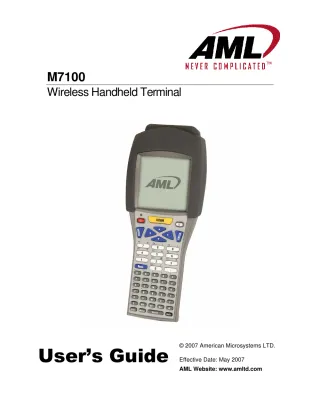
M7100 Wireless Handheld Terminal User's Guide
Manual131 pagesPDF 4.8 MB
User's guide for the AML M7100 wireless handheld terminal: keyboard, scan engines, radio setup, menus and bar code settings.
Covers · 1 model
The models it covers
Summary
What is in it
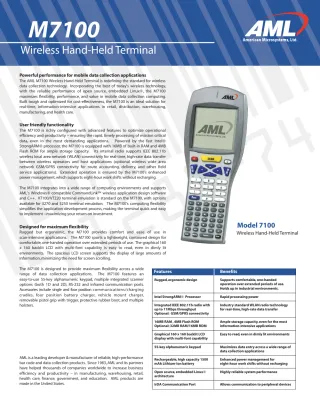
The user's guide for the American Microsystems M7100, a Linux-based wireless handheld terminal. It covers the keyboard, display, the scan engine options (linear imager, standard, long range, high density and advanced long range lasers, or a 2D area imager), the 802.11b radio, GPRS card support, cradle and ports, logging in to the RF server, the menu system with radio security, terminal emulation, diagnostics and symbology settings, and the expanded memory model with FTP and web server applications.
Its parts
- Introducing the M7100
- M7100 Terminal Overview
- The M7100 RF Server Login
- The M7100 Menu System
- The M7100 Expanded Memory Handheld Terminal
From the manual
Key facts from this manual
Some pages are scans or cannot be read; this says only what the readable text supports. Each line names its page in the PDF.
The AML M7100 Wireless Handheld Terminal User's Guide, effective May 2007. It describes the keypad, display, scan engine choices, 802.11b radio and GSM/GPRS card, communication ports, cradle, and the menu system for network, power management and diagnostics. It also explains firmware updates and the expanded memory version.
- Device
- Handheld data collection terminal running Linux, with CommandLink RF software and terminal emulation p. 5
- Keypad
- 55 keys in color groups; function keys F1 to F20 through [Func] and [Alt] p. 7, 8
- Display
- 160 by 160 pixel grayscale graphical LCD, not a touch screen p. 10
- Scan engines
- Linear Imager 26 scans/s, 48º; Standard Range Laser 35 (± 5) scans/s, 42º; Long Range 23º; High Density 37º; Advanced Long Range 13º; or 2D Area Imager p. 10, 11
- 2D imager codes
- PDF417, MicroPDF417, MaxiCode, Data Matrix, QR Code, Aztec, Code 49, EAN/UCC Composite, linear and postal codes, OCR-A and OCR-B p. 11
- Radio
- Internal 802.11b radio and antenna; typical range 500 feet in free air; falls back from 11 to 5.5, 2 and 1 Mbps p. 18
- GSM/GPRS
- Optional GSM/GPRS network card with a customer-supplied SIM card p. 21
- RS-232 port
- RJ-45 10 pin: 1 5 VDC out, 2 RxD, 3 TxD, 4 RTS, 5 GND, 6 battery charge in, 7 CTS, 8 USB data +, 9 USB data -, 10 battery out p. 26
- Other ports
- IrDA port and USB Type II connector (slave only) p. 26
- Cradle
- Optional charging and communications cradle with a spare battery slot; POWER, MAIN and SPARE lights; full recharge about 6 hours p. 27
- Cradle ports
- RS-232 (DB-9) and USB (Type II), wired straight through; standard DB-9 male to DB-9 female cable p. 28
- Battery life
- Designed for a full 8 hour shift without recharging or replacing the battery p. 5
- Firmware update
- Over the RF network with a web browser from firmware 1.0.1 or later; earlier units need the USB flash utility p. 33
- Pistol grip
- Optional handle fixed by 4 screws; the battery moves into the handle p. 25
What this manual walks you through
- Using the keypad and its key values p. 7, 8, 9
- Choosing a scan engine p. 10, 11
- Installing the GPRS SIM card p. 21
- Installing the optional pistol grip handle p. 25
- Wiring the RJ-45 serial port, including a cable to a serial printer p. 26
- Charging and connecting through the cradle p. 27, 28
- Logging in to a CommandLink RF server p. 29
- Updating the firmware over the network or by USB p. 33
- Setting the sleep, backlight and power-off timers p. 61, 62
- Telling the standard and expanded memory firmware apart p. 124
Good to know
- The display is not a touch screen; do not use sharp objects on its window. p. 10
- Sleep mode turns off the radio card, which can close a telnet session on some hosts. p. 62
- Do not turn the terminal off until a firmware flash has finished. p. 33
- Never use the handle without its battery door in place. p. 25
- Power key wake-up needs Decoder version 2.0 or later; the Decoder can only be programmed at the factory. p. 7
Questions this manual answers
How long does an AML M7100 battery take to charge?
A fully discharged battery takes about 6 hours to recharge in the cradle. The light is red while charging and green when full. p. 27
M7100 telnet session keeps closing
Sleep mode turns off the radio card, which closes the telnet session on some hosts. The guide notes many users set the Sleep Timer to zero. p. 62
How do I update the firmware on an M7100?
From firmware 1.0.1 on, open the terminal's IP address in a web browser and use the Reprogram Device Firmware link. Earlier units need the USB flash utility. p. 33
M7100 RJ-45 serial port pinout
Pin 2 RxD, 3 TxD, 4 RTS, 5 GND, 7 CTS; pin 1 gives 5 VDC to a tethered scanner and pin 6 takes battery charge. p. 26
M7100 shows Battery Low
The battery is depleted; replace it or put the unit in the charger. p. 70
The whole text · 14 parts
Read the manual here as text
Its text as extracted from the PDF, unedited, in parts; each page opens the PDF at that page.
The file