Manual · Videx
DuraTrax/LaserLite, LaserLite Pro/LaserLite Mx Developer's Reference
Manual229 pagesPDF 797 KB
Developer's reference for the Videx DuraTrax, LaserLite, LaserLite Pro and LaserLite Mx batch data collectors.
Covers · 4 models
The models it covers
 Videx DuraTraxPortable batch data collection terminal from$695.007 in stock
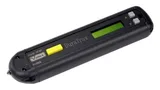
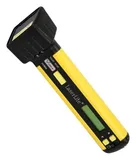 Videx LaserLitePortable batch data collection terminal from$895.0025 in stock
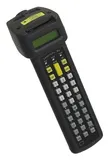 Videx LaserLite MxPortable batch data collection terminal from$995.002 in stock
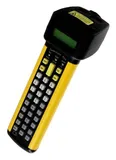 Videx LaserLite ProPortable batch data collection terminal from$995.0051 in stock
Summary
What is in it
A software developer's reference for the Videx DuraTrax, LaserLite, LaserLite Pro and LaserLite Mx data collectors. It covers the Vxcom, Download and Videx Download communications programs, the monitor (boot) program, operating system commands, the Application Builder BASIC source template, LaserLite Mx memory card data management, data file formats, cross-reference file convert programs and theory of operation, with appendices on modem hook-up, memory card formatting and error codes.
Its parts
- Introduction
- Communications Programs
- Monitor Program
- Operating System Software
- Application Builder Source Template
- LaserLite Mx Memory Card Data Management
- DuraTrax, LaserLite, LaserLite Pro and LaserLite Mx Data Files
- Cross-Reference File Convert Programs
- Theory of Operation
- Modem Communications Hook-up Configurations and Cable Pin Outs
- Low-Level LaserLite Mx Memory Card Formatting Sequences
- Error Codes
From the manual
Key facts from this manual
Each line names its page in the PDF.
Videx Developer's Reference for the DuraTrax, LaserLite, LaserLite Pro and LaserLite Mx data collectors, written for software developers. It covers the Vxcom, Download and Videx Download communication programs, the VX1 Monitor boot loader, operating system commands, the LaserLite Mx memory card, data file formats, a theory of operation with power and circuit details, and error code lists.
- Batteries
- Four AA alkaline or nickel-cadmium; 4 to 6 V input under full load (90 mA) p. 198
- Backup battery
- 3 V lithium battery on the nose board backs up RAM and clock; recharged from the 3.3 V regulator p. 198, 203
- Processor
- 8051 family 8-bit CPU, 11.059 MHz crystal p. 202
- Display
- 2 x 16 character LCD p. 203
- Communication
- IR port to an IrDA docking device; Base Stations connect to a computer's RS-232 serial port p. 203, 205
- Boot loader
- VX1 Monitor in ROM; loads Intel HEX software at 9600 baud, no parity, 8 data bits, 1 stop bit p. 52
- RAM
- DuraTrax and LaserLite: 128K x 8 bit; LaserLite Pro and LaserLite Mx: 256K x 8 bit p. 200
- Scanner
- DuraTrax: contact scanner; LaserLite, LaserLite Pro, LaserLite Mx: laser scanner p. 198
- Monitor versions
- DuraTrax and LaserLite: VX1 Monitor 1.07; LaserLite Pro: 1.11 or 1.34; LaserLite Mx: 1.33 or 1.34 p. 53
- Low battery warnings
- Warnings start at 4.8 volts, stronger ones at 4.5 volts p. 199
- Base Stations
- LaserLite DuraTrax Base Station holds two DuraTrax or LaserLite units; LaserLite Pro Base Station holds one LaserLite Pro or Mx p. 205
- Memory card
- LaserLite Mx: Toshiba SSFDC 2, 4 and 8 MB memory cards p. 219
- PC programs
- Vxcom for Windows, Download for DOS, Videx Download for Macintosh p. 52
- Touch Memory
- Reads Dallas Semiconductor Touch Memory buttons (iButtons) p. 202
What this manual walks you through
- Using Vxcom, Download and Videx Download, and their commands files p. 5
- Changing a data collector's ID and transferring from several units p. 5
- Resetting a locked unit to monitor mode and resending the operating system p. 52
- Dumping memory to recover data p. 5, 53
- Operating system commands and the default application p. 6
- Managing files on the LaserLite Mx memory card p. 7
- Data file and cross-reference file formats p. 7, 8
- Theory of operation: power, memory and circuit boards p. 198, 202
- Modem hook-up and cable pinouts p. 8
- Communication and memory card error codes p. 218, 221
Good to know
- A LaserLite Mx with a memory card must be reloaded with Vxcom or Download, not Videx Download. p. 52
- Removing the memory card without first turning off the LaserLite Mx can cause an error. p. 221
- Toshiba memory cards allow writing to a page only 4 times. p. 219
- Below 3.6 V a power-fail interrupt is sent and the scanner may read less well. p. 199
Questions this manual answers
What batteries does the Videx LaserLite use?
Four AA alkaline or nickel-cadmium batteries, with a 3 V lithium battery backing up the clock and RAM. p. 198
How much memory does the LaserLite Pro have?
256K x 8 bit RAM for the LaserLite Pro and LaserLite Mx; 128K x 8 bit for the DuraTrax and LaserLite. p. 200
How do I reset a DuraTrax to monitor mode?
Remove the battery end cap and hold the scan button while replacing it; after three beeps the display shows the VX1 Monitor version and Ready, bps=9600, then resend the operating system. p. 52
What memory cards does the LaserLite Mx accept?
Toshiba SSFDC memory cards of 2, 4 and 8 MB. p. 219
What are Vxcom errors 16001 to 16006?
They are the Xmodem errors Vxcom returns; the 18000 to 18014 range covers general communication errors. p. 218
The whole text · 23 parts
Read the manual here as text
Its text as extracted from the PDF, unedited, in parts; each page opens the PDF at that page.
- Pages 1 to 101-10
- Pages 11 to 2011-20
- Pages 21 to 3021-30
- Pages 31 to 4031-40
- Pages 41 to 5041-50
- Pages 51 to 6051-60
- Pages 61 to 7061-70
- Pages 71 to 8071-80
- Pages 81 to 9081-90
- Pages 91 to 10091-100
- Pages 101 to 110101-110
- Pages 111 to 120111-120
- Pages 121 to 130121-130
- Pages 131 to 140131-140
- Pages 141 to 150141-150
- Pages 151 to 160151-160
- Pages 161 to 170161-170
- Pages 171 to 180171-180
- Pages 181 to 190181-190
- Pages 191 to 200191-200
- Pages 201 to 210201-210
- Pages 211 to 220211-220
- Pages 221 to 229221-229
The file