Manual · Telxon
PTC-960SL-III User's Guide
Manual78 pagesPDF 445 KB
User's guide for the PTC-960SL-III hand-held computer, including battery pack charging, replacement and specifications.
Filed with · 1 model
Also filed with these models on the old site
Summary
What is in it
Symbol user's guide for the PTC-960SL-III, a battery-powered hand-held computer with a built-in laser scanner and optional spread spectrum radio. It covers regulations and safety (including lithium-ion and nickel-cadmium batteries), getting started, installing and charging the battery pack, features, scanning bar codes and the M88 imager, communicating data by radio, cable or cradle, replacing the battery pack, maintenance and troubleshooting, with specifications and accessory part numbers in appendices.
Its parts
- Introduction
- Regulations
- Safety information
- Scope of the manual
- Overview of the PTC-960SL-III
- Getting started
- Parts
- Features
- Scanning bar-code labels
- Communicating data
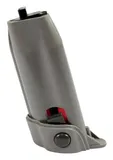
- Replacing the battery pack
- Maintaining the PTC-960SL-III
- Troubleshooting
From the manual
Key facts from this manual
Each line names its page in the PDF.
The Symbol PTC-960SL-III User's Guide (document 30878-000-002, November 2000) for the PTC-960SL-III hand-held computer. It covers the lithium-ion and nickel-cadmium battery packs and their charging and replacement, plus the terminal's parts, features, specifications, accessory and cable part numbers, care in freezers, and troubleshooting.
- Battery packs
- 1,300 mAh lithium-ion or 500 mAh nickel-cadmium, built into the handle end cap; lithium-ion about doubles run time p. 28, 50
- Battery part numbers
- Lithium-ion 23065-002; nickel-cadmium 19903-107 p. 55
- Battery fit
- Lithium-ion packs fit only the PTC-960SL-III; the nickel-cadmium pack can be used in any PTC-960SL p. 42
- Charge time
- Power module: 8 hours (lithium-ion), 5 to 6 hours (nickel-cadmium); Universal Battery Charger: up to four packs in 3 hours or less p. 23
- Power module
- Input 110 VAC @ 50/60 Hz, output 12 VDC @ 200 mA, p/n 20210-001 p. 50, 55
- Chargers and cradle
- SC-960SL-III Single-bay Communication Cradle 20825-201; Universal Battery Charger base 23151-002 (desktop) or 23152-002 (wall-mount); PTC-960SL-III adapter 23153-003 p. 55
- Backup battery
- Supercap, about 20 minutes of memory protection with the pack removed p. 30, 50
- Device
- Hand-held computer with SE-1200, SE-1200LR or SE-1200HP laser scanner or M88 imager; optional 2.4 GHz direct-sequence (11 Mbps) or frequency-hopping (2 Mbps) radio p. 49, 51
- Interfaces
- RS-232 via micro DB-15 connector, 300 to 38,400 baud; optical contacts for the SC-960SL-III cradle p. 49
- Memory and software
- Flash EPROM 512 KB application and 256 KB operating system; 1 to 4 MB RAM; MS-DOS 5.0 or TCAL p. 51
- Display
- FSTN monochrome LCD, 8 or 16 lines of 16 or 21 characters, 128 x 128 pixel graphics, EL backlight p. 49
- Keyboard
- 45-key alphanumeric standard; 28-key numeric or 11-key consumer scan optional p. 50
- Operating temperature
- –4° to 122° F (–20° to 50° C); low temp. units –22° to 70° F (–30° to 21° C); M88 imager units 32° to 122° F p. 50
- Size and weight
- 8.5 x 3.5 x 7 in. (L x W x D); 22 oz with nickel-cadmium pack, 26 oz with radio and nickel-cadmium pack p. 51
What this manual walks you through
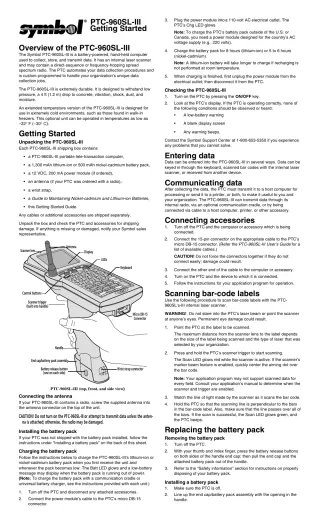
- Charging the battery pack by power module, cradle or universal charger p. 22, 23
- Removing and installing the end cap/battery pack p. 41, 42
- Unpacking and connecting the radio antenna p. 21, 22
- Using extended temperature units in walk-in freezers p. 43
- Storing the PTC for a long period p. 44, 45
- Cleaning the case and scanner lens p. 45
- Troubleshooting power, scanning and radio contact p. 47, 48
- Micro DB-15 connector pinout p. 57
- Reprogramming the flash EPROMs from a host computer p. 25
- Scanning ranges by label size for each scanner type p. 53, 54
Good to know
- Do not leave the PTC without a battery pack for longer than 20 minutes, or all data and programs in memory are lost. p. 41
- Storing the PTC over two months without charging or replacing the pack drains both batteries and loses memory. p. 30
- After more than 1 hour below freezing, do not charge the pack until it warms to room temperature; charging cold packs could damage them. p. 44
- With a Cisco 343 radio installed, the operating range narrows to 32° F (0° C) to 122° F (50° C). p. 43
- Do not turn on the PTC or transmit without the antenna attached, or the radio may be damaged. p. 22
Questions this manual answers
Will a PTC-960SL-III lithium-ion battery fit an older PTC-960SL?
No. The lithium-ion pack physically does not fit an older PTC-960SL, but the nickel-cadmium pack works in any PTC-960SL. p. 42
What is the part number of the PTC-960SL-III battery?
The accessory table lists the lithium-ion pack as 23065-002 and the nickel-cadmium pack as 19903-107. p. 55
How long does a PTC-960SL-III battery take to charge?
8 hours for lithium-ion or 5 to 6 hours for nickel-cadmium on the power module; the Universal Battery Charger takes 3 hours or less. p. 23
How long is data kept when the PTC-960SL-III battery is removed?
The backup battery protects memory for about 20 minutes with the pack out. p. 30
What cable connects a PTC-960SL-III to a 9-pin serial port?
The 6 ft micro DB-15-to-DB-9 adapter cable, p/n 21146-001. p. 56
Contents
Chapters and sections
Each line opens the PDF at its page.
The whole text · 14 parts
Read the manual here as text
Its text as extracted from the PDF, unedited, in parts; each page opens the PDF at that page.
The file