Manual · Telxon
Telxon SC-960SL-III Read-Me-First
Manual2 pagesPDF 710 KB
Both pages are below, each with its text.
Filed with · 1 model
Also filed with these models on the old site
From the manual · read page by page
Key facts from this manual
Each line names its page in the PDF.
A two-page Symbol Read-Me-First sheet (72-52913-01 Revision A, June 2001) for the SC-960SL-III Single-bay Communication Cradle, which links a PTC-960SL hand-held computer to a host and charges its battery pack. It covers setting up the cradle, connecting a host or modem, charging times and conditions, and the LED meanings.
- Device
- SC-960SL-III Single-bay Communication Cradle for the PTC-960SL; passes data to and from a host and charges the PTC's battery pack p. 1
- Charge time
- About 4 hours for lithium-ion packs, 1.5 hours for nickel-cadmium packs, plus time spent communicating with the host p. 1, 2
- Charging temperature
- 40 to 110 F (4 to 43 C) recommended p. 2
- Power pack
- 18-volt, 800-mA, from a 110 volts AC outlet within 6 feet p. 1
- Maintenance charge
- Keeps the pack at full charge while the PTC stays in the cradle p. 2
- Daisychaining
- Up to 32 cradles connected together p. 1
- Connectors
- Host connector on the left side, daisychain connector on the opposite side, power jack at the rear p. 1
- LEDs
- In Cradle, Comm, Power, Charged and Charging p. 2
- Mounting
- On its base on a flat surface, or on a wall p. 1
- Temperature
- Operating 40 to 110 F (4 to 43 C); storage –20 F (–29 C) to 140 F (60 C) p. 2
What this manual walks you through
- Unpacking the cradle and checking the contents p. 1
- Setting the cradle on its base with the power pack connected p. 1
- Connecting the cradle to a host computer or external modem p. 1
- Inserting and removing a PTC p. 1, 2
- Charging battery packs in the cradle p. 2
- Reading the cradle's LEDs p. 2
- Cleaning and storing the cradle p. 2
Good to know
- The cradle is designed for the PTC-960SL; do not insert any other PTC. p. 1
- Connect the power pack to the cradle before setting the cradle into its base. p. 1
- Wait at least 2 seconds after removing a PTC before inserting another. p. 2
- Outside the U.S. or Canada the cradle needs a power pack made for the local AC voltage. p. 1
- A lithium-ion pack takes longer to recharge when not at room temperature. p. 2
Questions this manual answers
How long does the SC-960SL-III cradle take to charge a PTC-960SL battery?
About 4 hours for a lithium-ion pack or 1.5 hours for nickel-cadmium, plus any time spent communicating with the host. p. 2
What power supply does the SC-960SL-III cradle use?
An 18-volt, 800-mA power pack plugged into the power jack on the back of the cradle. p. 1
Can I leave the PTC-960SL in the cradle after it is charged?
Yes. The cradle keeps the battery pack at full charge until the PTC is removed. p. 2
What does the green Charged LED on the SC-960SL-III mean?
The installed PTC's battery pack has finished charging; the red Charging LED shows charging is in progress. p. 2
How many SC-960SL-III cradles can be linked together?
Up to 32 cradles can be daisychained into one system. p. 1
The file
Size and text
Every page · 2
Read it here
Each page as it is printed, and its words beside it, so a phone can search and copy them.
Page1of 2
Open in the PDF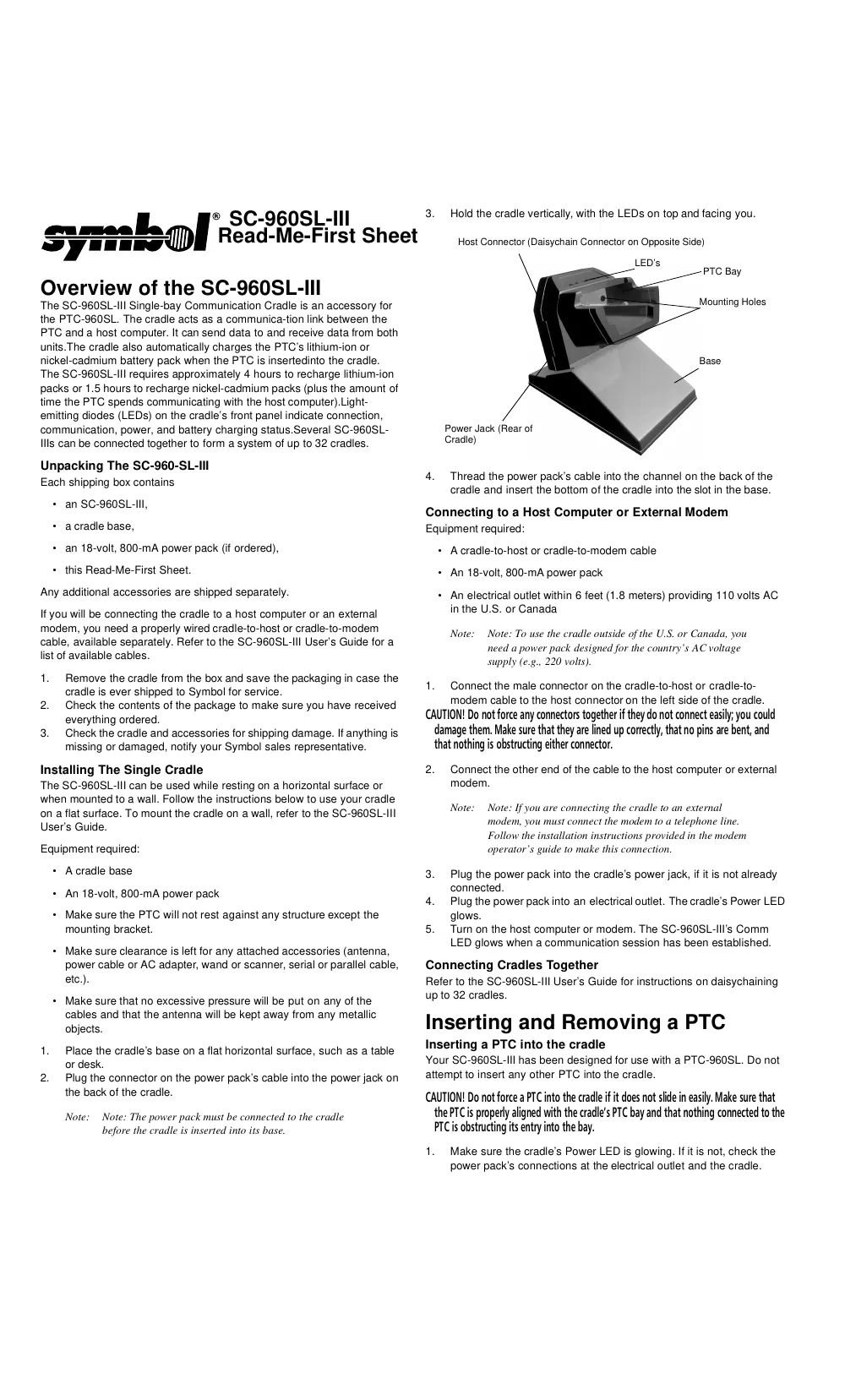
The text of page 1, from the PDF itself
3. SC-960SL-III Read-Me-First Sheet
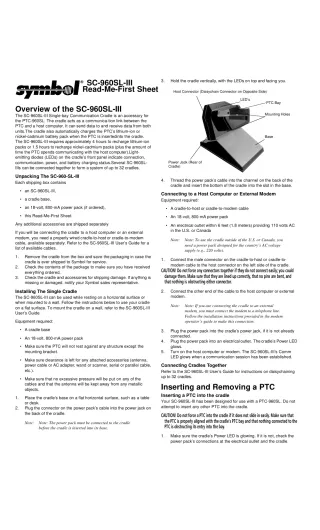
Hold the cradle vertically, with the LEDs on top and facing you. Host Connector (Daisychain Connector on Opposite Side) LED’s
Overview of the SC-960SL-III
Mounting Holes
The SC-960SL-III Single-bay Communication Cradle is an accessory for the PTC-960SL. The cradle acts as a communica-tion link between the PTC and a host computer. It can send data to and receive data from both units.The cradle also automatically charges the PTC’s lithium-ion or nickel-cadmium battery pack when the PTC is insertedinto the cradle. The SC-960SL-III requires approximately 4 hours to recharge lithium-ion packs or 1.5 hours to recharge nickel-cadmium packs (plus the amount of time the PTC spends communicating with the host computer).Lightemitting diodes (LEDs) on the cradle’s front panel indicate connection, communication, power, and battery charging status.Several SC-960SLIIIs can be connected together to form a system of up to 32 cradles.
Unpacking The SC-960-SL-III Each shipping box contains
- an SC-960SL-III,
- a cradle base,
Base
Power Jack (Rear of Cradle)
4.
- Equipment required
- • an 18-volt, 800-mA power pack (if ordered),
- A cradle-to-host or cradle-to-modem cable
- this Read-Me-First Sheet.
- An 18-volt, 800-mA power pack
- An electrical outlet within 6 feet (1.8 meters) providing 110 volts AC in the U.S. or Canada
If you will be connecting the cradle to a host computer or an external modem, you need a properly wired cradle-to-host or cradle-to-modem cable, available separately. Refer to the SC-960SL-III User’s Guide for a list of available cables.
2. 3.
Remove the cradle from the box and save the packaging in case the cradle is ever shipped to Symbol for service. Check the contents of the package to make sure you have received everything ordered. Check the cradle and accessories for shipping damage. If anything is missing or damaged, notify your Symbol sales representative.
Installing The Single Cradle
- Note
- 1.
2.
- An 18-volt, 800-mA power pack
- Make sure the PTC will not rest against any structure except the mounting bracket.
- Make sure clearance is left for any attached accessories (antenna, power cable or AC adapter, wand or scanner, serial or parallel cable, etc.).
- Make sure that no excessive pressure will be put on any of the cables and that the antenna will be kept away from any metallic objects.
2.
Place the cradle’s base on a flat horizontal surface, such as a table or desk. Plug the connector on the power pack’s cable into the power jack on the back of the cradle. Note:
Note: The power pack must be connected to the cradle before the cradle is inserted into its base.
Connect the male connector on the cradle-to-host or cradle-tomodem cable to the host connector on the left side of the cradle.
Connect the other end of the cable to the host computer or external modem. Note:
Equipment required:
- A cradle base
Note: To use the cradle outside of the U.S. or Canada, you need a power pack designed for the country’s AC voltage supply (e.g., 220 volts).
CAUTION! Do not force any connectors together if they do not connect easily; you could damage them. Make sure that they are lined up correctly, that no pins are bent, and that nothing is obstructing either connector.
The SC-960SL-III can be used while resting on a horizontal surface or when mounted to a wall. Follow the instructions below to use your cradle on a flat surface. To mount the cradle on a wall, refer to the SC-960SL-III User’s Guide.
1.
Thread the power pack’s cable into the channel on the back of the cradle and insert the bottom of the cradle into the slot in the base.
Connecting to a Host Computer or External Modem
Any additional accessories are shipped separately.
1.PTC Bay3. 4. 5.
Note: If you are connecting the cradle to an external modem, you must connect the modem to a telephone line. Follow the installation instructions provided in the modem operator’s guide to make this connection.
Plug the power pack into the cradle’s power jack, if it is not already connected. Plug the power pack into an electrical outlet. The cradle’s Power LED glows. Turn on the host computer or modem. The SC-960SL-III’s Comm LED glows when a communication session has been established.
Connecting Cradles Together Refer to the SC-960SL-III User’s Guide for instructions on daisychaining up to 32 cradles.
Inserting and Removing a PTC Inserting a PTC into the cradle Your SC-960SL-III has been designed for use with a PTC-960SL. Do not attempt to insert any other PTC into the cradle.
CAUTION! Do not force a PTC into the cradle if it does not slide in easily. Make sure that the PTC is properly aligned with the cradle’s PTC bay and that nothing connected to the PTC is obstructing its entry into the bay. 1.
Make sure the cradle’s Power LED is glowing. If it is not, check the power pack’s connections at the electrical outlet and the cradle.
Page2of 2
Open in the PDF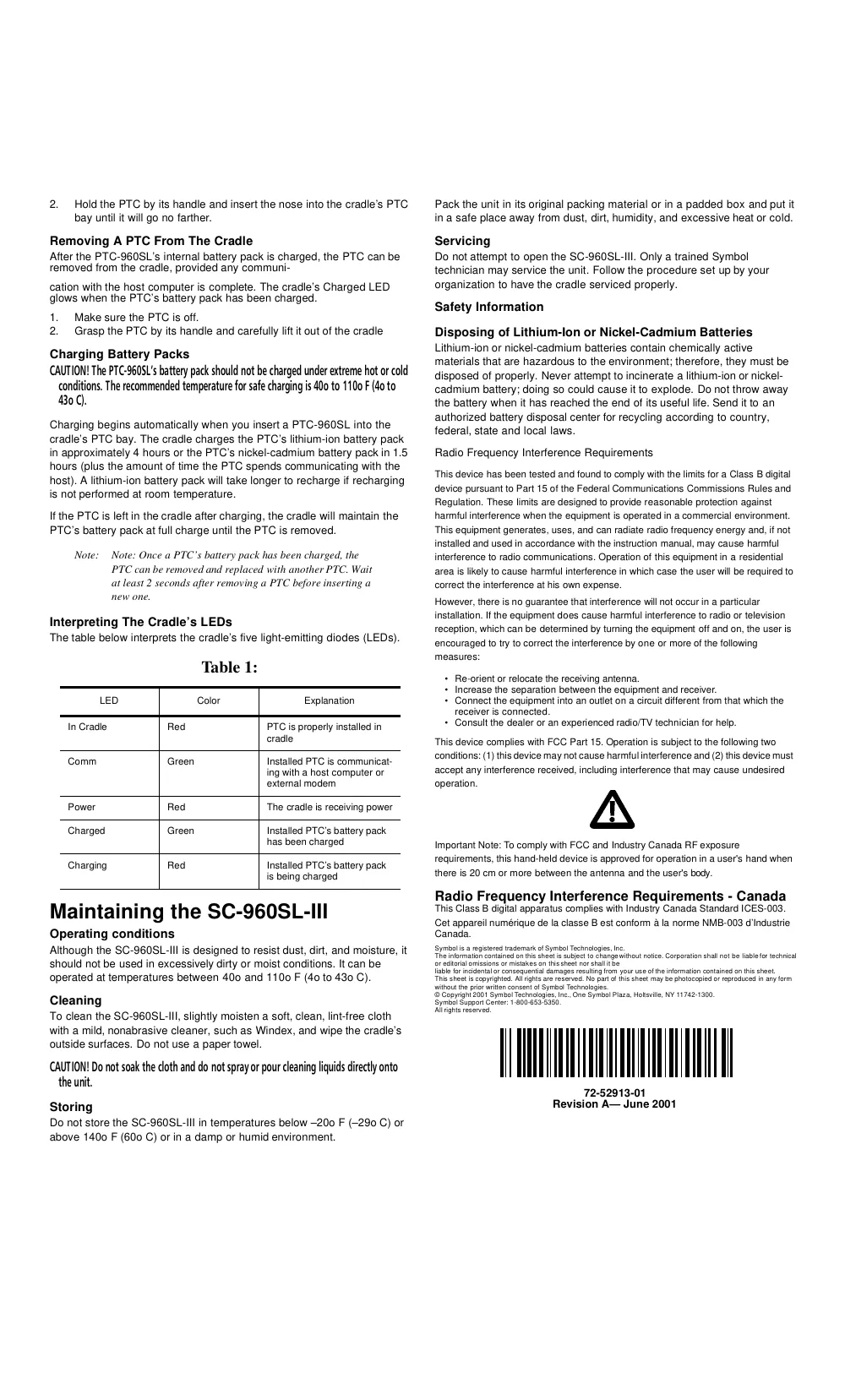
The text of page 2, from the PDF itself
2.
Hold the PTC by its handle and insert the nose into the cradle’s PTC bay until it will go no farther.
Pack the unit in its original packing material or in a padded box and put it in a safe place away from dust, dirt, humidity, and excessive heat or cold.
Removing A PTC From The Cradle
Servicing
After the PTC-960SL’s internal battery pack is charged, the PTC can be removed from the cradle, provided any communi-
Do not attempt to open the SC-960SL-III. Only a trained Symbol technician may service the unit. Follow the procedure set up by your organization to have the cradle serviced properly.
cation with the host computer is complete. The cradle’s Charged LED glows when the PTC’s battery pack has been charged. 1. 2.
Make sure the PTC is off. Grasp the PTC by its handle and carefully lift it out of the cradle
Charging Battery Packs
CAUTION! The PTC-960SL’s battery pack should not be charged under extreme hot or cold conditions. The recommended temperature for safe charging is 40o to 110o F (4o to 43o C). Charging begins automatically when you insert a PTC-960SL into the cradle’s PTC bay. The cradle charges the PTC’s lithium-ion battery pack in approximately 4 hours or the PTC’s nickel-cadmium battery pack in 1.5 hours (plus the amount of time the PTC spends communicating with the host). A lithium-ion battery pack will take longer to recharge if recharging is not performed at room temperature. If the PTC is left in the cradle after charging, the cradle will maintain the PTC’s battery pack at full charge until the PTC is removed. Note:
Note: Once a PTC’s battery pack has been charged, the PTC can be removed and replaced with another PTC. Wait at least 2 seconds after removing a PTC before inserting a new one.
Interpreting The Cradle’s LEDs The table below interprets the cradle’s five light-emitting diodes (LEDs).
Table 1: LEDColorExplanationIn CradleRed
PTC is properly installed in cradle
Comm
Green
Installed PTC is communicating with a host computer or external modem
Power
Red
The cradle is receiving power
Charged
Green
Installed PTC’s battery pack has been charged
Charging
Red
Installed PTC’s battery pack is being charged
Maintaining the SC-960SL-III Operating conditions Although the SC-960SL-III is designed to resist dust, dirt, and moisture, it should not be used in excessively dirty or moist conditions. It can be operated at temperatures between 40o and 110o F (4o to 43o C).
Cleaning To clean the SC-960SL-III, slightly moisten a soft, clean, lint-free cloth with a mild, nonabrasive cleaner, such as Windex, and wipe the cradle’s outside surfaces. Do not use a paper towel.
CAUTION! Do not soak the cloth and do not spray or pour cleaning liquids directly onto the unit. Storing Do not store the SC-960SL-III in temperatures below –20o F (–29o C) or above 140o F (60o C) or in a damp or humid environment.
Safety Information Disposing of Lithium-Ion or Nickel-Cadmium Batteries Lithium-ion or nickel-cadmium batteries contain chemically active materials that are hazardous to the environment; therefore, they must be disposed of properly. Never attempt to incinerate a lithium-ion or nickelcadmium battery; doing so could cause it to explode. Do not throw away the battery when it has reached the end of its useful life. Send it to an authorized battery disposal center for recycling according to country, federal, state and local laws. Radio Frequency Interference Requirements This device has been tested and found to comply with the limits for a Class B digital device pursuant to Part 15 of the Federal Communications Commissions Rules and Regulation. These limits are designed to provide reasonable protection against harmful interference when the equipment is operated in a commercial environment. This equipment generates, uses, and can radiate radio frequency energy and, if not installed and used in accordance with the instruction manual, may cause harmful interference to radio communications. Operation of this equipment in a residential area is likely to cause harmful interference in which case the user will be required to correct the interference at his own expense. However, there is no guarantee that interference will not occur in a particular installation. If the equipment does cause harmful interference to radio or television reception, which can be determined by turning the equipment off and on, the user is encouraged to try to correct the interference by one or more of the following measures:
- Re-orient or relocate the receiving antenna.
- Increase the separation between the equipment and receiver.
- Connect the equipment into an outlet on a circuit different from that which the receiver is connected.
- Consult the dealer or an experienced radio/TV technician for help. This device complies with FCC Part 15. Operation is subject to the following two conditions: (1) this device may not cause harmful interference and (2) this device must accept any interference received, including interference that may cause undesired operation.
Important Note: To comply with FCC and Industry Canada RF exposure requirements, this hand-held device is approved for operation in a user's hand when there is 20 cm or more between the antenna and the user's body.
Radio Frequency Interference Requirements - Canada This Class B digital apparatus complies with Industry Canada Standard ICES-003. Cet appareil numérique de la classe B est conform à la norme NMB-003 d’Industrie Canada. Symbol is a registered trademark of Symbol Technologies, Inc. The information contained on this sheet is subject to change without notice. Corporation shall not be liable for technical or editorial omissions or mistakes on this sheet nor shall it be liable for incidental or consequential damages resulting from your use of the information contained on this sheet. This sheet is copyrighted. All rights are reserved. No part of this sheet may be photocopied or reproduced in any form without the prior written consent of Symbol Technologies. © Copyright 2001 Symbol Technologies, Inc., One Symbol Plaza, Holtsville, NY 11742-1300. Symbol Support Center: 1-800-653-5350. All rights reserved.
72-52913-01 Revision A - June 2001