Manual · Telxon
SC-960SL-III User's Guide
Manual58 pagesPDF 137 KB
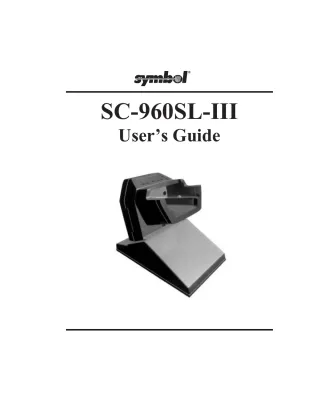
User's guide for the SC-960SL-III single-bay communication cradle that charges and communicates with the PTC-960SL hand-held terminal.
What this file really is
The old site listed this file as “SC-960SL-III Users Guide” for the Battery for Telxon PTC-960-SL Phase 3. This is the user's guide for the SC-960SL-III communication cradle for the PTC-960SL, not a manual for a battery; it covers charging battery packs in the cradle.
Filed with · 1 model
Also filed with these models on the old site

Summary
What is in it
The user's guide for the SC-960SL-III Single-bay Communication Cradle, an accessory for the PTC-960SL. It explains installing the cradle on a surface or wall, connecting it to a host computer or external modem, linking cradles together, inserting and removing the PTC, charging lithium-ion and nickel-cadmium battery packs, communicating data and flashing through the cradle, maintenance and troubleshooting. Appendices give specifications, accessory part numbers, pinouts and cables, and LED indicators.
Its parts
- Regulations
- Safety information
- Scope of the manual
- Overview of the SC-960SL-III
- Getting started
- Parts
- Features
- Installing a single cradle
- Connecting cradles together
- Inserting and removing a PTC
- Charging battery packs
- Communicating data
- Flashing through the cradle
- Maintaining the SC-960SL-III
- Troubleshooting
From the manual
Key facts from this manual
Each line names its page in the PDF.
The Symbol SC-960SL-III User's Guide for the single-bay communication cradle that charges a PTC-960SL hand-held computer's lithium-ion or nickel-cadmium battery pack and links it to a host computer or modem. It covers installing, wall mounting and daisychaining cradles, charging, flashing through the cradle, troubleshooting, specifications, cable wiring and accessory part numbers.
- Device
- SC-960SL-III Single-bay Communication Cradle for the PTC-960SL; charges the battery pack and links the PTC to a host or modem p. 12
- Battery part numbers
- PTC-960SL lithium-ion battery pack 23065-001; nickel-cadmium battery pack 19903-106 p. 36
- Charge time
- About 4 hours (lithium-ion) or 1.5 hours (nickel-cadmium), plus time spent communicating with the host p. 25, 34
- Charging temperature
- 40 to 110 degrees F (4 to 43 degrees C) recommended p. 25
- Power pack
- 18 volts DC, 800 mA, p/n 09798-000; each cradle needs its own p. 14, 36
- Host interface
- RS-232, full duplex, 300 to 38.4 K bps through 25-pin connectors p. 16, 34
- Host cables
- Standard: cradle-to-9-pin P-80910-100, cradle-to-25-pin 11345-1X0 (X = length in feet); alternate for PC-TCOS, TCOM-101, TCOM-201: 13656-322 (9-pin), 10582-001 (25-pin) p. 36, 39, 40
- Other cables
- Cradle-to-modem 11346-000; cradle-to-cradle extension 10930-120 p. 40
- Daisychaining
- Up to 32 cradles per system; no cable longer than 50 feet (15.2 meters) p. 20
- Charging contacts
- Six contacts in the PTC bay carry data and charge power; one identifies the battery type p. 15, 39
- Size
- 7.375 in long, 5 in wide, 6 in high; 11.75 in long and 9.25 in high with a PTC in place p. 34, 35
- Weight
- 14 oz without base; 23 oz with base; 49 oz with base and PTC p. 35
- Temperature
- Operating 40 to 110 degrees F (4 to 43 C); storage –20 to 140 degrees F (–29 to 60 C) p. 34
- Spare base
- Spare cradle base p/n 21157-001 p. 36
What this manual walks you through
- Placing the cradle on a desk or mounting it to a wall p. 17, 18
- Connecting the cradle to a host computer or external modem p. 18, 19
- Daisychaining several cradles on one host connection p. 20, 21, 22
- Inserting and removing a PTC p. 23, 24
- Charging battery packs and charging precautions p. 25
- Reflashing the PTC's flash EPROM through the cradle p. 28
- Cleaning and storing the cradle p. 29, 30
- Troubleshooting communication, slow charging and LEDs that do not light p. 31, 32, 33
- Host connector and charging contact pinouts and cable wiring p. 38, 39, 40, 41, 42, 43, 44, 45
- Reading the five status LEDs p. 46, 47
Good to know
- Do not charge any battery pack not designed for the PTC-960SL. p. 25
- Let a pack stored below freezing warm to room temperature before recharging; recharging a cold pack can damage it. p. 25
- Custom host software must not hold the RI signal on, or the PTC never suspends and its pack is not recharged. p. 39
- The first load of the PTC's operating system and application must go over a null-modem cable to a PC, not through the cradle. p. 28
- Each cradle needs its own power pack; one pack cannot power a whole system. p. 21
Questions this manual answers
How long does the SC-960SL-III take to charge a PTC-960SL battery?
About 4 hours for a lithium-ion pack or 1.5 hours for nickel-cadmium, plus any time the PTC spends communicating. p. 25
What are the PTC-960SL battery part numbers in the cradle guide?
The accessory table lists the lithium-ion pack as 23065-001 and the nickel-cadmium pack as 19903-106. p. 36
Why does my PTC-960SL battery take too long to charge in the cradle?
Check the PTC is seated (In Cradle LED on), charge near room temperature, clean the pack contacts with isopropyl alcohol, and try another PTC. p. 32
The Charging LED does not light with a PTC in the SC-960SL-III. What is wrong?
Try the PTC in a spare cradle: if it still does not light, the battery pack is faulty; if it does, the first cradle may be defective. p. 33
What cable connects the SC-960SL-III to a 9-pin PC serial port?
The standard cradle-to-9-pin host cable, P/N P-80910-100. p. 40
The whole text · 6 parts
Read the manual here as text
Its text as extracted from the PDF, unedited, in parts; each page opens the PDF at that page.
The file