Manual · Symbol
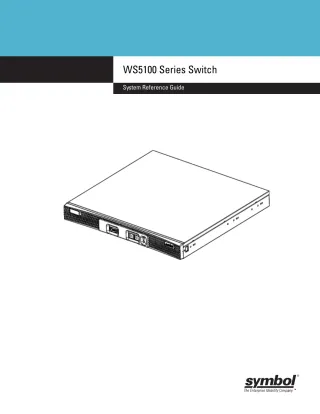
WS5100 Series Switch System Reference Guide
Manual458 pagesPDF 9.0 MB
System reference guide for the Symbol WS5100 Series wireless switch: web UI setup, network, security, management and diagnostics.
Covers · 1 model
The models it covers
Summary
What is in it
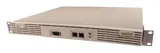
The System Reference Guide for the Symbol WS5100 Series Switch, a rack-mountable wireless switch that centrally manages access ports and mobile units on a wireless network. It covers the hardware (physical specifications, LED codes, cabling), the software features, accessing the switch web UI, upgrading and downgrading the switch image, network setup (VLANs, WLANs, access ports), switch services, security, management, diagnostics, the MIB reference and syslog.
Its parts
- Overview
- Switch Web UI Access and Image Upgrades
- Switch Information
- Network Setup
- Switch Services
- Switch Security
- Switch Management
- Diagnostics
- MIB Reference
- Syslog
From the manual
Key facts from this manual
Some pages are scans or cannot be read; this says only what the readable text supports. Each line names its page in the PDF.
The Symbol system reference guide for the WS5100 Series wireless switch, which centrally manages access ports on a wireless LAN. It gives the hardware specifications and LED codes, Web UI access and firmware upgrades to the 3.0 baseline, then network setup, services, security, management, diagnostics, MIB and syslog reference chapters.
- Device
- Rack-mountable wireless switch that manages access ports and all wireless network traffic p. 20
- Supported access ports
- AP100 (802.11b), AP300 (802.11a/b/g) and AP-4131 access points converted to access ports p. 43
- Capacity
- Up to 48 AP licenses, added or removed in batches of 6; up to 4096 MUs per switch p. 23, 30
- Access port power
- Access ports are 48V power-over-Ethernet devices on an Ethernet cable; up to 16 WLANs per AP depending on model p. 20
- Ports
- Two 10/100/1000 RJ-45 Ethernet ports on the front panel; console cable supplied for the serial CLI p. 21, 22
- Power
- Max 100 VAC, 50/60 Hz, 3A or 240 VAC, 50/60 Hz, 1.5A; power cord not supplied p. 20
- Dimensions
- 48.1 cm / 18.93 in wide with mounting brackets (42.9 cm / 16.89 in without), 4.39 cm / 1.73 in high, 40.46 cm / 15.93 in deep p. 20
- Weight
- 6.25 kg / 13.75 lbs p. 20
- Operating environment
- 10°C - 35°C / 50°F - 95°F; 5% - 85% humidity without condensation p. 20
- Management
- Web UI over HTTPS (Internet Explorer 5.5 or later with SUN JRE 1.5 or later), SNMP and CLI p. 19, 23, 45
- Firmware images
- Stores an active and a passive image; upgrade by Web UI, DHCP, CLI, SNMP or patches p. 23
- Firmware versions
- 3.0 baseline, upgraded from 1.4.x or 2.x; downgrade images WS5100-1.4.3.0-012R.img and WS5100-2.1.0.0-029R.img p. 48, 49
- Redundancy
- Switch redundancy groups (clusters) of up to 12 members p. 24, 25
- LED error codes
- Both system LEDs red blinking: POST failed; top amber solid, bottom off: software initialization failed p. 21
What this manual walks you through
- Reading the system status and port LEDs p. 21, 22
- Protecting the switch from power problems p. 20
- Preparing a browser and connecting to the switch Web UI p. 45, 46
- Upgrading the switch image from 1.4.x or 2.x to 3.0 p. 48, 49
- Downgrading the switch image from 3.0 to 1.4.x or 2.x p. 49
- Converting an AP-4131 access point to an access port p. 50, 51
- Monitoring switch temperature, fans and CPU load p. 340, 341
- Understanding syslog severity levels p. 420
Good to know
- No power cord is supplied; use a correctly rated cord certified for the country of operation. p. 20
- Upgrading to the 3.0 baseline loses parts of the configuration, so export the configuration first. p. 48
- Restart the browser after upgrading to 3.0, since applet caching can give unpredictable results. p. 48
- To reach the Web UI through a firewall, UDP port 161 must be open. p. 45
- Two Primaries in the same redundancy group waste licenses. p. 25
Questions this manual answers
How many access ports can a WS5100 switch support?
Up to 48 AP licenses, installed in batches of 6; the guide says the number actually adoptable is typically lower than 48. p. 23, 30
Which access ports work with the Symbol WS5100?
The AP100 (802.11b), the AP300 (802.11a/b/g) and access points converted to access ports, including the AP-4131. p. 43
What does it mean when both WS5100 LEDs blink red?
The Power On Self Test failed with a critical error. p. 21
What browser does the WS5100 Web UI need?
Internet Explorer 5.5 or later with SUN JRE 1.5 or later, connecting over https:// to the IP address of Ethernet port 2. p. 45, 46
What power does the WS5100 switch draw?
Maximum power consumption is 100 VAC, 50/60 Hz, 3A or 240 VAC, 50/60 Hz, 1.5A. p. 20
Contents
Chapters and sections
Each line opens the PDF at its page.
- WS5100 Series Switch System Reference Guide1
- Chapter 1 - Overview19
- Chapter 2 - Switch Web UI Access and Image Upgrades45
- Chapter 3 - Switch Information53
- Chapter 4 - Network Setup83
- 4.1 Displaying the Network Interface84
- 4.2 Viewing Network IP Information86
- 4.3 Viewing and Configuring Layer 2 Virtual LANs92
- 4.4 Configuring Switch Virtual Interfaces95
- 4.5 Viewing and Configuring Switch WLANs103
- 4.6 Viewing Associated MU Details134
- 4.7 Viewing Access Port Information142
- 4.8 Viewing Access Port Adoption Defaults160
- 4.9 Viewing Access Port Status170
- Chapter 5 - Switch Services173
- Chapter 6 - Switch Security227
58 more lines, from page 228 on
- 6.1 Displaying the Main Security Interface228
- Chapter 7 - Switch Management315
- Chapter 8 - Diagnostics339
- Chapter 9 - MIB Reference363
- Chapter 10 - Syslog419
- 10.1 Overview419
- 10.2 Auto Install Messages422
- 10.3 Cell Controller424
- 10.4 Cell Controlller Statistics Module Messages428
- 10.5 Certificate Manager API Messages429
- 10.6 Certificate Manager Messages430
- 10.7 DHCP Server Messages432
- 10.8 Diagnostic Messages433
- 10.9 File Management Messages435
- 10.10 Firmware Update Messages436
- 10.11 IMI Messages437
- 10.12 IMI Shell Messages439
- 10.13 License Manager Messages440
- 10.14 Mobility Messages441
- 10.15 MONAUTOI Messages443
- 10.16 Network Service Manager Messages444
- 10.17 Panic Messages446
- 10.18 Process Management Daemon447
- 10.19 WCCPD (Redundancy) Message449
- 10.20 Test Module Messages451
- 10.21 Update Server Messages453
- Appendix A - Customer Support455
The whole text · 51 parts
Read the manual here as text
Its text as extracted from the PDF, unedited, in parts; each page opens the PDF at that page.
- WS5100 Series Switch System Reference Guide1-4
- Contents, pages 5 to 115-11
- Contents, pages 12 to 1812-18
- Chapter 1 - Overview, pages 19 to 2719-27
- Chapter 1 - Overview, pages 28 to 3628-36
- Chapter 1 - Overview, pages 37 to 4437-44
- Chapter 2 - Switch Web UI Access and Image Upgrades45-52
- Chapter 3 - Switch Information, pages 53 to 6253-62
- Chapter 3 - Switch Information, pages 63 to 7263-72
- Chapter 3 - Switch Information, pages 73 to 8273-82
- Chapter 4 - Network Setup, pages 83 to 9283-92
- Chapter 4 - Network Setup, pages 93 to 10293-102
- Chapter 4 - Network Setup, pages 103 to 112103-112
- Chapter 4 - Network Setup, pages 113 to 122113-122
- Chapter 4 - Network Setup, pages 123 to 132123-132
- Chapter 4 - Network Setup, pages 133 to 142133-142
- Chapter 4 - Network Setup, pages 143 to 152143-152
- Chapter 4 - Network Setup, pages 153 to 162153-162
- Chapter 4 - Network Setup, pages 163 to 172163-172
- Chapter 5 - Switch Services, pages 173 to 181173-181
- Chapter 5 - Switch Services, pages 182 to 190182-190
- Chapter 5 - Switch Services, pages 191 to 199191-199
- Chapter 5 - Switch Services, pages 200 to 208200-208
- Chapter 5 - Switch Services, pages 209 to 217209-217
- Chapter 5 - Switch Services, pages 218 to 226218-226
- Chapter 6 - Switch Security, pages 227 to 236227-236
- Chapter 6 - Switch Security, pages 237 to 246237-246
- Chapter 6 - Switch Security, pages 247 to 256247-256
- Chapter 6 - Switch Security, pages 257 to 266257-266
- Chapter 6 - Switch Security, pages 267 to 276267-276
- Chapter 6 - Switch Security, pages 277 to 286277-286
- Chapter 6 - Switch Security, pages 287 to 296287-296
- Chapter 6 - Switch Security, pages 297 to 306297-306
- Chapter 6 - Switch Security, pages 307 to 314307-314
- Chapter 7 - Switch Management, pages 315 to 322315-322
- Chapter 7 - Switch Management, pages 323 to 330323-330
- Chapter 7 - Switch Management, pages 331 to 338331-338
- Chapter 8 - Diagnostics, pages 339 to 346339-346
- Chapter 8 - Diagnostics, pages 347 to 354347-354
- Chapter 8 - Diagnostics, pages 355 to 362355-362
- Chapter 9 - MIB Reference, pages 363 to 372363-372
- Chapter 9 - MIB Reference, pages 373 to 382373-382
- Chapter 9 - MIB Reference, pages 383 to 392383-392
- Chapter 9 - MIB Reference, pages 393 to 402393-402
- Chapter 9 - MIB Reference, pages 403 to 412403-412
- Chapter 9 - MIB Reference, pages 413 to 418413-418
- Chapter 10 - Syslog, pages 419 to 427419-427
- Chapter 10 - Syslog, pages 428 to 436428-436
- Chapter 10 - Syslog, pages 437 to 445437-445
- Chapter 10 - Syslog, pages 446 to 454446-454
- Appendix A - Customer Support455-458
The file