Manual · Symbol
RF Modem 3010 Product Reference Guide
Manual45 pagesPDF 534 KB
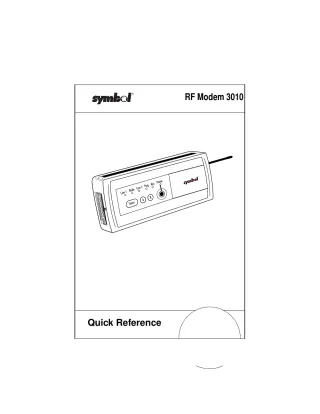
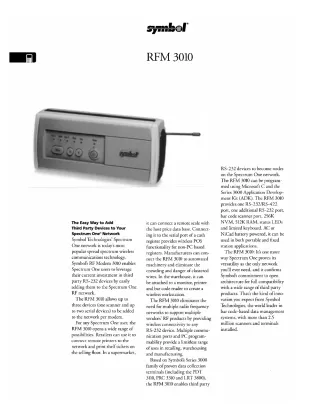
Product reference guide for the Symbol RF Modem 3010 (RFM 3010), an RS-232 bridge into the Spectrum One wireless network.
Covers · 1 model
The models it covers
Summary
What is in it
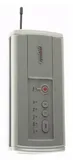
Symbol's product reference guide for the RF Modem 3010, a portable DR DOS computer that acts as an RS-232 bridge into the Spectrum One network, in the 3010-0T00 and 3010-0500 models. It covers the parts and accessories, operating environment, cleaning and battery care, initializing, powering, booting and loading programs, scanning with laser and wand scanners, the keyboard and LEDs, the BIOS API, error recovery and troubleshooting, and pinouts for the scanner, COM1 and COM2 ports.
Its parts
- About This Manual
- Introduction
- Maintaining the RFM 3010
- Operating the RFM 3010
From the manual
Key facts from this manual
Each line names its page in the PDF.
Symbol RF Modem 3010 Product Reference Guide, 70-12074-01 Revision A (September 1994, software version 1.00), covering both models, the 3010-0T00 and the 3010-0500. It explains care and battery upkeep, loading an application program, scanning, the LEDs and keys, troubleshooting, and the pin-outs of the scanner, COM1 and COM2 ports.
- Device
- Portable computer that acts as an RS-232 bridge into the Spectrum One network; it has no video display p. 9, 35
- Models and RAM
- 3010-0T00: 256Kb RAM; 3010-0500: 512Kb RAM plus a DE-9 scanner port p. 9
- Ports
- COM1 RS-232/RS-422 (DB-25, bottom), COM2 RJ-41 (top), internal radio transmitter/receiver p. 9, 39, 42
- Power
- AC Power Adapter or rechargeable NiCd battery pack p. 9
- Battery packs
- NiCd, product numbers 3045-008 (600mah) and 3045-010 (800mah) p. 16
- Chargers
- 15-Volt adapter charger (charges the pack in the unit) and 15-Volt Universal Battery Charger (up to four packs, in adapter cartridges) p. 11
- Charging part numbers
- The charging accessories table lists 3042-06M (US version), 3004-110 (US version), 3004-220 (Int'l version) and 3004-003 p. 11
- Scanners
- 3010-0500: compatible Symbol scanners listed are LS 2000, LS 3000, LS 5000, LS 9100, LT 1700 (laser) and LP 1500 (contact wand) p. 12
- Operating system
- DR DOS, compatible with IBM PC-DOS p. 9
- Serial settings
- Fixed at 19200 bps, 7 bit data, odd parity, Xon/Xoff flow control, 1 stop bit p. 19
- Download cable
- Modem cable with a male DB-25 at one end and a female DE-9 at the other; SENDHEX 3.0 or later p. 19
- Environment
- 32 to 122 F (0 to 50 C); 0 to 90% humidity non-condensing; 15 kilovolts max static discharge p. 14
- Memory backup
- Super capacitor keeps RAM for about 1 minute and 20 seconds during a battery change p. 15
- Scanner port
- 3010-0500 only: DE-9 at the top; pin 9 is wand power (+5V); pin 1 must be grounded on contact wand scanners p. 38
What this manual walks you through
- Wall mounting the RFM 3010 p. 13, 14
- Replacing the battery pack p. 16
- Charging the NiCd battery in the unit or externally p. 17, 18
- Initializing the unit by downloading an application program p. 19
- Powering on and off, including automatic power events p. 20
- Attaching and using a laser or contact wand scanner p. 26, 27
- Reading the LEDs and using the keys p. 28, 29, 30
- Troubleshooting power, key, scanner and clock problems p. 36, 37
- Pin-outs of the scanner, COM1 and COM2 ports and cables p. 38, 39, 40, 41, 42
Good to know
- Alkaline batteries should not be used in the unit. p. 16
- Do not use a SENDHEX version earlier than 3.0; earlier versions do not support flow control. p. 19
- Only detachable laser scanners, such as the LS 2000, may be used with the 3010-0500; the LS 7000 is excluded. p. 26, 27
- Do not pour, spray or spill any liquid onto the unit or its peripherals. p. 15
- When the POWER LED blinks red, probably less than one hour of usable power is left. p. 15
Questions this manual answers
What battery does the Symbol RFM 3010 use?
A rechargeable NiCd pack, product number 3045-008 (600mah) or 3045-010 (800mah). Alkaline batteries should not be used. p. 16
What are the serial port settings of the RFM 3010?
They are fixed at 19200 bps, 7 bit data, odd parity, Xon/Xoff flow control and 1 stop bit. p. 19
Which RFM 3010 model has a scanner port?
The 3010-0500, which also has 512Kb of RAM; the 3010-0T00 has 256Kb of RAM. p. 9
What does a solid red POWER LED mean on the RFM 3010?
Battery power is low and the terminal is plugged into the wall charger. p. 29
How long does the RFM 3010 keep its memory during a battery change?
Its super capacitor keeps RAM contents for about 1 minute and 20 seconds. p. 15
Contents
Chapters and sections
Each line opens the PDF at its page.
The whole text · 5 parts
Read the manual here as text
Its text as extracted from the PDF, unedited, in parts; each page opens the PDF at that page.
The file