Manual · Symbol
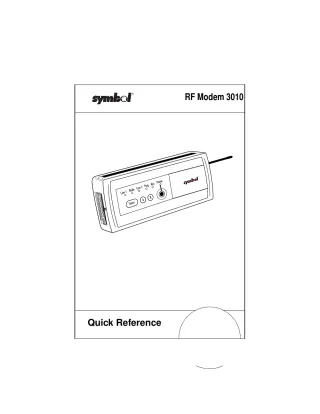
RS 2200/3200 Series RF Modem 3010 Quick Reference
Manual20 pagesPDF 373 KB
Quick reference for the Symbol RF Modem 3010 (RFM 3010): parts, wall mounting, NiCad battery, power, scanners, LEDs, keys and troubleshooting.
Covers · 1 model
The models it covers
Summary
What is in it
The Symbol quick reference for the RF Modem 3010 (RFM 3010), a portable unit that acts as a serial bridge into a Spectrum One radio network and runs DR-DOS. It names the parts of the unit (ports, indicator lights, buttons, antenna, battery compartment), then covers wall mounting with the optional bracket, replacing and charging the NiCad battery pack, powering on and off and forcing power off, attaching a scanner, using a laser scanner or contact wand, LED and key descriptions, a troubleshooting chart and Symbol support centers.
Its parts
- Overview
- About This Guide
- Parts of the RFM 3010
- Wall Mounting the RFM 3010
- Battery Maintenance
- Power On and Off
- Attaching a Scanner
- Using a Laser Scanner
- Using A Contact Wand Scanner
- LED Descriptions
- Key Descriptions
- Troubleshooting
- Symbol Support Centers
From the manual · read page by page
Key facts from this manual
Some pages are scans or cannot be read; this says only what the readable text supports. Each line names its page in the PDF.
Symbol quick reference for the RF Modem 3010 of the RS 2200/3200 Series. It covers the parts of the unit, wall mounting, battery care, attaching and using scanners, the lights and keys, and troubleshooting. The text layer of most pages in this PDF is unreadable, so this summary lists only what the readable pages show.
- Device
- RF Modem 3010, in the RS 2200/3200 Series p. 1
- Scanner input
- The guide covers using a contact wand scanner with the unit p. 15
What this manual walks you through
- Identifying the parts of the RFM 3010 p. 4, 5
- Using a contact wand scanner p. 15
- Contacting the Symbol Support Centers p. 18
Questions this manual answers
What is the Symbol RFM 3010?
The quick reference names it the RF Modem 3010, part of the RS 2200/3200 Series. p. 1
Does the RFM 3010 quick reference show the parts of the unit?
Yes, it has a numbered drawing of the parts of the RFM 3010. p. 4, 5
Can a wand scanner be used with the RFM 3010?
The quick reference has a section on using a contact wand scanner. p. 15
Contents
Chapters and sections
Each line opens the PDF at its page.
- Overview3
- About This Guide4
- Parts of the RFM 30104
- Parts of the RFM 3010 (cont’d)5
- 1. Scanner Port (DE-9) (optional)5
- 2. End Cap seal5
- 3. End Cap5
- 4. Com2 Port (RJ-41)5
- 5. Battery compartment5
- 6. Antenna5
- 7. Serial I.D. number label5
- 8. Battery compartment cover5
- 9. Battery compartment lock5
- 10. Battery (optional)5
- 11. Com1 indicator light5
- 12. Radio indicator light5
- 13. Com2 indicator light5
- 14. Prog. indicator light5
- 15. Aux. indicator light5
- 16. Power indicator light5
- 17. Power button5
- 18. B button5
- 19. A button5
- 20. Status button5
- 21. AC Power jack5
- 22. Com1 Port (RS-232/RS-4225
- 23. Manufacturing label/FCC label5
- 24. Wall mounting bracket (optional)5
- Wall Mounting the RFM 30106
- Battery Maintenance8
- Power On and Off12
- Attaching a Scanner13
The whole text · 2 parts
Read the manual here as text
Its text as extracted from the PDF, unedited, in parts; each page opens the PDF at that page.
The file