Spec sheet · Symbol
Symbol PPT-4100, PPT-4110 and PPT-4140 Spec Sheet
Spec sheet4 pagesPDF 235 KB
All 4 pages are below, each with its text.
Covers · 3 models
The models it covers
From the sheet · read page by page
Key facts from this sheet
Each line names its page in the PDF.
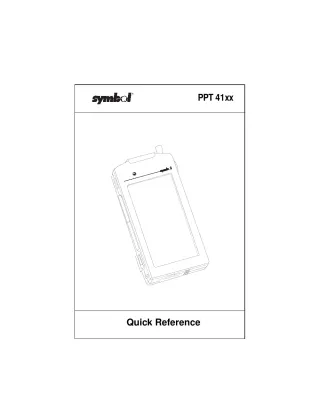
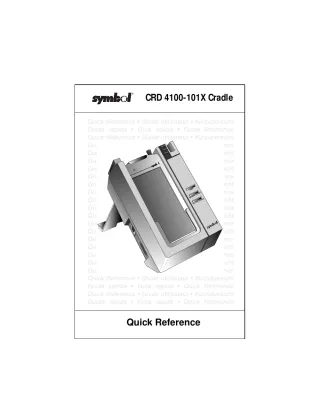
A four-page spec sheet for the Symbol PPT 4100 Series portable pen terminals with integrated scanner: the batch PPT 4100, the Spectrum One PPT 4110 and the Spectrum24 PPT 4140. It describes the models and lists the processor, memory, display, scanner, ports, PCMCIA slots and physical specifications.
- Device
- Palm-sized pen terminal with integrated laser scanner, running a PC-compatible DOS environment p. 2
- Processor
- Chips and Technologies PC-chip (F8680A) p. 4
- Operating system
- MS-DOS 5.0; Phoenix Technologies XT BIOS and Pen BIOS p. 4
- Memory
- Pseudo-static RAM, 1MB base, upgradable to 4MB; 1MB flash p. 4
- Display
- Supertwist reflective LCD, optional backlight, 200 x 640 pixels CGA, 5.5 x 3 in. active area, portrait mode p. 4
- Scanner
- SE1000, solid state VLD, 675 nm laser diode p. 4
- PCMCIA
- Two Type II (5.0 mm) slots, PCMCIA version 2.0, for memory, modem or radio cards p. 2, 4
- Radio
- PPT 4110: Spectrum One; PPT 4140: Spectrum24 frequency hopping in the 2.4 to 2.5 GHz bands p. 3
- I/O ports
- XT-compatible keyboard, RS-232 serial at 38.4 Kbps, infrared cradle interface (4 channel, 38.4 Kbps maximum) p. 4
- Batch communications
- RJ-41 RS-232-C at 150 bps to 38.4 Kbps; Megahertz XJACK internal modem supported p. 4
- Size and weight
- 8.2 x 4 x 1.3 in.; 16.5 oz. with scanner, without radio or battery pack p. 4
- Charging
- 2 hours via cradle; rechargeable lithium backup battery p. 4
- Drop rating
- Multiple 3.3 ft/1 m drops to tiled floor, except on the display face p. 4
- Pen input
- Pressure-sensitive membrane digitizer, 180 dots/inch; MS-mouse emulation; plastic passive stylus included p. 4
What this sheet walks you through
- Choosing between the batch, Spectrum One and Spectrum24 models p. 2, 3
- Features and benefits of the series p. 3
- Specification highlights p. 4
Good to know
- Spectrum One is available only in the U.S. p. 4
- The stated weight excludes the radio and the battery pack. p. 4
- Specifications are subject to change without notice. p. 4
Questions this sheet answers
What processor and operating system does the PPT 4100 use?
A Chips and Technologies PC-chip (F8680A) running MS-DOS 5.0. p. 4
How much memory does the PPT 4100 have?
1MB of pseudo-static RAM, upgradable to 4MB, plus 1MB of flash. p. 4
What is the difference between the PPT 4100, PPT 4110 and PPT 4140?
The PPT 4100 is for batch data capture, the PPT 4110 uses Spectrum One radio, and the PPT 4140 uses Spectrum24. p. 2, 3
Which scan engine is in the PPT 4100?
The SE1000, with a 675 nm laser diode. p. 4
How big is the PPT 4100?
8.2 in. high, 4 in. wide and 1.3 in. deep, weighing 16.5 oz. with scanner but without radio or battery pack. p. 4
The file
Size and text
Every page · 4
Read it here
Each page as it is printed, and its words beside it, so a phone can search and copy them.
Page1of 4
Open in the PDF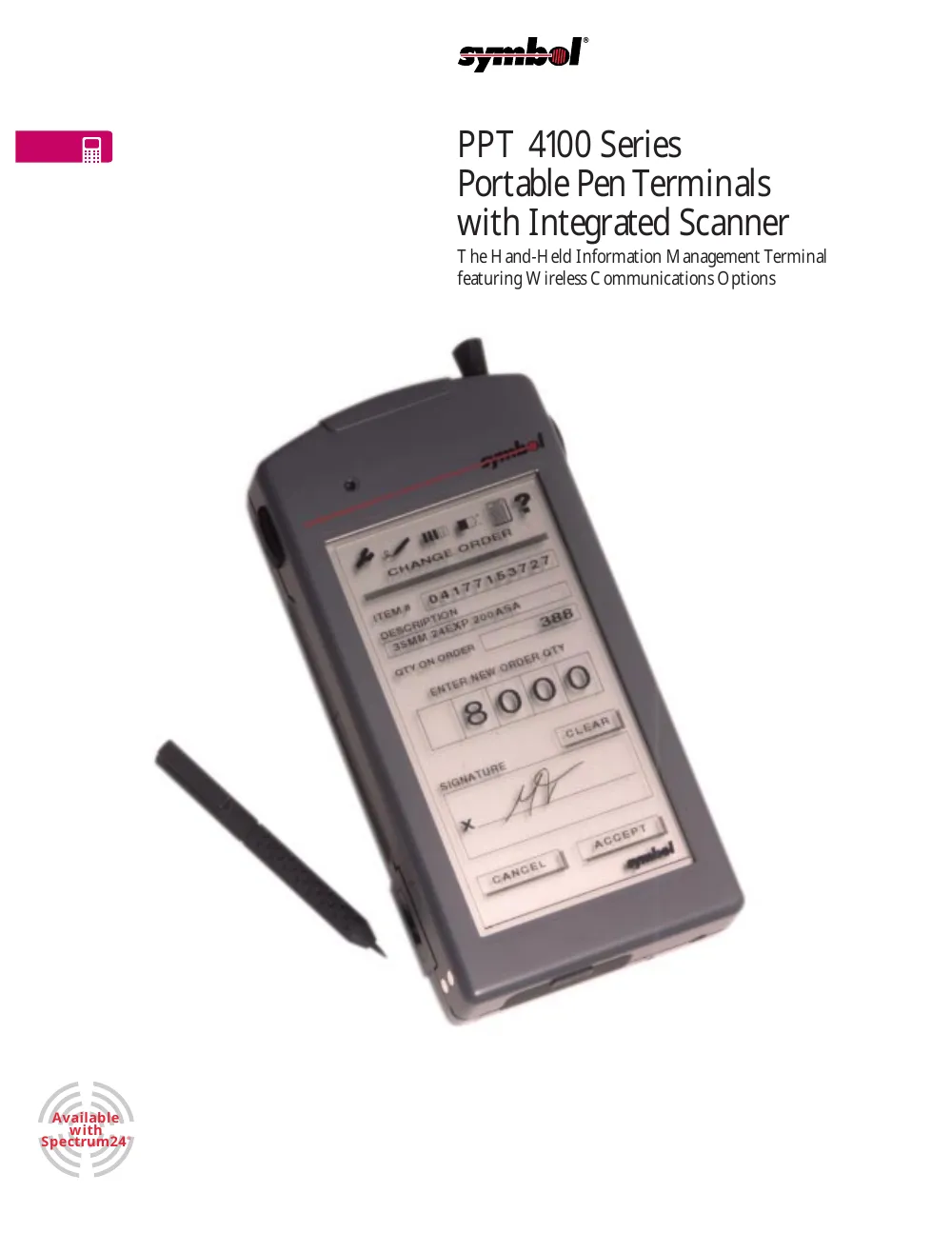
The text of page 1, from the PDF itself
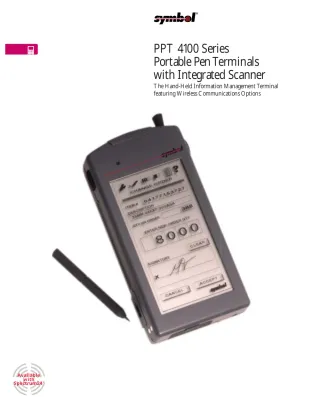
PPT 4100 Series Portable Pen Terminals with Integrated Scanner The Hand-Held Information Management Terminal featuring Wireless Communications Options
Available with Spectrum24
Page2of 4
Open in the PDF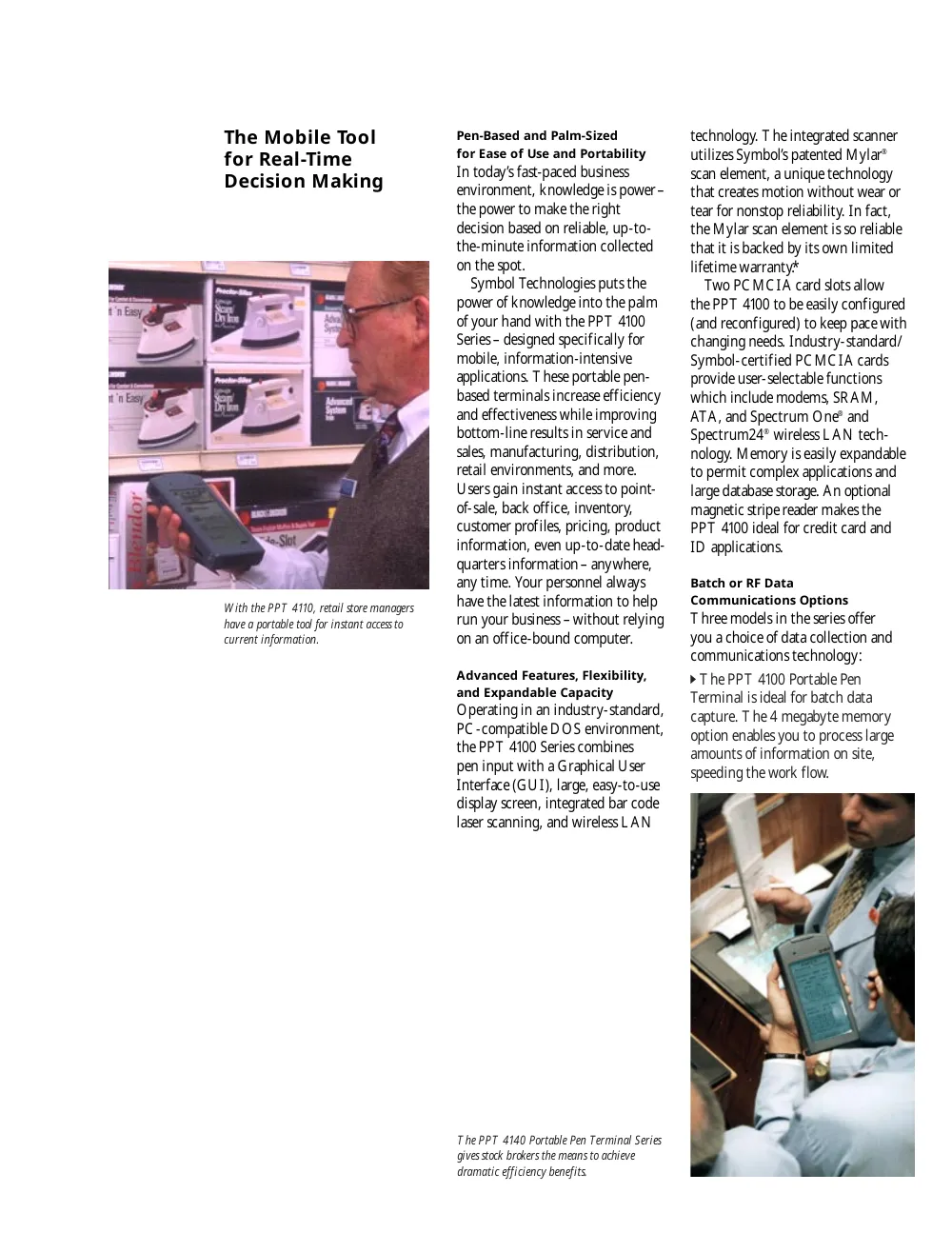
The text of page 2, from the PDF itself
The Mobile Tool for Real-Time Decision Making
With the PPT 4110, retail store managers have a portable tool for instant access to current information.
Pen-Based and Palm-Sized for Ease of Use and Portability
In today’s fast-paced business environment, knowledge is power – the power to make the right decision based on reliable, up-tothe-minute information collected on the spot. Symbol Technologies puts the power of knowledge into the palm of your hand with the PPT 4100 Series – designed specifically for mobile, information-intensive applications. These portable penbased terminals increase efficiency and effectiveness while improving bottom-line results in service and sales, manufacturing, distribution, retail environments, and more. Users gain instant access to pointof-sale, back office, inventory, customer profiles, pricing, product information, even up-to-date headquarters information – anywhere, any time. Your personnel always have the latest information to help run your business – without relying on an office-bound computer. Advanced Features, Flexibility, and Expandable Capacity
Operating in an industry-standard, PC-compatible DOS environment, the PPT 4100 Series combines pen input with a Graphical User Interface (GUI), large, easy-to-use display screen, integrated bar code laser scanning, and wireless LAN
The PPT 4140 Portable Pen Terminal Series gives stock brokers the means to achieve dramatic efficiency benefits.
technology. The integrated scanner utilizes Symbol’s patented Mylar® scan element, a unique technology that creates motion without wear or tear for nonstop reliability. In fact, the Mylar scan element is so reliable that it is backed by its own limited lifetime warranty.* Two PCMCIA card slots allow the PPT 4100 to be easily configured (and reconfigured) to keep pace with changing needs. Industry-standard/ Symbol-certified PCMCIA cards provide user-selectable functions which include modems, SRAM, ATA, and Spectrum One® and Spectrum24® wireless LAN technology. Memory is easily expandable to permit complex applications and large database storage. An optional magnetic stripe reader makes the PPT 4100 ideal for credit card and ID applications. Batch or RF Data Communications Options
Three models in the series offer you a choice of data collection and communications technology: © The PPT 4100 Portable Pen Terminal is ideal for batch data capture. The 4 megabyte memory option enables you to process large amounts of information on site, speeding the work flow.
Page3of 4
Open in the PDF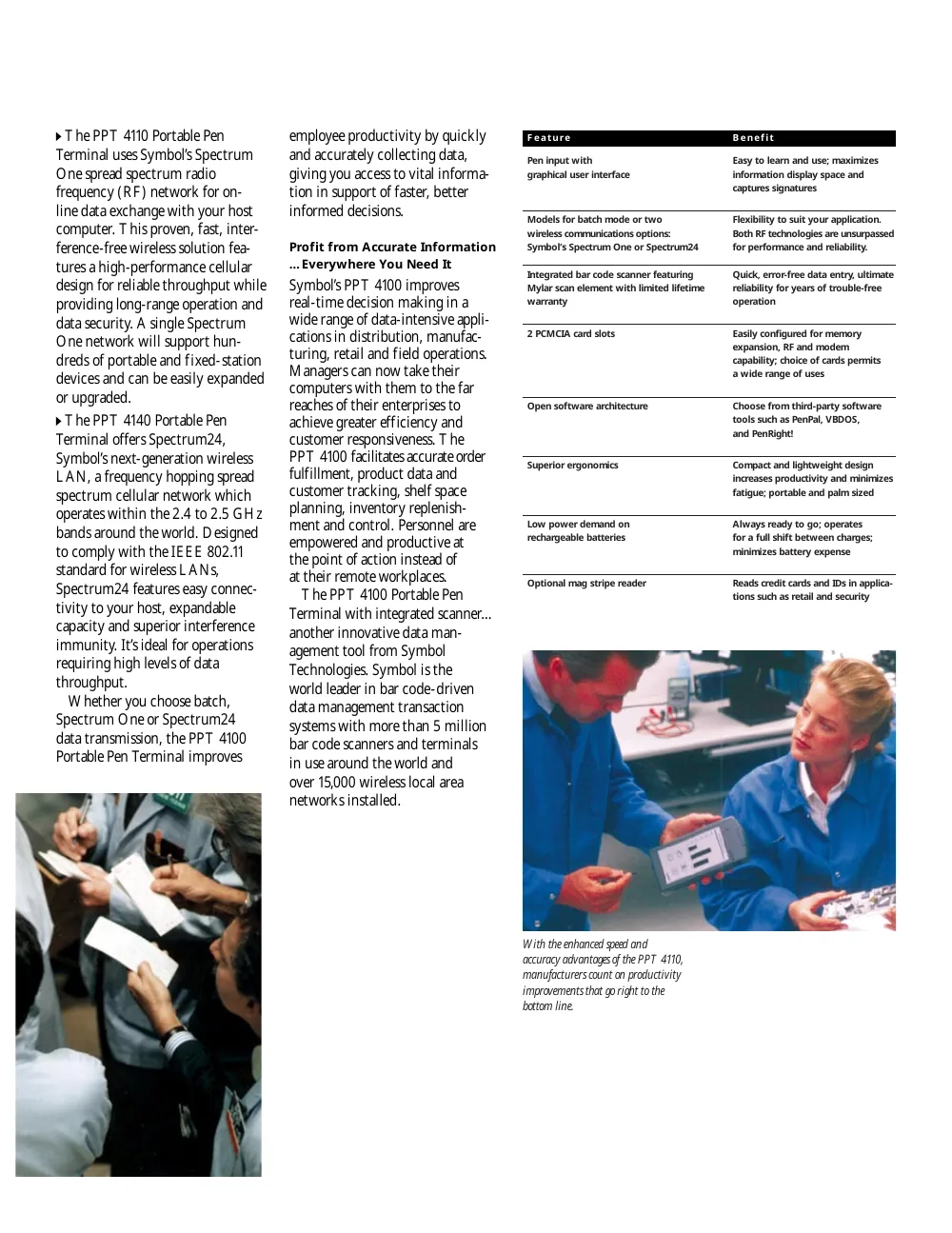
The text of page 3, from the PDF itself
©
The PPT 4110 Portable Pen Terminal uses Symbol’s Spectrum One spread spectrum radio frequency (RF) network for online data exchange with your host computer. This proven, fast, interference-free wireless solution features a high-performance cellular design for reliable throughput while providing long-range operation and data security. A single Spectrum One network will support hundreds of portable and fixed-station devices and can be easily expanded or upgraded. © The PPT 4140 Portable Pen Terminal offers Spectrum24, Symbol’s next-generation wireless LAN, a frequency hopping spread spectrum cellular network which operates within the 2.4 to 2.5 GHz bands around the world. Designed to comply with the IEEE 802.11 standard for wireless LANs, Spectrum24 features easy connectivity to your host, expandable capacity and superior interference immunity. It’s ideal for operations requiring high levels of data throughput. Whether you choose batch, Spectrum One or Spectrum24 data transmission, the PPT 4100 Portable Pen Terminal improves
employee productivity by quickly and accurately collecting data, giving you access to vital information in support of faster, better informed decisions. Profit from Accurate Information …Everywhere You Need It
Symbol’s PPT 4100 improves real-time decision making in a wide range of data-intensive applications in distribution, manufacturing, retail and field operations. Managers can now take their computers with them to the far reaches of their enterprises to achieve greater efficiency and customer responsiveness. The PPT 4100 facilitates accurate order fulfillment, product data and customer tracking, shelf space planning, inventory replenishment and control. Personnel are empowered and productive at the point of action instead of at their remote workplaces. The PPT 4100 Portable Pen Terminal with integrated scanner... another innovative data management tool from Symbol Technologies. Symbol is the world leader in bar code-driven data management transaction systems with more than 5 million bar code scanners and terminals in use around the world and over 15,000 wireless local area networks installed.
Feature
Benefit
Pen input with graphical user interface
Easy to learn and use; maximizes information display space and captures signatures
Models for batch mode or two wireless communications options: Symbol’s Spectrum One or Spectrum24
Flexibility to suit your application. Both RF technologies are unsurpassed for performance and reliability.
Integrated bar code scanner featuring Mylar scan element with limited lifetime warranty
Quick, error-free data entry, ultimate reliability for years of trouble-free operation
2 PCMCIA card slots
Easily configured for memory expansion, RF and modem capability; choice of cards permits a wide range of uses
Open software architecture
Choose from third-party software tools such as PenPal, VBDOS, and PenRight!
Superior ergonomics
Compact and lightweight design increases productivity and minimizes fatigue; portable and palm sized
Low power demand on rechargeable batteries
Always ready to go; operates for a full shift between charges; minimizes battery expense
Optional mag stripe reader
Reads credit cards and IDs in applications such as retail and security
With the enhanced speed and accuracy advantages of the PPT 4110, manufacturers count on productivity improvements that go right to the bottom line.
Page4of 4
Open in the PDF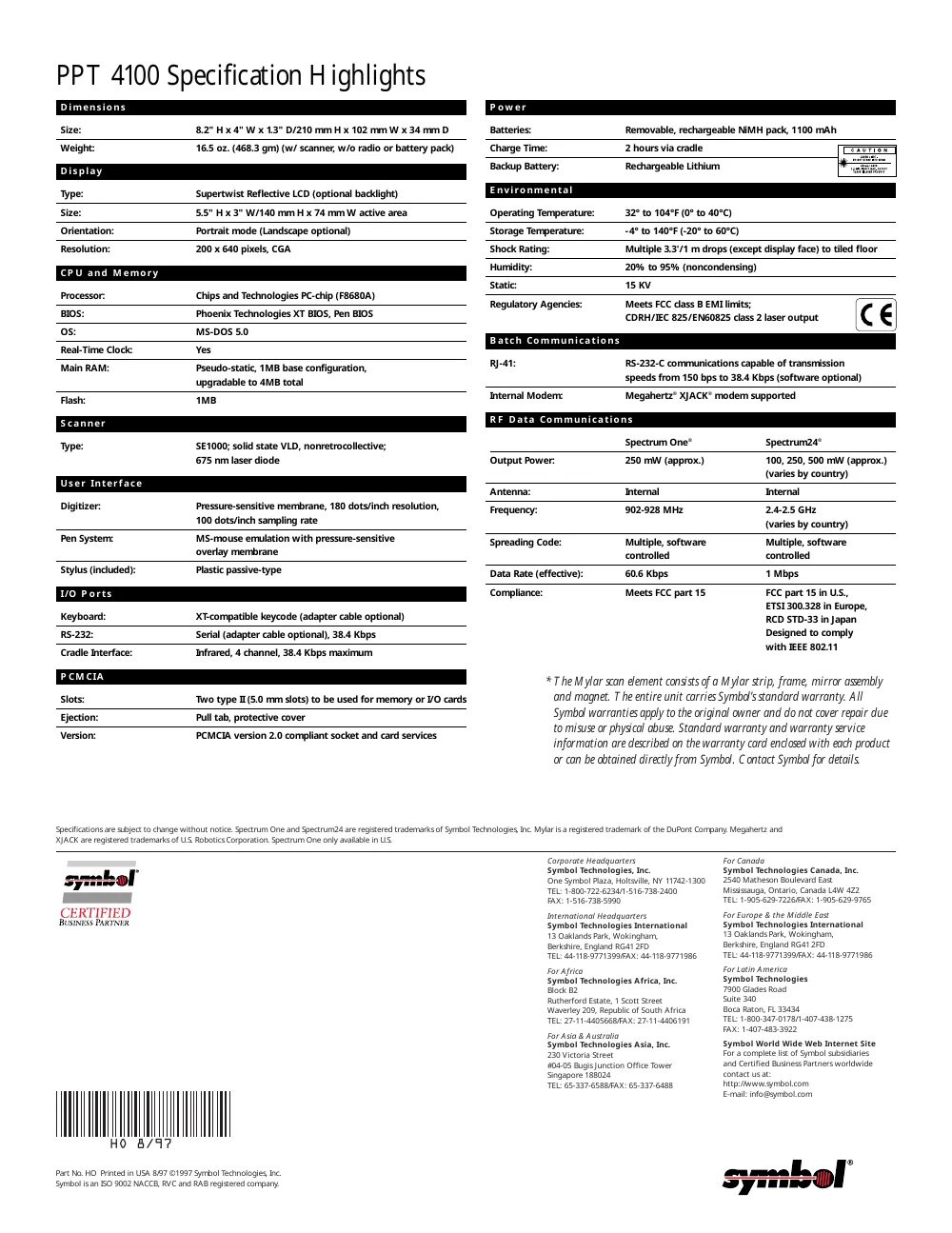
The text of page 4, from the PDF itself
PPT 4100 Specification Highlights Dimensions
Power
- Size
- 8.2" H x 4" W x 1.3" D/210 mm H x 102 mm W x 34 mm D
Batteries:
- Weight
- 16.5 oz. (468.3 gm) (w/ scanner, w/o radio or battery pack)
- Charge Time
- 2 hours via cradle
- Backup Battery
- Rechargeable Lithium
Display
Removable, rechargeable NiMH pack, 1100 mAh
- Type
- Supertwist Reflective LCD (optional backlight)
Environmental
- Size
- 5.5" H x 3" W/140 mm H x 74 mm W active area
Operating Temperature:
- Orientation
- Portrait mode (Landscape optional)
- Storage Temperature
- -4° to 140°F (-20° to 60°C)
- Resolution
- 200 x 640 pixels, CGA
- Shock Rating
- Multiple 3.3'/1 m drops (except display face) to tiled floor
CPU and Memory
- Processor
- Chips and Technologies PC-chip (F8680A)
- BIOS
- Phoenix Technologies XT BIOS, Pen BIOS
32° to 104°F (0° to 40°C)
- Humidity
- 20% to 95% (noncondensing)
- Static
- 15 KV
- Regulatory Agencies
- Meets FCC class B EMI limits; CDRH/IEC 825/EN60825 class 2 laser output
- OS
- MS-DOS 5.0
- Real-Time Clock
- Yes
- Main RAM
- Pseudo-static, 1MB base configuration, upgradable to 4MB total
- RJ-41
- RS-232-C communications capable of transmission speeds from 150 bps to 38.4 Kbps (software optional)
- Flash
- 1MB
- Internal Modem
- Megahertz® XJACK® modem supported
Batch CommunicationsRF Data CommunicationsScanner
- Type
- SE1000; solid state VLD, nonretrocollective; 675 nm laser diode
User InterfaceSpectrum One®Spectrum24®
- Output Power
- 250 mW (approx.)
100, 250, 500 mW (approx.) (varies by country)
- Antenna
- Internal
Internal
- Digitizer
- Pressure-sensitive membrane, 180 dots/inch resolution, 100 dots/inch sampling rate
- Frequency
- 902-928 MHz
2.4-2.5 GHz (varies by country)
- Pen System
- MS-mouse emulation with pressure-sensitive overlay membrane
- Spreading Code
- Multiple, software controlled
Multiple, software controlled
- Stylus (included)
- Plastic passive-type
- Data Rate (effective)
- 60.6 Kbps
1 Mbps
- Compliance
- Meets FCC part 15
FCC part 15 in U.S., ETSI 300.328 in Europe, RCD STD-33 in Japan Designed to comply with IEEE 802.11
I/O Ports
- Keyboard
- XT-compatible keycode (adapter cable optional)
- RS-232
- Serial (adapter cable optional), 38.4 Kbps
- Cradle Interface
- Infrared, 4 channel, 38.4 Kbps maximum
PCMCIA
- Slots
- Two type II (5.0 mm slots) to be used for memory or I/O cards
- Ejection
- Pull tab, protective cover
- Version
- PCMCIA version 2.0 compliant socket and card services
- The Mylar scan element consists of a Mylar strip, frame, mirror assembly and magnet. The entire unit carries Symbol’s standard warranty. All Symbol warranties apply to the original owner and do not cover repair due to misuse or physical abuse. Standard warranty and warranty service information are described on the warranty card enclosed with each product or can be obtained directly from Symbol. Contact Symbol for details.
Specifications are subject to change without notice. Spectrum One and Spectrum24 are registered trademarks of Symbol Technologies, Inc. Mylar is a registered trademark of the DuPont Company. Megahertz and XJACK are registered trademarks of U.S. Robotics Corporation. Spectrum One only available in U.S. Corporate Headquarters Symbol Technologies, Inc. One Symbol Plaza, Holtsville, NY 11742-1300 TEL: 1-800-722-6234/1-516-738-2400 FAX: 1-516-738-5990
For Canada Symbol Technologies Canada, Inc. 2540 Matheson Boulevard East Mississauga, Ontario, Canada L4W 4Z2 TEL: 1-905-629-7226/FAX: 1-905-629-9765
International Headquarters Symbol Technologies International 13 Oaklands Park, Wokingham, Berkshire, England RG41 2FD TEL: 44-118-9771399/FAX: 44-118-9771986
For Europe & the Middle East Symbol Technologies International 13 Oaklands Park, Wokingham, Berkshire, England RG41 2FD TEL: 44-118-9771399/FAX: 44-118-9771986
For Africa Symbol Technologies Africa, Inc. Block B2 Rutherford Estate, 1 Scott Street Waverley 209, Republic of South Africa TEL: 27-11-4405668/FAX: 27-11-4406191
For Latin America Symbol Technologies 7900 Glades Road Suite 340 Boca Raton, FL 33434 TEL: 1-800-347-0178/1-407-438-1275 FAX: 1-407-483-3922
For Asia & Australia Symbol Technologies Asia, Inc. 230 Victoria Street #04-05 Bugis Junction Office Tower Singapore 188024 TEL: 65-337-6588/FAX: 65-337-6488
HO 8/97 Part No. HO Printed in USA 8/97 ©1997 Symbol Technologies, Inc. Symbol is an ISO 9002 NACCB, RVC and RAB registered company.
Symbol World Wide Web Internet Site For a complete list of Symbol subsidiaries and Certified Business Partners worldwide contact us at: http://www.symbol.com E-mail: info@symbol.com