Manual · Symbol
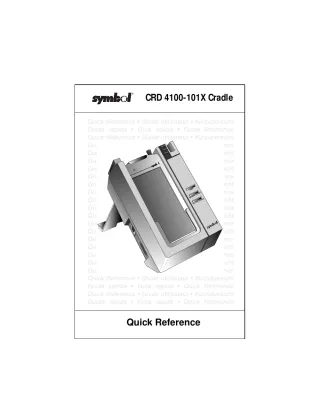
CRD 4100-101X Cradle Quick Reference
Manual21 pagesPDF 502 KB
Quick reference for the Symbol CRD 4100-101X cradle, which charges and connects the PPT 4100/4110 terminal over RS-232.
Names · 2 models
The models it names
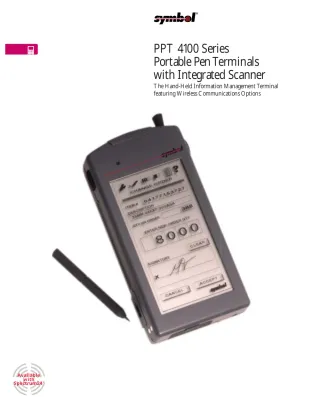
 Symbol PPT-4100Portable batch data collection terminal Call for availability
 Symbol PPT-4110900 MHz wireless portable data collection terminal Call for availability
Filed with · 1 model
Also filed with these models on the old site
Summary
What is in it
A short quick reference for the Symbol CRD 4100-101X cradle used with the PPT 4100/4110 terminal. It names the parts of the cradle, then explains wall and desk mounting, linking up to four cradles, RS-232 serial connections to a computer, printer or modem, connecting power, seating and locking the terminal, sending data to the host, charging the terminal and a spare battery pack, the indicator lights and troubleshooting.
Its parts
- Introduction
- Parts of The Cradle
- Wall Mounting
- Desk Mounting
- Connecting to Other Cradles
- Serial Connections
- Connecting Power
- Placing the Terminal in Cradle
- Using the Locking Mechanism
- Printing or Sending Data to the Host Computer
- Recharging the Battery in the Terminal
- Recharging the Battery Pack
- Indicator Lights
- Troubleshooting
From the manual · read page by page
Key facts from this manual
Each line names its page in the PDF.
A quick reference guide for the Symbol CRD 4100-101X cradle, which provides RS-232 communication, charging and storage for the PPT 4100/4110 terminal. It explains desk and wall mounting, linking cradles, serial and power connections, the lock, charging the terminal and a spare battery pack, and troubleshooting.
- Device
- CRD 4100-101X cradle for RS-232 communication, charging and storage of the PPT 4100/4110 terminal p. 3
- Ports
- Two DB-25 communications ports, RJ-41 port, AC power connector, infrared (IR) lights p. 5
- Serial use
- RS-232 link to a computer, printer, modem or other peripheral; 25-to-9 pin adapter for a 9-pin PC port p. 9
- Spare battery
- Separate battery pack charging slot with a black release switch p. 5, 16
- Charging order
- Cannot fast-charge terminal and spare pack together: the pack fast-charges first while the terminal trickle-charges p. 15
- Linking cradles
- Up to four cradles joined by an RS-232 inter-cradle cable, each with its own power supply p. 8
- Terminator plug
- p/n 50-12100-105, fitted in communications port 2 of the last cradle p. 8
- Indicator lights
- COMM, TERMINAL CHARGE and BATTERY CHARGE p. 5
- Mounting
- Desk or wall, using the removable mounting bracket p. 6, 7
- Lock
- Optional locking mechanism takes a combination or key lock (lock not included) p. 12
- Document number
- 70-11995-02, Revision C, August 1998 p. 21
What this manual walks you through
- Wall mounting the cradle p. 6
- Desk mounting the cradle p. 7
- Connecting up to four cradles together p. 8
- Connecting to a computer, printer or modem p. 9
- Connecting power p. 10
- Placing, locking and removing the terminal p. 11, 12, 13
- Printing or sending data to the host computer p. 14
- Recharging the terminal battery and a spare battery pack p. 15, 16
- Troubleshooting power, charging and data transfer p. 19, 20
Good to know
- Each linked cradle must have its own power supply. p. 8
- Do not remove the terminal while the red COMM light is blinking. p. 11
- If any of the three lights fails to flash at power-up, the cradle needs service. p. 10
- A null modem is needed to communicate with DTE devices; DCE serial printers do not need one. p. 9, 20
- A flashing BATTERY CHARGE light means the pack is low and should not be used until fully charged. p. 16
Questions this manual answers
How many CRD 4100 cradles can be linked together?
Up to four, joined with an RS-232 inter-cradle cable. Each needs its own power supply, and the last one takes a terminator plug in port 2. p. 8
What is the part number of the CRD 4100 terminator plug?
p/n 50-12100-105; it goes in communications port 2 of the last cradle. p. 8
Can the PPT 4100 cradle connect to a 9-pin PC serial port?
Yes, with a 25-to-9 pin adapter on the RS-232 cable. p. 9
Why does the terminal charge slowly when a spare battery pack is also in the cradle?
The cradle fast-charges only one at a time: the pack fast-charges while the terminal trickle-charges, then the terminal switches to fast-charge. p. 15
How do I remove the battery pack from the CRD 4100 charging slot?
Press the black battery pack release switch and lift the pack out of the slot. p. 16
Contents
Chapters and sections
Each line opens the PDF at its page.
- CRD 4100 Cradle Quick Reference1
- Symbol and FCC Information2
- Introduction3
- Parts of The Cradle4
- Parts of the Cradle (cont’d)5
- Wall Mounting6
- Desk Mounting7
- Connecting to Other Cradles8
- Serial Connections9
- Connecting Power10
- Placing the Terminal in Cradle11
- Using the Locking Mechanism12
- Printing or Sending Data to the Host Computer14
- Recharging the Battery in the Terminal15
- Recharging the Battery Pack16
- Indicator Lights17
- Troubleshooting19
- Patents21
The whole text · 3 parts
Read the manual here as text
Its text as extracted from the PDF, unedited, in parts; each page opens the PDF at that page.
The file