Manual · Symbol
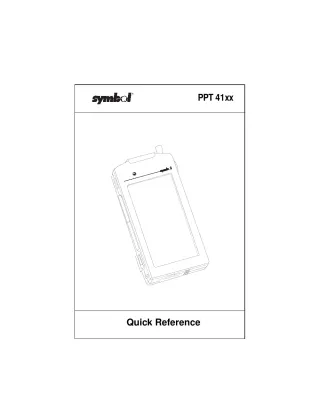
PPT 41xx Quick Reference
Manual24 pagesPDF 379 KB
Quick reference guide for the Symbol PPT 41xx pen-based hand-held terminals: power, battery, cradle, host communication, pen and scanner.
Names · 2 models
The models it names
 Symbol PPT-4110900 MHz wireless portable data collection terminal Call for availability Symbol PPT-4140802.11 (1 Mbps) wireless portable data collection terminal Call for availability
Filed with · 1 model
Also filed with these models on the old site
Summary
What is in it
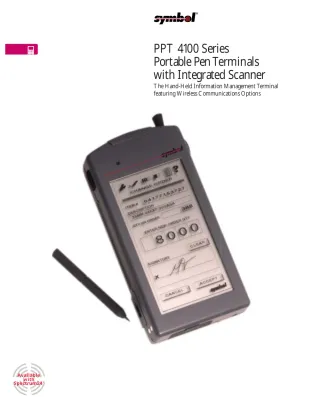
Symbol's quick reference guide for the PPT 41xx, a PC-compatible pen-based hand-held terminal with an integrated laser bar code scanner and optional Spectrum One or Spectrum24 radio cards. It identifies the parts of the terminal and explains providing power, removing, charging, cleaning and inserting the NiMH battery pack, using the CRD 4100-1010 cradle for charging and serial communications, powering on, RS-232 and radio communication with the host, using the pen for selection and handwriting, and using the scanner.
Its parts
- Introduction
- About This Guide
- Parts of the PPT 41xx
- Providing Power to the Terminal
- Removing the Battery from the Terminal
- Charging the Battery Pack
- Cleaning the Battery
- Inserting the Battery Into the Terminal
- Using the Cradle
- Powering On the Terminal
- Communicating with the Host
- Using the Pen
- Using the Scanner
- Warranty Information
From the manual · read page by page
Key facts from this manual
Some pages are scans or cannot be read; this says only what the readable text supports. Each line names its page in the PDF.
The quick reference guide for the Symbol PPT 41xx hand-held pen terminals, including the PPT 4110 with a Spectrum One radio card and the PPT 4140 with a Spectrum24 card. It shows the parts and explains power and charging, the NiMH battery, the CRD 4100-1010 cradle, RS-232 and radio communication, the pen and the laser scanner.
- Device
- PC-compatible hand-held terminal with pen input, integrated laser bar code scanner and PCMCIA radio cards p. 3
- Battery
- Rechargeable NiMH (Nickel Metal Hydride) battery pack p. 6
- Charge time
- 14 hours with the AC Adapter on the terminal; 1.5 hours in the cradle or its spare battery slot p. 8
- AC adapter
- p/n 50-14000-015 for 220VAC, p/n 50-14000-016 for 110VAC p. 6
- Radio
- PPT 4110: Spectrum One PCMCIA Type II card; PPT 4140: Spectrum24 PCMCIA Type II card p. 14
- Ports
- Serial/RS-232 port, keyboard port, infrared port, power jack, PCMCIA sockets p. 5
- RS-232 cable
- p/n 25-12059-01, subminiature connector to the terminal, DE9 to the host p. 14
- Scanner
- Integrated laser scanner with left and right scan buttons; red LED when on, green on a good decode p. 5, 19
- Pen
- p/n 50-12000-031, for selecting items or handwriting p. 16
- Cradle
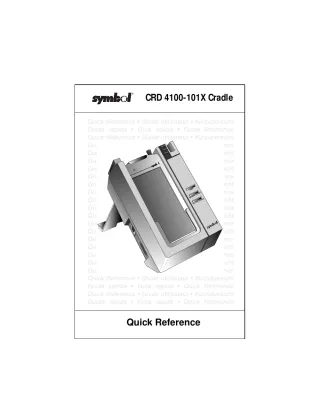
- Optional CRD 4100-1010 for charging and serial communications p. 11
- Related guide
- PPT 41xx Product Reference Guide p/n 70-11997-xx p. 18
- Document number
- 70-11959-02, Revision A, July 1997 p. 24
What this manual walks you through
- Powering the terminal from the AC Adapter p. 6
- Removing and inserting the battery pack p. 7, 10
- Charging the battery pack p. 8
- Cleaning the battery contacts p. 9
- Charging and serial communications with the cradle p. 11, 12
- Powering on the terminal p. 13
- Communicating with the host by RS-232 cable or radio p. 14, 15
- Using and replacing the pen p. 16, 17, 18
- Scanning bar codes p. 19, 20
Good to know
- Fully charge the battery before powering on the terminal on battery power. p. 6
- Do not press both scan buttons at the same time. p. 19
- Without the pen, use a finger or a non-metallic plastic pointer; never anything that scratches the screen. p. 18
- The 1.5 hour cradle charge depends on the right software being installed on the terminal. p. 11
- Radio communication is subject to local country availability. p. 15
Questions this manual answers
What AC adapter does the PPT 41xx use?
p/n 50-14000-015 for 220VAC or p/n 50-14000-016 for 110VAC, plugged into the power jack on the bottom of the terminal. p. 6
How long does the PPT 41xx battery take to charge?
About 14 hours with the AC Adapter connected to the terminal, or 1.5 hours in the cradle or its spare battery slot. p. 8
Which radio card does the PPT 4140 use?
A Spectrum24 PCMCIA Type II radio card; the PPT 4110 uses a Spectrum One card. p. 14
What cable connects a PPT 41xx to a PC?
RS-232 cable p/n 25-12059-01, with a DE9 connector for the host; a 25-pin host port may need an adapter cable. p. 14
How do I clean the PPT 41xx battery contacts?
Use a non-residue, non-lubricating isopropyl alcohol based contact cleaner on a cotton swab. p. 9
Contents
Chapters and sections
Each line opens the PDF at its page.
- PPT 41XX Quick Reference Guide1
- Introduction3
- About This Guide3
- Parts of the PPT 41xx4
- Providing Power to the Terminal6
- Removing the Battery from the Terminal7
- Charging the Battery Pack8
- Cleaning the Battery9
- Inserting the Battery Into the Terminal10
- Using the Cradle11
- Powering On the Terminal13
- Communicating with the Host14
- Using the Pen16
- Using the Scanner19
- Warranty Information24
The whole text · 3 parts
Read the manual here as text
Its text as extracted from the PDF, unedited, in parts; each page opens the PDF at that page.
The file