Manual · Symbol
LS 4071 Product Reference Guide
Manual168 pagesPDF 1.5 MB
Product reference guide for the Symbol LS 4071 cordless laser scanner and its RL474 and RL475 base stations: setup, scanning and programming.
Covers · 1 model
The models it covers
Summary
What is in it
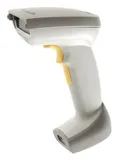
Symbol's product reference guide for the LS 4071 cordless laser bar code scanner, which sends scan data by low power radio to an RL474 or RL475 base station that also charges its battery. It covers unpacking, setting up the base station, charging and pairing, connecting to RS-232C, IBM 468X/9X and wedge hosts, aiming and the decode zone, maintenance, accessories, technical specifications, and parameter menus of bar codes for programming the system.
Its parts
- About This Manual
- The LS 4071 Scanner
- Set Up
- Scanning
- Maintenance and Specifications
- Parameter Menus
From the manual
Key facts from this manual
Each line names its page in the PDF.
The Product Reference Guide for the Symbol LS 4071 cordless laser scanner and its RL 474 and RL 475 base stations, sold as the LS 4074 and LS 4075 systems. It covers setup, charging, pairing the scanner with its base, connecting to a host, troubleshooting, battery changes, specifications and the bar code parameter menus.
- What it is
- Cordless laser scanner that sends data by low power radio to a base station up to 10 feet (3 meters) away p. 15
- Systems
- LS 4074: LS 4071 with RL474 base (RS-232 or Synapse Smart Cable); LS 4075: LS 4071 with RL475 base (IBM 468X/469X) p. 15
- Host interfaces
- RS-232C from the RL 474 base; IBM 468X/9X ports 5B, 9B, 9C, 9E or 17 from the RL 475 base; wand emulation, OCIA, OCR and keyboard wedges through Synapse cables p. 23, 25
- Battery
- Rechargeable NiCad pack in the handle, 250 mA hours, enough for a typical 12-hour shift p. 16
- Charge time
- Full charge within 2 hours in the RL 47X base; about 1 1/2 hours in the Universal Four-Slot Charger/Recharger p. 16
- Scan rate
- 36 (± 3) scans/sec, bidirectional p. 40
- Symbologies
- UPC/EAN, Bookland EAN, Code 39, Code 39 Full ASCII, Trioptic Code 39, Code 93, Codabar, Interleaved 2 of 5, Code 128, EAN 128, Discrete 2 of 5, MSI Plessey p. 40
- Tilt tolerance
- Roll ± 25°, pitch ± 65°, yaw ± 60° from normal p. 40
- Print contrast
- 20% minimum absolute dark/light differential p. 40
- Temperature
- Operating 32° to 104°F (0° to 40°C); storage -40° to 140°F (-40° to 60°C) p. 41
- Humidity
- 5% to 95%, non-condensing p. 41
- Drop rating
- Scanner survives a 4-ft. (1.2 m) drop to concrete p. 41
- Serial defaults
- 9600 baud, no parity, 1 stop bit, 8-bit ASCII, no handshaking p. 50
- Laser on time
- About 3.0 seconds per trigger pull by default p. 27
What this manual walks you through
- Setting up the base station and its cables p. 19, 20
- Charging the battery before first use p. 21
- Pairing the scanner with the base station p. 22
- Connecting to an RS-232C or IBM 468X/9X host p. 23, 24, 25
- Aiming and the decode zone p. 28, 29, 30
- Troubleshooting when nothing happens or the base beeps errors p. 31, 32
- Changing the battery pack p. 35, 36, 37
- Reading the base charge status light p. 38
- Base station connector pin outs for the RL474 and RL475 p. 42
- What each beep sequence means p. 43, 44
Good to know
- A large metal mass near the base station, or placing it on a shelf below a counter, may hurt scanner to base communication. p. 19
- With some terminals the unit cannot answer host polls until the right host type is selected, which may cause a host error message. p. 23
- NiCad packs wear out; the guide expects about two years and says to replace the pack once it no longer gives 12 hours of scanning. p. 22, 33
- A limit called the gas tank caps how long the laser stays on within a given period; the manual states this is for IEC 825 Class 1. p. 31
- For ICL, Fujitsu and Nixdorf RS-232C terminals the Transmit Code ID feature should not be enabled. p. 54
Questions this manual answers
How far can the LS 4071 scanner be from its base?
Up to about 10 feet (3 meters); line of sight to the base is preferable. p. 15, 19
How long does the LS 4071 battery take to charge?
It fully charges within 2 hours in the RL 47X base, or in about 1 1/2 hours in the Universal Four-Slot Charger/Recharger. p. 16
How do I pair an LS 4071 with its base station?
Scan the PAIRING bar code in the well of the RL 47X base (another is on the bottom). A warble beep from the scanner and then the base confirms it. p. 22
What do 4 long low beeps from the LS 4071 base mean?
A transmission error in a scanned symbol; the data is ignored. It happens when a unit is not properly configured, so check the option settings. p. 43
Which LS 4071 base station works with IBM 468X/469X registers?
The RL475 base, sold with the scanner as the LS 4075 system. p. 15
Contents
Chapters and sections
Each line opens the PDF at its page.
- Notational Conventions9
- Related Publications9
- Service Information9
- Warranty12
- Chapter 1 The LS 4071 Scanner15
- Chapter 2 Set Up19
- Chapter 3 Scanning27
- Chapter 4 Maintenance and Specifications33
- Chapter 5 Parameter Menus45
58 more lines, from page 61 on
- Base Beep Type61
- Transmit “No Read” Message62
- Linear Code Type Security Level63
- Bi-directional Redundancy66
- Enable/Disable UPC-E/UPC-A67
- Enable/Disable EAN-8/EAN-1368
- Enable/Disable Bookland EAN69
- Decode UPC/EAN Supplementals70
- Decode UPC/EAN Supplemental Redundancy71
- Transmit UPC-A/UPC-E Check Digit72
- UPC-A Preamble73
- UPC-E Preamble74
- Convert UPC-E to UPC-A75
- EAN Zero Extend76
- Convert EAN-8 to EAN-13 Type77
- UPC/EAN Security Level78
- UPC/EAN Coupon Code80
- Enable/Disable Code 12881
- Enable/Disable UCC/EAN-12882
- Lengths for Code 12883
- Enable/Disable Code 3984
- Enable/Disable Trioptic Code 3985
- Set Lengths for Code 3986
- Code 39 Check Digit Verification88
- Transmit Code 39 Check Digit89
- Enable/Disable Code 39 Full ASCII90
- Code 39 Buffering (Scan & Store)91
- Convert Code 39 to Code 3294
- Enable/Disable Code 9395
- Set Lengths for Code 9396
- Enable/Disable Interleaved 2 of 598
- Set Lengths for Interleaved 2 of 599
- I 2 of 5 Check Digit Verification101
- Transmit I 2 of 5 Check Digit102
- Convert I 2 of 5 to EAN-13103
- Enable/Disable Discrete 2 of 5104
- Set Lengths for Discrete 2 of 5105
- Enable/Disable Codabar107
- Set Lengths for Codabar108
- CLSI Editing110
- NOTIS Editing111
- Enable/Disable MSI Plessey112
- Set Lengths for MSI Plessey113
- MSI Plessey Check Digits115
- Transmit MSI Plessey Check Digit116
- MSI Plessey Check Digit Algorithm117
- Transmit Code ID Character118
- Pause Duration120
- Prefix/Suffix Values121
- Scan Data Transmission Format122
- Transmit ASCII/Intermediate Data124
- RS-232C Parameters125
- RS-232C Parameters131
- Numeric Bar Codes142
- Appendix A145
- Appendix B Glossary159
The whole text · 19 parts
Read the manual here as text
Its text as extracted from the PDF, unedited, in parts; each page opens the PDF at that page.
- Pages 1 to 81-8
- Notational Conventions9-11
- Warranty12-14
- Chapter 1 The LS 4071 Scanner15-18
- Chapter 2 Set Up19-26
- Chapter 3 Scanning27-32
- Chapter 4 Maintenance and Specifications33-44
- Chapter 5 Parameter Menus, pages 45 to 5445-54
- Chapter 5 Parameter Menus, pages 55 to 6455-64
- Chapter 5 Parameter Menus, pages 65 to 7465-74
- Chapter 5 Parameter Menus, pages 75 to 8475-84
- Chapter 5 Parameter Menus, pages 85 to 9485-94
- Chapter 5 Parameter Menus, pages 95 to 10495-104
- Chapter 5 Parameter Menus, pages 105 to 114105-114
- Chapter 5 Parameter Menus, pages 115 to 124115-124
- Chapter 5 Parameter Menus, pages 125 to 134125-134
- Chapter 5 Parameter Menus, pages 135 to 144135-144
- Appendix A145-158
- Appendix B Glossary159-168
The file